Commercial
Chinese Home Compute Buying Guide
Views
98
 Orelon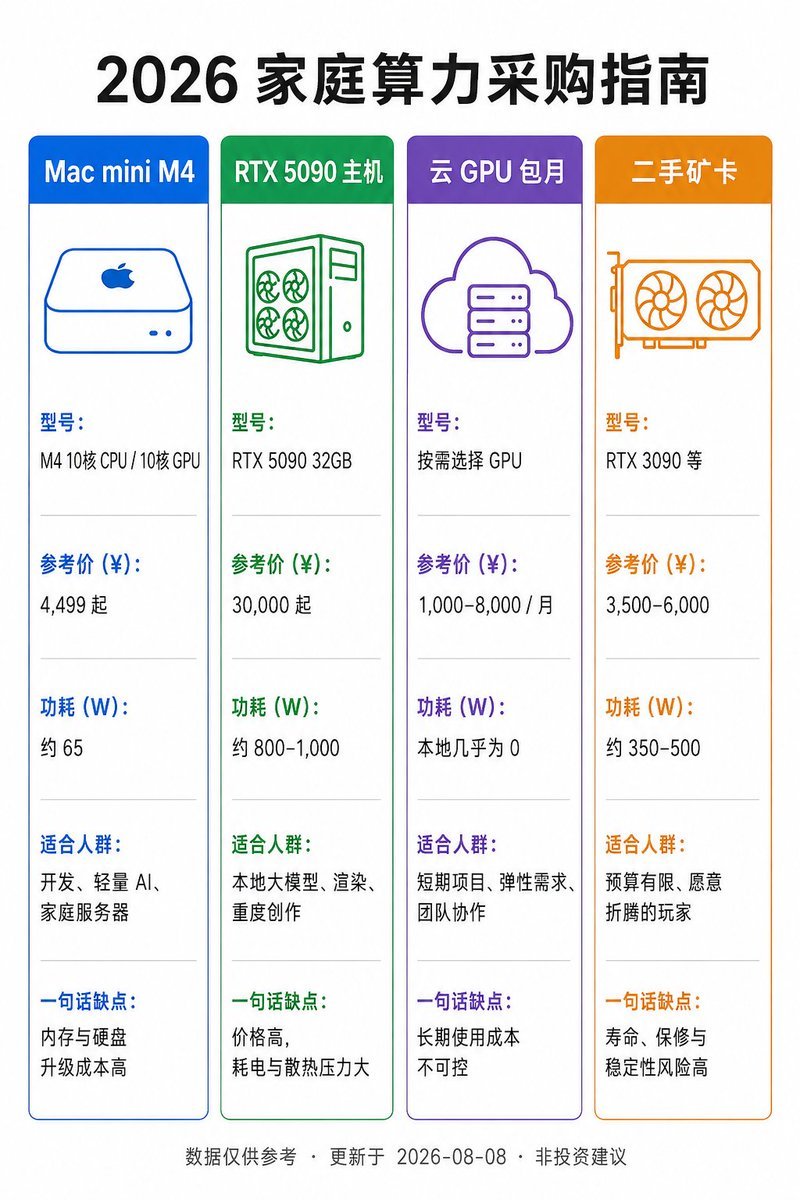
Commercial
Goal: Create a vertical Chinese product comparison infographic on a white background with a clean flat-design style. The main title at the top is {argument name="headline text" default="2026 家庭算力采购指南"}, in large bold black Chinese type, centered. Canvas: Portrait 2:3 aspect ratio, approximately 768×1152 px. Use generous white margins, crisp vector lines, and a balanced grid layout. Layout: Place exactly 4 tall rounded-rectangle comparison cards in one horizontal row beneath the title. Each card has a colored header bar, a matching thin border, a simple line icon near the top, then five stacked information sections separated by pale gray horizontal divider lines. Use neat left-aligned Chinese text inside each card. Cards, colors, icons, and text content: 1. Blue card header: “Mac mini M4”. Icon: simple blue outline Mac mini with Apple logo and two small front dots. Sections: “型号:” / “M4 10核 CPU / 10核 GPU”; “参考价 (¥):” / “4,499 起”; “功耗 (W):” / “约 65”; “适合人群:” / “开发、轻量 AI、家庭服务器”; “一句话缺点:” / “内存与硬盘升级成本高”. 2. Green card header: “RTX 5090 主机”. Icon: green outline desktop tower with four fan circles and side panel. Sections: “型号:” / “RTX 5090 32GB”; “参考价 (¥):” / “30,000 起”; “功耗 (W):” / “约 800–1,000”; “适合人群:” / “本地大模型、渲染、重度创作”; “一句话缺点:” / “价格高,耗电与散热压力大”. 3. Purple card header: “云 GPU 包月”. Icon: purple outline cloud containing a server rack. Sections: “型号:” / “按需选择 GPU”; “参考价 (¥):” / “1,000–8,000 / 月”; “功耗 (W):” / “本地几乎为 0”; “适合人群:” / “短期项目、弹性需求、团队协作”; “一句话缺点:” / “长期使用成本不可控”. 4. Orange card header: “二手矿卡”. Icon: orange outline dual-fan graphics card. Sections: “型号:” / “RTX 3090 等”; “参考价 (¥):” / “3,500–6,000”; “功耗 (W):” / “约 350–500”; “适合人群:” / “预算有限、愿意折腾的玩家”; “一句话缺点:” / “寿命、保修与稳定性风险高”. Footer: Center a small gray footnote along the bottom: “数据仅供参考 · 更新于 2026-08-08 · 非投资建议”. Visual style: Minimal flat infographic, Chinese sans-serif font, high readability, accurate alignment, consistent spacing, no shadows, no photos, no decorative background. Ensure all Chinese text is sharp and legible, with the section labels colored to match each card’s header.
This is a free AI prompt from the Orelon library. Thousands more image prompts here are free to copy and adapt.
Explore more image prompts




Ready to create
Start with this curated direction in Orelon, then shape it into your next visual.