Effects by Tags
Anime Rock Guitarist on Railway Bridge
Views
84
 Orelon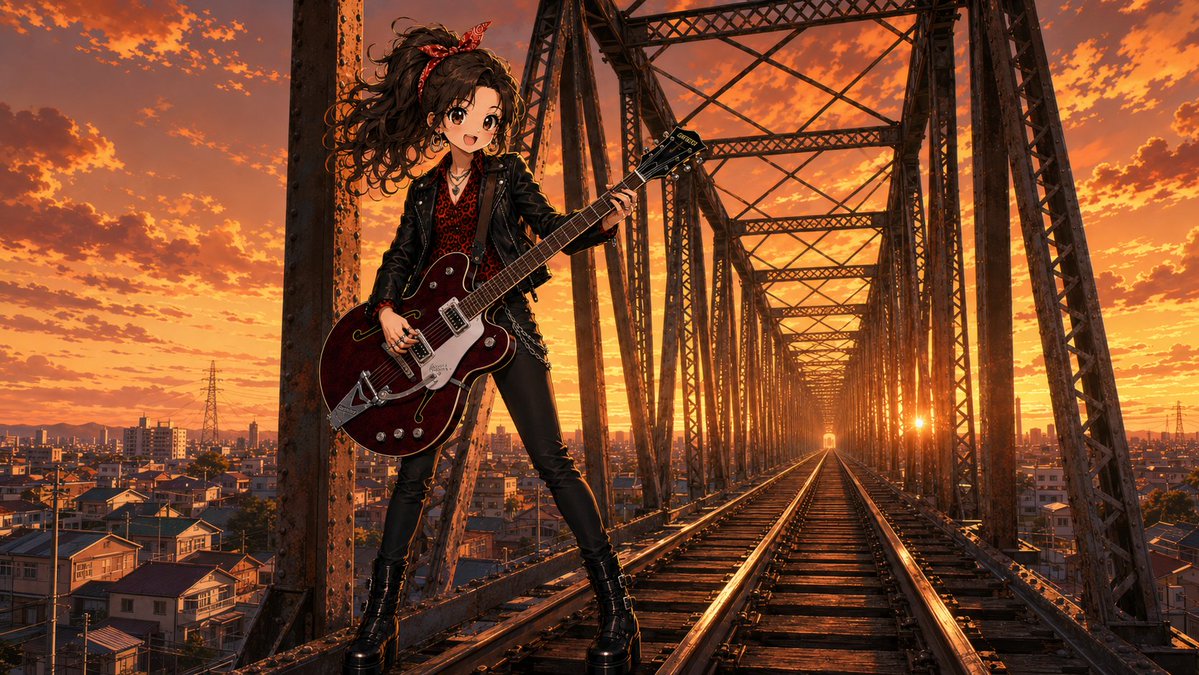
Effects by Tags
Create a cinematic anime-style rock portrait of {argument name="character name" default="a young female guitarist"} standing on active-looking railroad tracks inside a massive rusted steel truss railway bridge at sunset. The composition is a wide 16:9 landscape frame, low eye-level perspective, with the bridge beams and rails forming strong one-point perspective lines toward a bright sun near the horizon in the center-right distance. The character stands left of center in a confident wide-legged pose, leaning slightly back against a vertical riveted steel column, holding a dark burgundy semi-hollow electric guitar with chrome hardware and a Bigsby-style tremolo; one hand grips the neck and the other rests near the strings. She has wild voluminous curly dark brown hair blown by the wind, tied with a red patterned bandana, layered necklaces, a black leather jacket over a red leopard-print top, tight black pants with a chain detail, and black platform ankle boots. Her face is intentionally obscured by a soft square pixelated blur patch, as if anonymized. The background shows a dense low-rise Japanese suburban cityscape on both sides of the bridge, distant power pylons and buildings, and an intensely dramatic orange-gold sky filled with scattered clouds. Use highly detailed semi-realistic anime rendering, rich warm rim lighting, glossy reflections on the rails and guitar, gritty industrial textures, cinematic contrast, sharp linework, dramatic sunset color grading, no text, no watermark. Customize the outfit accent color with {argument name="accent color" default="red"}, the guitar color with {argument name="guitar color" default="dark burgundy"}, the setting with {argument name="city backdrop" default="Japanese suburban cityscape"}, and the sky mood with {argument name="sky mood" default="fiery orange sunset"}.
This is a free AI prompt from the Orelon library. Thousands more image prompts here are free to copy and adapt.
Explore more image prompts





Ready to create
Start with this curated direction in Orelon, then shape it into your next visual.