Commercial
Brand Guide to Ad Concepts UI
Likes
1
Views
73
 Orelon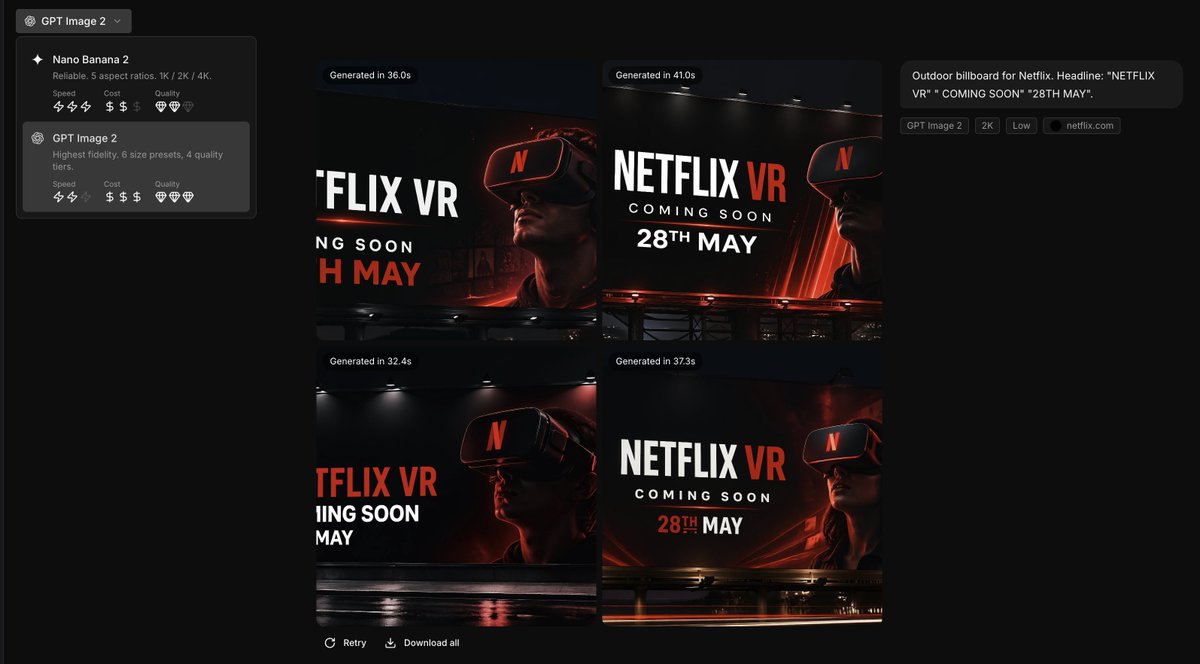
Commercial
Using the provided reference image as the brand style guide, generate a dark creative-generation app interface showing 4 billboard ad concepts in a 2x2 grid for {argument name="brand name" default="Netflix"}. Apply the exact brand palette and overall visual identity from the reference: deep black background, red accent, white typography, charcoal overlays, and clean modern sans-serif styling. Turn the reference from a static brand settings page into an image-generation results screen with a left sidebar model picker containing 2 model cards, and a main canvas displaying 4 generated concept thumbnails. Each thumbnail should be a cinematic nighttime outdoor billboard mockup with dramatic lighting, glossy reflections, and a person wearing a VR headset. Use bold billboard copy reading {argument name="headline text" default="NETFLIX VR"}, {argument name="subheadline text" default="COMING SOON"}, and {argument name="date text" default="28TH MAY"}. Add small UI chips and labels on the right summarizing the prompt, plus generation-time badges above each of the 4 images. Keep the result looking like a premium creative tool screenshot for branded ad ideation.
This is a free AI prompt from the Orelon library. Thousands more image prompts here are free to copy and adapt.
Explore more image prompts




Ready to create
Start with this curated direction in Orelon, then shape it into your next visual.