Commercial
Luxury Miniature Dubai City Model
Views
108
 Orelon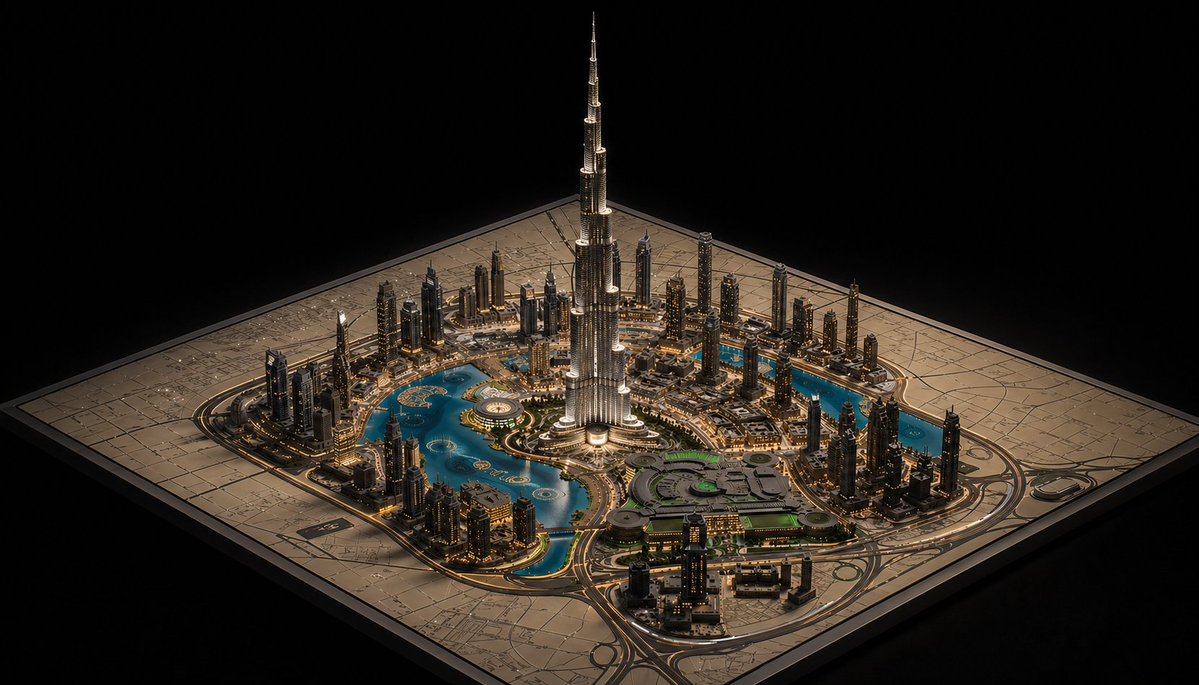
Commercial
A hyper-detailed cinematic isometric miniature city model of {argument name="landmark tower" default="Burj Khalifa"} rising dramatically from the center of a square architectural master-plan board, presented like a luxury urban planning maquette on a black background. The composition shows one dominant ultra-tall silver skyscraper in the exact center, surrounded by a dense ring of modern high-rise towers, illuminated roads, bridges, and glowing warm city lights. Curving turquoise-blue water features and artificial lakes wrap around the central district in multiple connected pools and canals, with one large circular fountain-like feature near the tower base and several small island shapes visible in the water. In the lower right quadrant, include a large low-rise complex with rounded geometric roofs and subtle green-lit sections, connected by multilane roads and looping interchanges. The entire city sits on one square beige map board engraved with faint street grids and planning lines, with the board edges clearly visible and slightly raised. Viewpoint is a high three-quarter isometric angle, centered and symmetrical, with the tower extending far upward into negative space. Lighting is dramatic and luxurious: warm golden edge lights on buildings and roads, cool reflections in the water, crisp metallic highlights on the central tower, and a deep black void surrounding the model. Style should feel like a photorealistic architectural visualization mixed with a premium collectible scale model, extremely intricate, sharp, polished, and elegant.
This is a free AI prompt from the Orelon library. Thousands more image prompts here are free to copy and adapt.
Explore more image prompts




Ready to create
Start with this curated direction in Orelon, then shape it into your next visual.