Commercial
Technical Isometric Teardown Infographic
Likes
2
Views
224
 Orelon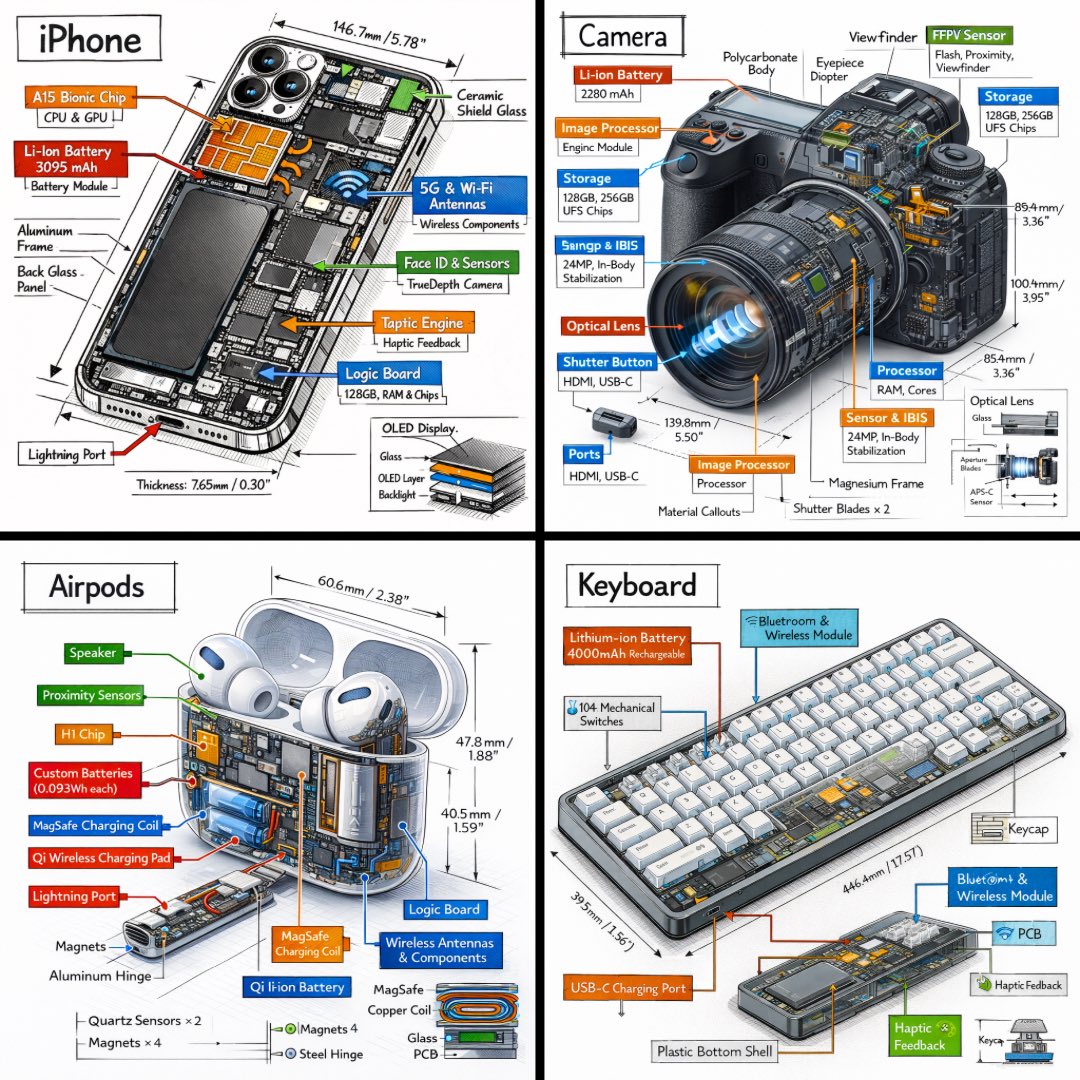
Commercial
Generate a technical infographic of {argument name="object" default="OBJECT"} rendered from a {argument name="viewpoint" default="45-degree isometric 3D viewpoint"}, with the object slightly tilted to expose depth and three-dimensional structure. Blend a photorealistic render of the object with hand-drawn black ink technical annotations on a clean pure-white background. Include: - Color-coded callout boxes labeling each key component - Transparent / cutaway sections that reveal internal parts - Precise measurements, dimensions, and scale markers - Material descriptions and quantity counts - Color-coded directional arrows for function and flow: RED for power/battery, BLUE for data/connectivity, ORANGE for thermal/processor, GREEN for sensors/haptics - Simple schematics or cross-section diagrams where useful Place the "{argument name="object" default="OBJECT"}" title inside a hand-sketched technical frame in the top-left corner. Style: black architectural-pen linework, sketchy yet precise; the object remains fully visible; vibe of a professional engineering teardown or museum exhibit. Clean layout with balanced negative space. Perspective: 45-degree isometric tilt that dramatically reveals depth, dimension, and internal architecture, like a product engineering manual. Color usage: roughly 10-15% accent density, black dominant, white background. Output: 1080x1080, ultra-crisp, optimized for social feeds.
This is a free AI prompt from the Orelon library. Thousands more image prompts here are free to copy and adapt.
Explore more image prompts




Ready to create
Start with this curated direction in Orelon, then shape it into your next visual.