Effects by Tags
Boxing Impact Chat Screenshot
Views
54
 Orelon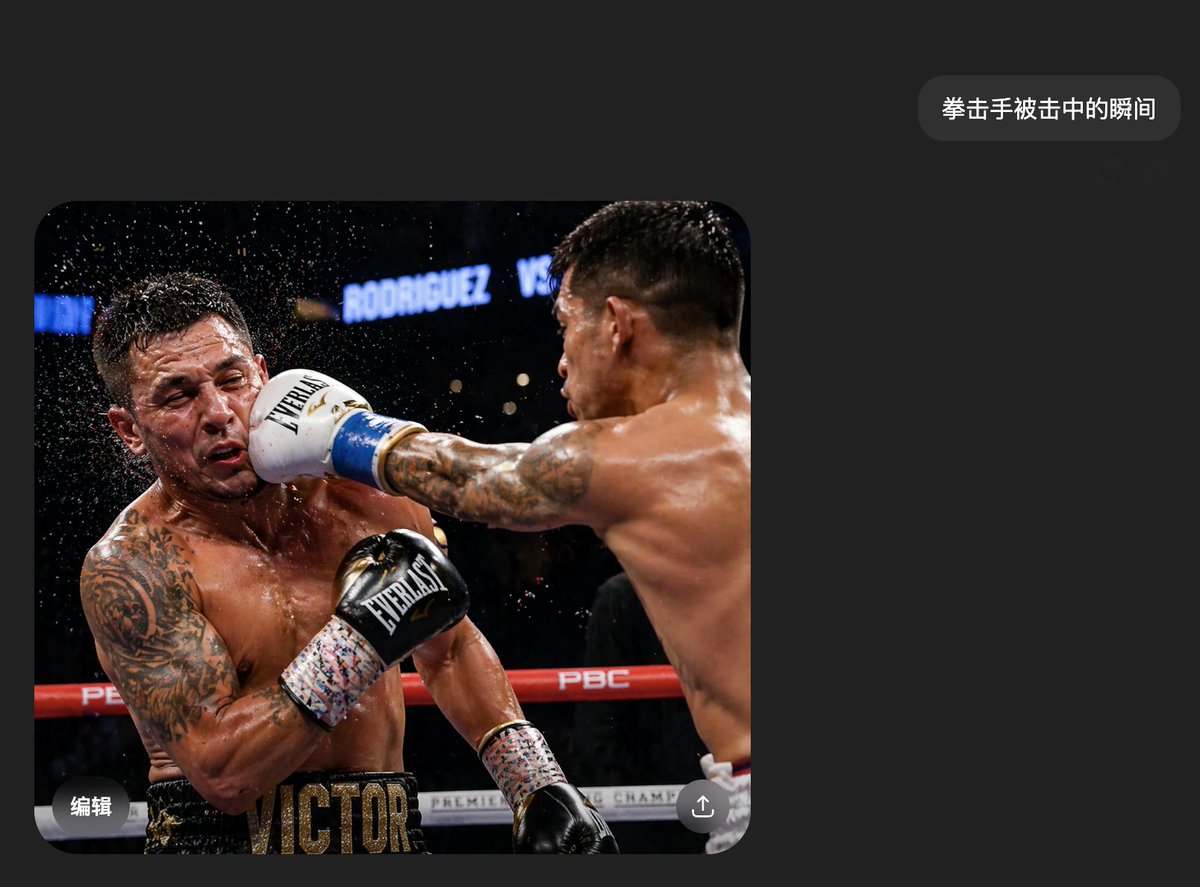
Effects by Tags
A realistic smartphone screenshot of a dark-mode chat interface in Chinese, minimalist and modern, with a charcoal black background and lots of empty space. Near the upper right is a single rounded dark-gray message bubble containing the white Chinese text {argument name="message text" default="拳击手被击中的瞬间"}. Below and to the left is one large embedded photo with rounded corners, occupying most of the lower-left half of the screen. The embedded photo shows the exact instant in a professional boxing match when one boxer lands a hard straight punch flush on the other boxer’s face. Two shirtless male boxers with muscular, sweaty bodies are inside a ring under arena lights. The boxer on the right is seen mostly from the back and side, extending his right arm fully across the frame; his back and shoulder muscles are sharply defined, and he has short dark hair and tattooed arms. He wears a white boxing glove with blue trim, and the glove is smashing into the left boxer’s face. The boxer on the left is recoiling from the impact, his head snapping sideways, with a spray of sweat and water droplets exploding outward around his head. He has a heavily tattooed left arm and chest, a black glove raised near his torso, and black trunks with large gold letters reading VICTOR across the waistband area. The ring ropes are red and white, with visible branding including PBC, and the dark blurred arena background includes bright signage reading RODRIGUEZ VS. The action photo should feel like a frozen high-speed sports photograph, dramatic, crisp, and photorealistic. Over both fighters’ faces are 2 rectangular mosaic-blur censor blocks, one on each face. Add small mobile UI overlay details on the image: the Chinese word 编辑 in white at the bottom-left corner of the photo and a circular share/upload icon at the bottom-right corner. Overall composition should look exactly like a casually shared AI-generated image shown inside a messaging app screenshot, clean, believable, and highly realistic.
This is a free AI prompt from the Orelon library. Thousands more image prompts here are free to copy and adapt.
Explore more image prompts





Ready to create
Start with this curated direction in Orelon, then shape it into your next visual.