Commercial
Crimson Gown in Flooded Venice
Likes
5
Views
535
 Orelon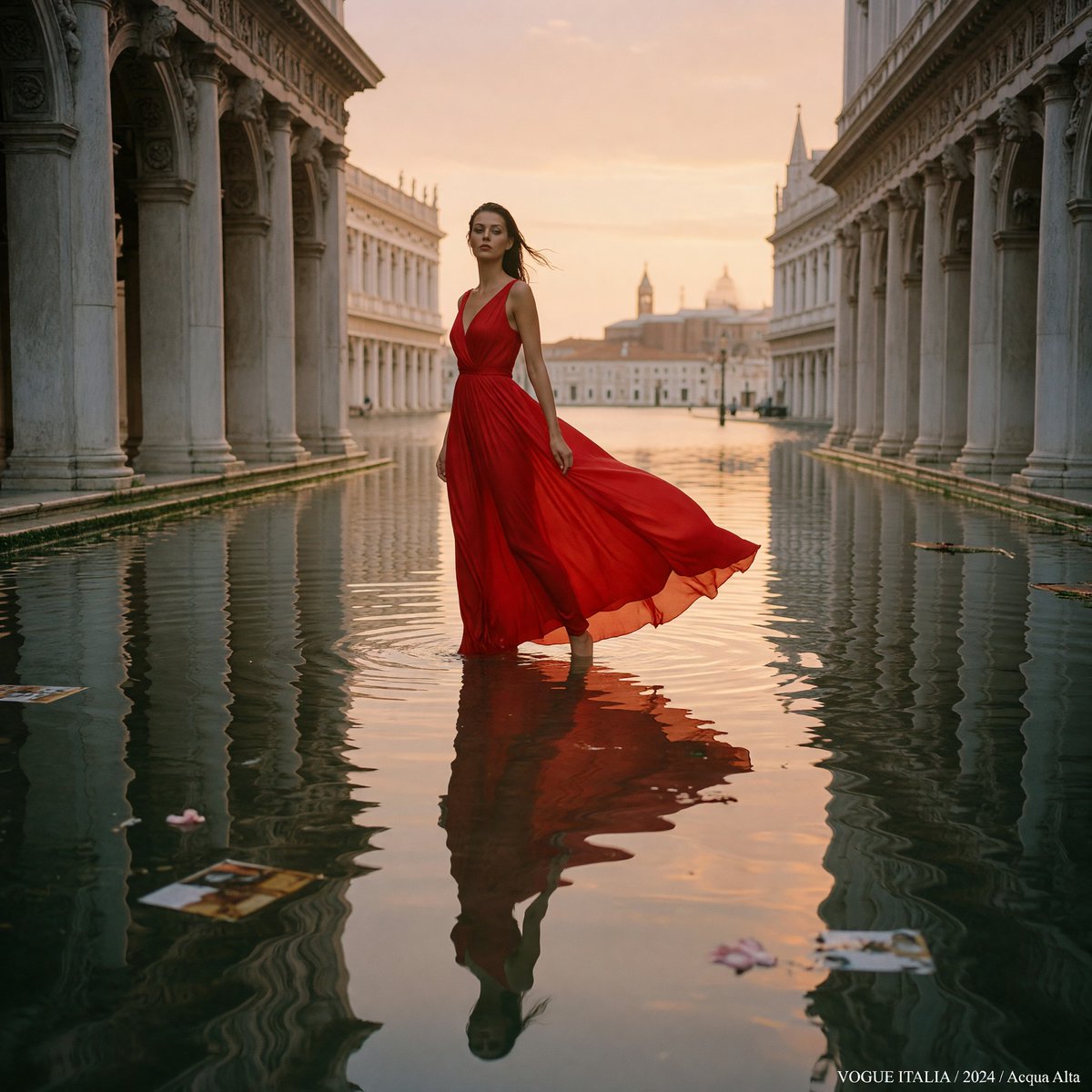
Commercial
Create a high-fashion editorial photograph for {argument name="magazine credit" default="Vogue Italia"}: a single tall female model standing barefoot ankle-deep in floodwater in a grand Venetian piazza at golden hour, centered in a symmetrical corridor of historic marble arcades and columns on both sides. She wears a dramatic {argument name="gown color and fabric" default="crimson red silk chiffon"} sleeveless evening gown with a deep V neckline, fitted waist, full flowing skirt, and translucent hem; the fabric trails and billows to her right in a soft breeze. Her face is softly obscured by motion or shallow focus, her dark hair is windblown, and her pose is poised and statuesque, looking upward and slightly left. The flooded square forms a mirror-like canal, reflecting the model, columns, peach sky, and distant Venetian domes and bell towers; include gentle ripples around her legs and a few floating fashion magazine pages and flower petals on the water. Use warm sunset light, cinematic peach-and-gold sky, elegant muted stone architecture, realistic medium-format film look, Vogue Italia luxury editorial styling, shallow depth of field, soft grain, 80mm lens feel, balanced central composition, refined color grading, no crowd, no modern clutter except the floating editorial pages. Add a small white bottom-right caption reading {argument name="bottom right caption" default="VOGUE ITALIA / 2024 / Acqua Alta"}.
This is a free AI prompt from the Orelon library. Thousands more image prompts here are free to copy and adapt.
Explore more image prompts



Ready to create
Start with this curated direction in Orelon, then shape it into your next visual.