Camera Control
Embroidered Cozy Bird Living Room
Likes
50
Views
696
 Orelon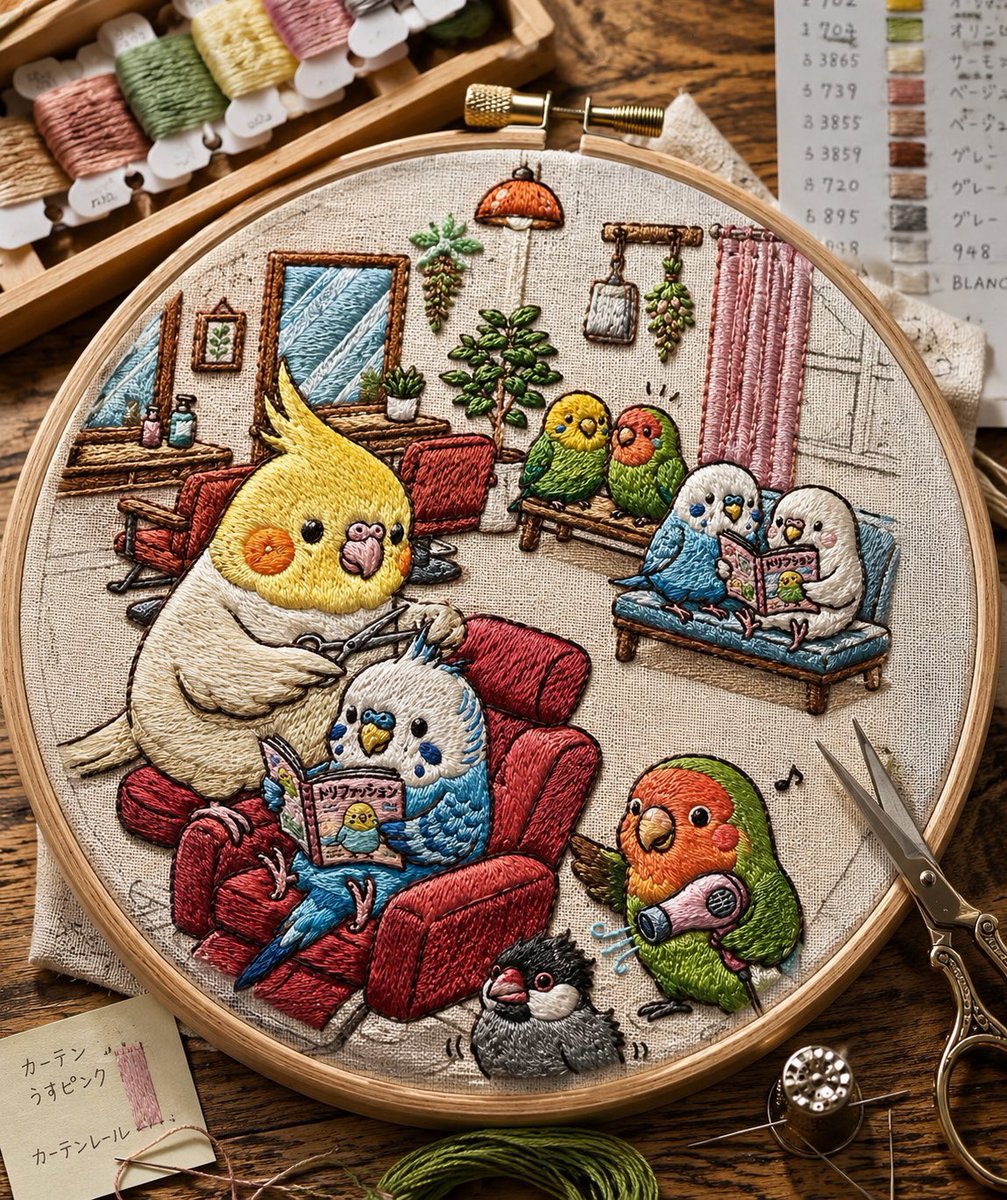
Camera Control
Create a highly realistic macro photograph of a finished hand-embroidery piece in a round wooden embroidery hoop on a rustic wooden craft table, showing a cozy living-room scene stitched on natural beige linen. The embroidery should look tactile and dimensional, with visible satin stitches, long-and-short stitches, French knots, raised thread texture, slight imperfections, and warm handmade charm. The scene contains exactly 8 embroidered pet birds: a large {argument name="main bird species" default="yellow cockatiel"} sitting in a plush red armchair holding knitting needles, a blue-and-white budgie nestled beside it reading a tiny illustrated magazine, two small birds perched on a wooden bench in the background, two small birds sitting together on a blue sofa reading, one green-and-orange lovebird standing at lower right holding a pink handheld vacuum with little blue motion lines, and one small black-and-gray crested bird at the bottom center. The miniature embroidered room includes a red armchair, a blue sofa, a wooden bench, a desk with tiny bottles, two framed wall pictures, a potted plant, hanging plants, a small orange pendant lamp, pink curtains, a sketched window, a few musical notes, and fine pencil-like construction lines visible on the fabric. Surround the hoop with realistic embroidery supplies: a wooden tray of pastel thread bobbins at the upper left, a paper thread color chart at the upper right, ornate embroidery scissors on the right, a needle and metal thimble at the lower right, green floss at the bottom, and a small note card at lower left with Japanese handwriting. Use warm natural daylight, shallow depth of field, crisp focus on the hoop, cozy craft-room atmosphere, earthy colors, and a charming whimsical style that makes the entire illustration appear as if it has been embroidered from a text prompt.
This is a free AI prompt from the Orelon library. Thousands more image prompts here are free to copy and adapt.
Explore more image prompts





Ready to create
Start with this curated direction in Orelon, then shape it into your next visual.