Camera Control
Vintage Digicam Quad-Split Collage with Motion Blur
Likes
2
Views
94
 Orelon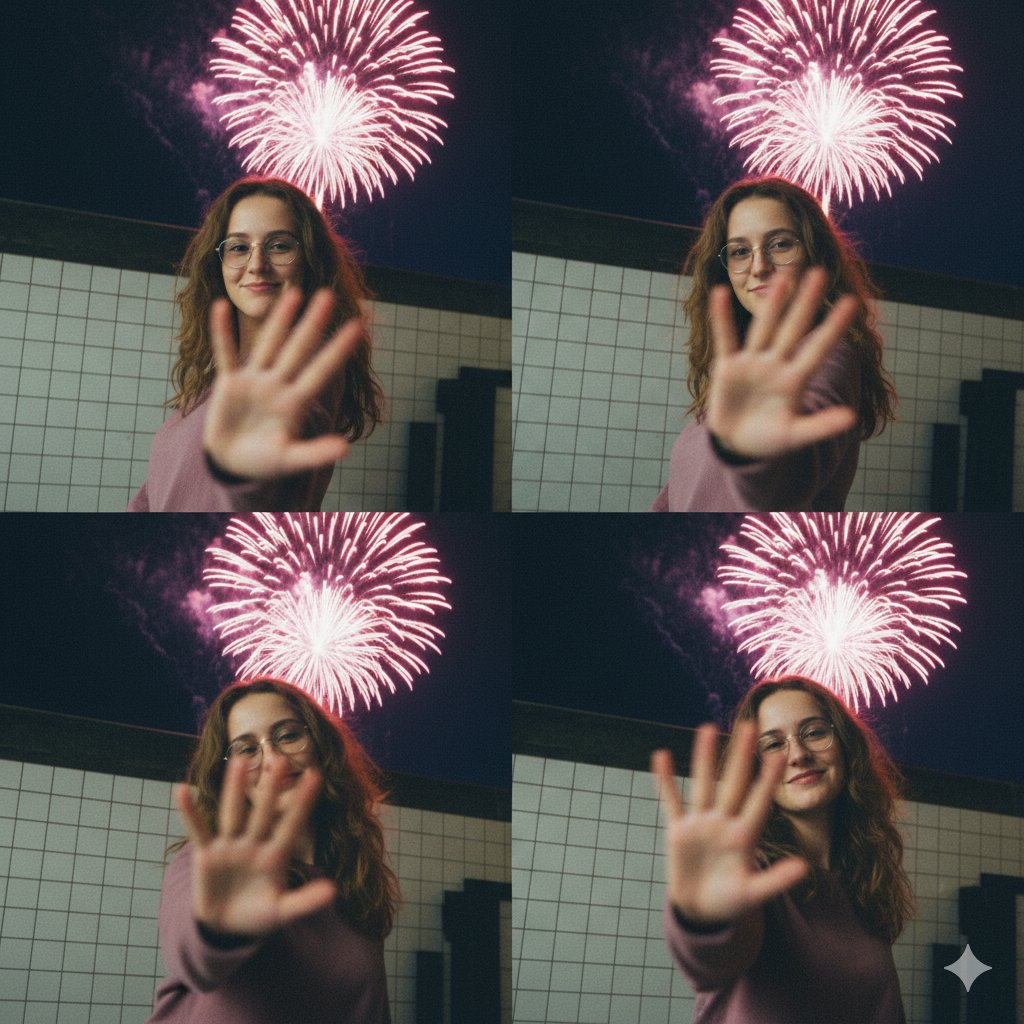
Camera Control
{ "subject": { "description": "A young woman with wavy brown hair wearing glasses and a mauve long-sleeve top.", "actions": [ "turning her head quickly", "holding a hand up to the camera lens", "smiling warmly at the viewer" ] }, "composition": { "layout": "4-panel grid, quad-split collage", "background": "Nighttime city street next to a white tiled wall with large pink and white fireworks exploding in the dark sky.", "framing": "Medium shot, candid sequence" }, "style": { "photography_type": "Vintage digital camera aesthetic, 2000s digicam style", "lighting": "Low-light street photography, soft flash, natural glow from fireworks", "visual_effects": [ "heavy motion blur", "shallow depth of field", "slight film grain", "intentional lens blur on the hand" ], "color_palette": "Muted {argument name="top color" default="mauve"}, deep night blues, warm skin tones, bright pink pops" }, "mood": "Nostalgic, cinematic, spontaneous, youthful" }
This is a free AI prompt from the Orelon library. Thousands more image prompts here are free to copy and adapt.
Explore more image prompts





Ready to create
Start with this curated direction in Orelon, then shape it into your next visual.