Visual Effects
Studio Ghibli Style Transfer Prompt
Likes
1
Views
96
 Orelon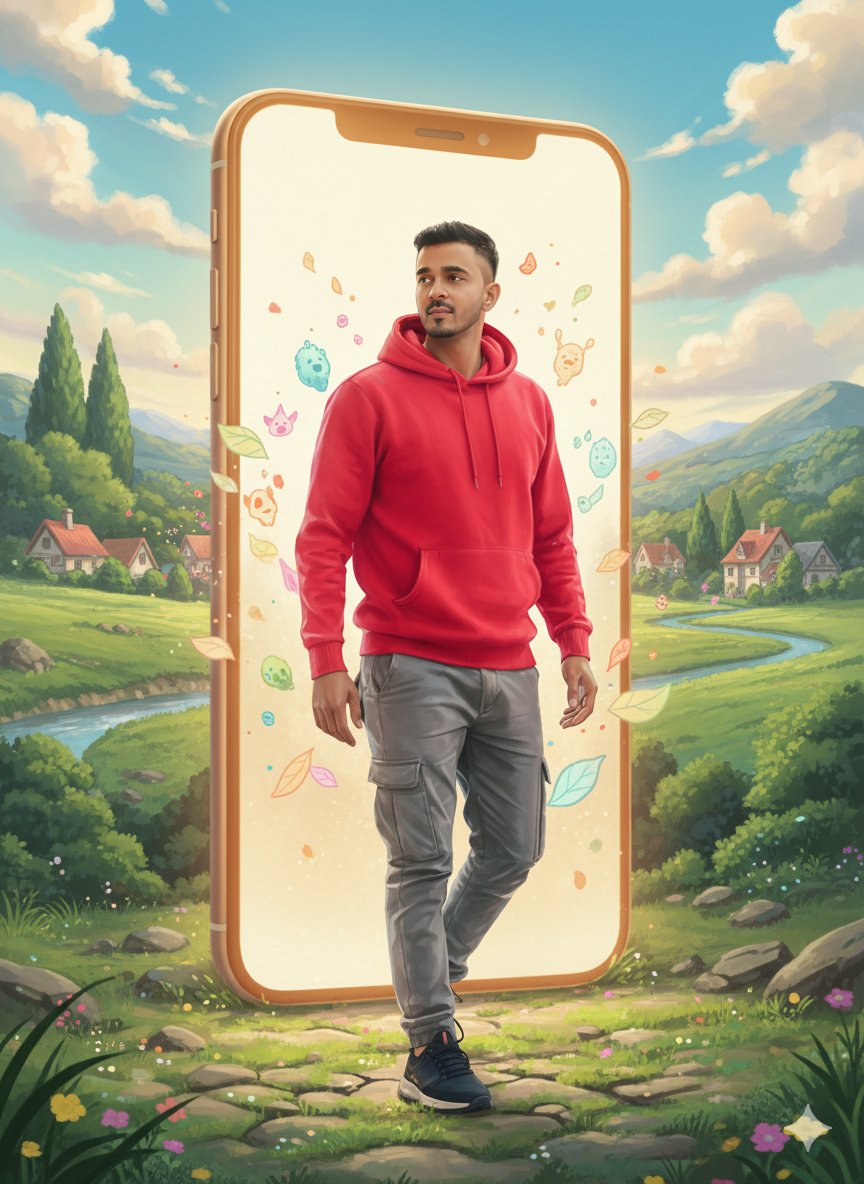
Visual Effects
Create a Studio Ghibli–inspired illustration based on the uploaded reference image. Preserve the person’s face structure, expression, gender, and pose exactly as in the original image. Transform the art style into classic Ghibli animation: – soft hand-drawn lines – warm pastel color palette – gentle anime proportions – expressive eyes with natural emotions – smooth skin texture, painterly shading Environment: Add a dreamy, peaceful Ghibli-style background that matches the mood of the image (such as lush green fields, soft clouds, glowing sunlight, floating particles, or a cozy fantasy village). Lighting & Mood: – soft golden light – calm, nostalgic, magical atmosphere – cinematic anime feel Quality: High detail, ultra-clean illustration, 4k quality, no realism, no photorealistic texture, pure anime hand-drawn look.
This is a free AI prompt from the Orelon library. Thousands more image prompts here are free to copy and adapt.
Explore more image prompts


Ready to create
Start with this curated direction in Orelon, then shape it into your next visual.