Visual Effects
Graffiti Creature Pixel Platformer
Views
46
 Orelon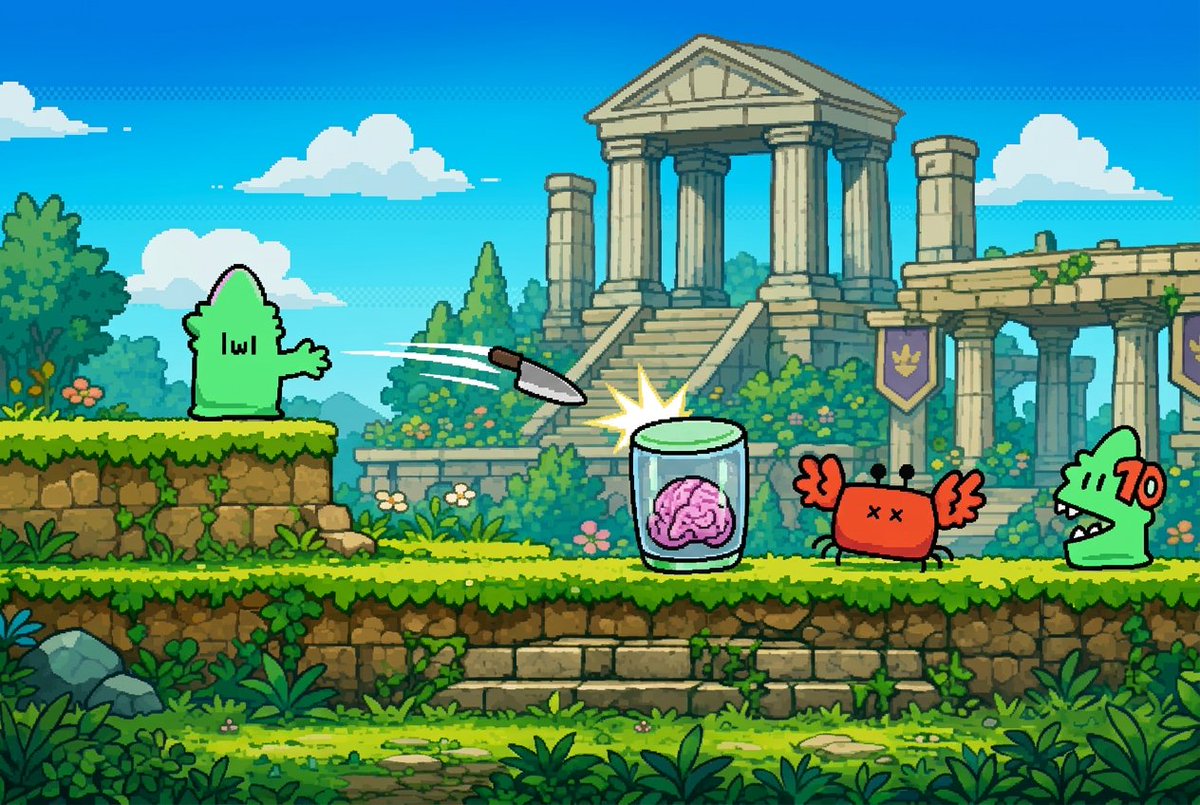
Visual Effects
Using the provided reference image as the character source, extract the small green graffiti creature and reimagine it as a clean black-outlined sprite in a colorful retro 2D pixel-art side-scrolling platform game. Do not keep the brick alley background; replace it with a bright fantasy ruin level: blue sky with puffy clouds, lush jungle plants, mossy stone platforms, and a large ancient temple with columns in the background. Place the referenced green creature on the left platform facing right. Add exactly 4 new interactive game elements: 1 flying knife projectile traveling rightward, 1 glass jar containing a pink brain being struck with a starburst impact, 1 red crab-like enemy with X eyes and raised claws, and 1 green crocodile-like enemy on the far right with a red “70” damage number beside it. Make the whole scene look like a polished 16-bit platformer screenshot with crisp pixel edges, saturated colors, parallax depth, and no photorealistic elements.
This is a free AI prompt from the Orelon library. Thousands more image prompts here are free to copy and adapt.
Explore more image prompts


Ready to create
Start with this curated direction in Orelon, then shape it into your next visual.