Camera Control
Ancient Firelit Stone Hall
Likes
1
Views
35
 Orelon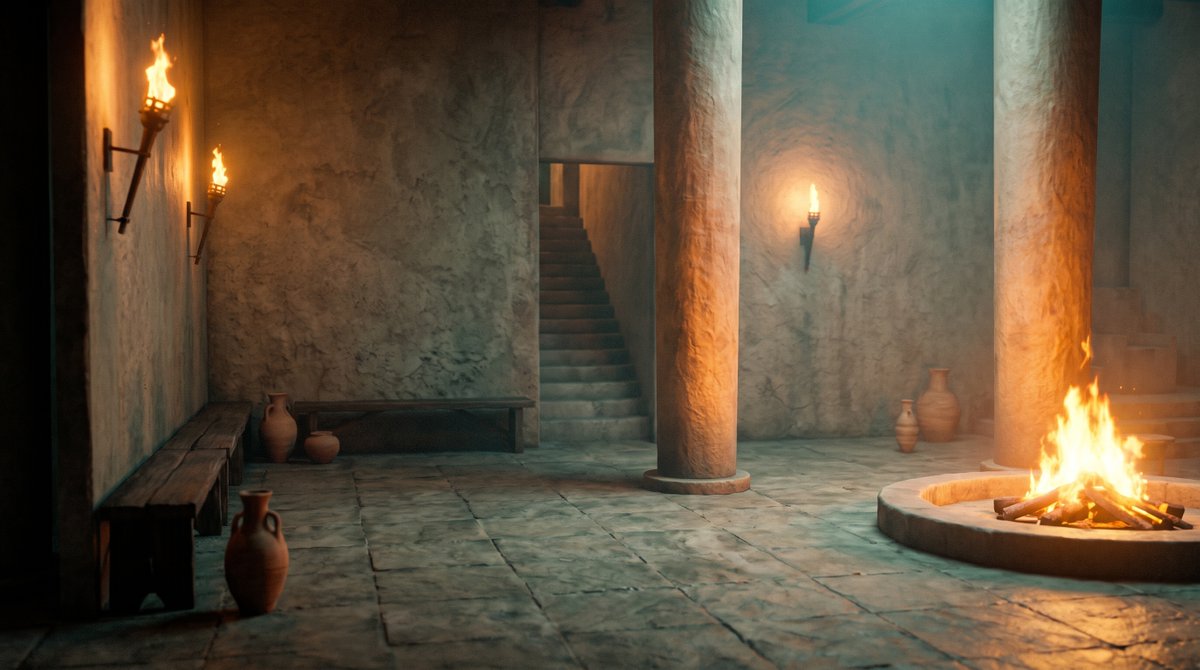
Camera Control
Create a cinematic wide-angle 16:9 interior scene of an ancient stone hall or temple atrium, with rough plaster walls, large square stone floor slabs, and a moody teal-and-orange color grade. The room is empty of people and lit only by firelight: include exactly 3 wall-mounted flaming torches, with 2 torches on the left wall and 1 torch on the rear wall, plus 1 large circular sunken fire pit in the right foreground containing burning logs and tall flames. Add exactly 2 massive cylindrical stone columns rising from floor to ceiling, one near the center and one near the right side, both catching warm orange rim light from the fire. Include exactly 2 simple dark wooden benches, one long bench along the left foreground wall and one long bench against the rear wall. Include exactly 6 clay pottery vessels: 1 tall jug in the left foreground, 2 vessels near the rear-left bench, and 3 vessels near the rear-right wall. Show exactly 2 stairways: one central rear staircase ascending into a dark doorway and one partially visible staircase at the far right. Use realistic ancient Mediterranean/Roman-inspired architecture, worn stone textures, soot-stained plaster, soft smoke haze, volumetric fire glow, deep shadows, no modern objects, no people, no text, no watermark. The camera is at standing eye level with a slightly low cinematic perspective, emphasizing depth, warm fire reflections on the stone floor, and a quiet mysterious atmosphere.
This is a free AI prompt from the Orelon library. Thousands more image prompts here are free to copy and adapt.
Explore more image prompts





Ready to create
Start with this curated direction in Orelon, then shape it into your next visual.