Camera Control
Romantic Underwater Cinematic Scene
Likes
52
Views
1.1K
 Orelon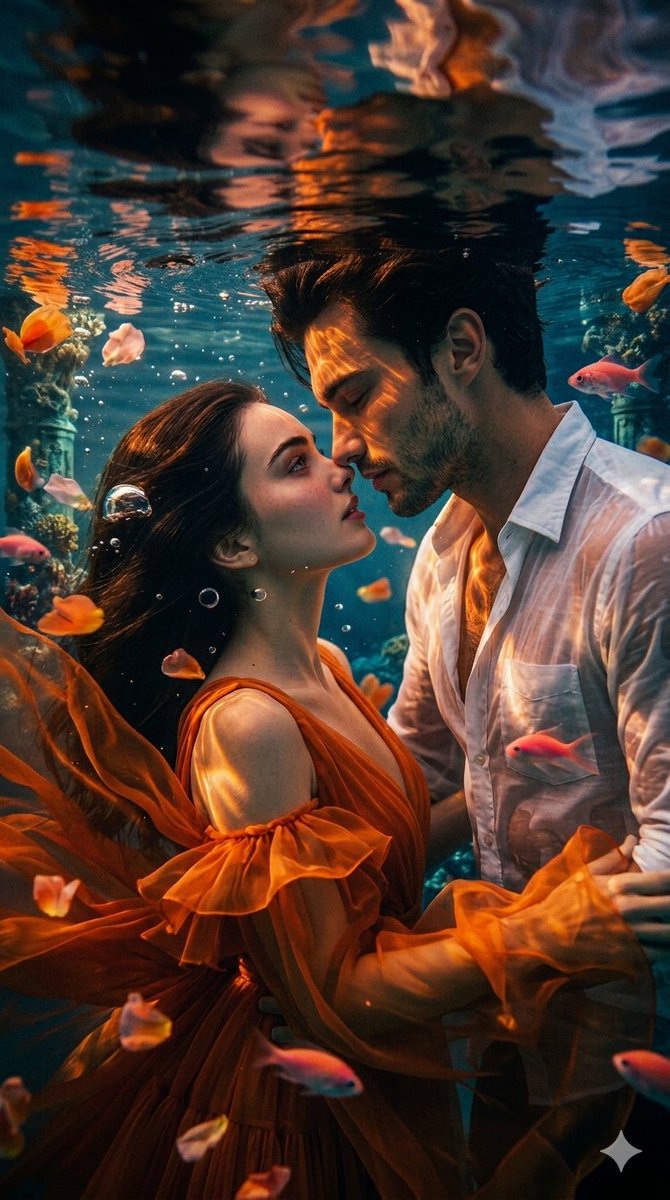
Camera Control
{"scene": {"setting": "Underwater, just beneath the surface", "atmosphere": "Romantic, cinematic, dreamlike, high-drama", "lighting": "Dramatic golden hour sunlight filtering through water, creating caustic patterns, deep shadows, and high contrast", "color_palette": "Deep teal and blue water, vibrant orange dress, golden sunlight, soft pink and white accents"}, "subjects": {"woman": {"pose": "Profile view, looking up towards the man, face close to his, floating effortlessly", "appearance": "Fair skin, long dark brown hair flowing naturally in the water, soft facial features", "attire": "Vibrant orange gown with flowing, translucent ruffles and layers that drift in the current"}, "man": {"pose": "Profile view, leaning down towards the woman, eyes closed, face inches from hers", "appearance": "Dark hair, light facial stubble, sharp jawline, sun caustics reflecting on his skin", "attire": "White button-up dress shirt, unbuttoned at the collar, completely soaked and clinging"}}, "environmental_elements": {"water_surface": "Visible just above their heads, creating a clear, wavy reflection of the couple", "marine_life": "Small, glowing pink and orange fish swimming around the subjects", "particles": "Floating orange and pink flower petals, delicate water bubbles, and shimmering micro-particles suspended in the water", "background": "Faint, out-of-focus underwater structures, coral reefs, and ancient pillars adding depth"}, "cinematography": {"camera_angle": "Eye-level medium shot, vertical composition", "focus": "Sharp focus on the couple, shallow depth of field blurring the distant background", "style": "Epic cinematic film still, anamorphic lens quality, rich textures, 4k resolution, high dynamic range (HDR)"}}
This is a free AI prompt from the Orelon library. Thousands more image prompts here are free to copy and adapt.
Explore more image prompts





Ready to create
Start with this curated direction in Orelon, then shape it into your next visual.