Camera Control
Dark Cinematic Skin Detail Portrait
Views
79
 Orelon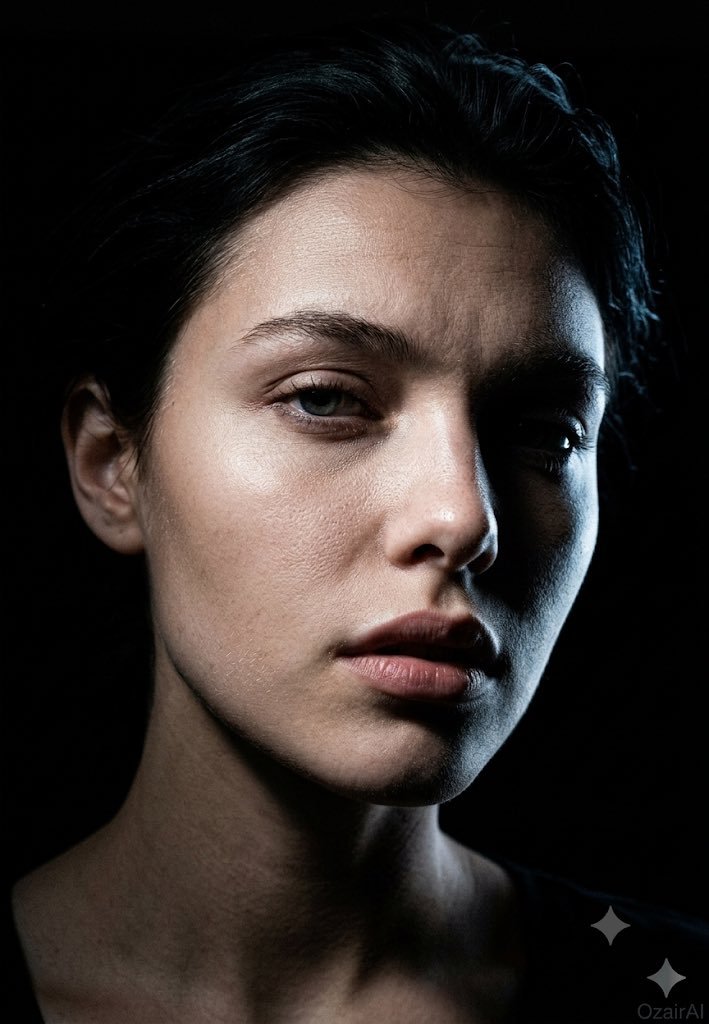
Camera Control
Using the exact face from the reference image, generate a {argument name="mood" default="dark cinematic skin-detail portrait"} — same concept and mood, entirely new pose and angle. Angle: Precise 45° three-quarter view (not profile, not front-on). Nose cuts into the lit side; near eye fully lit, far eye sliding into shadow. Far cheekbone catches a sliver of light before vanishing into black. Shadow-side jaw fully consumed by darkness, revealing the face's sculptural planes — nose bridge, brow ridge, cheekbone, jaw. Head position: {argument name="head position" default="Chin dropped slightly, eyes lifted toward the lens through the brows"} — heavy-lidded, intense, vulnerable. Brows faintly raised, producing natural forehead lines. Downward tilt sharpens the jaw and elongates the neck. Expression: {argument name="expression" default="Lips parted roughly 3mm"} — a caught breath, not an emotion. Reads as a stolen private moment rather than a pose. Skin detail: Forensic-level texture on new terrain — nose bridge/wing pores in raking light, under-eye thinness from a new angle, lit-side jaw stubble in sharp relief, forehead topography under overhead light, partial lit ear texture. Neck and collarbone edge just entering frame, dissolving into shadow. Lighting: Single hard, narrow overhead-side light creating a surgical beam across the face. Lit side rendered in cold, precise detail; shadow side a total void. Rim light traces the far cheekbone in a thin blue-white line. Near eye: sharp single catchlight. Far eye: only iris edge and rim-lit white visible. Background: Pure black void, silhouette defined entirely by the new angle. Grade: Crushed blacks, cool neutral skin tones with warm undertone tension, blue-white rim light, 10% Ilford HP5 grain. No retouching — full pore and texture detail preserved. Specs: "OzairAI" ghost-cold signature, lower right. Vertical 9:13. Ultra photorealistic, 8K, 150MP skin detail.
This is a free AI prompt from the Orelon library. Thousands more image prompts here are free to copy and adapt.
Explore more image prompts





Ready to create
Start with this curated direction in Orelon, then shape it into your next visual.