Camera Control
Extreme Profile Wet Look Portrait (Ana de Armas)
PublishedJan 18, 2026
Original languageEN
Likes
2
Views
190
 Orelon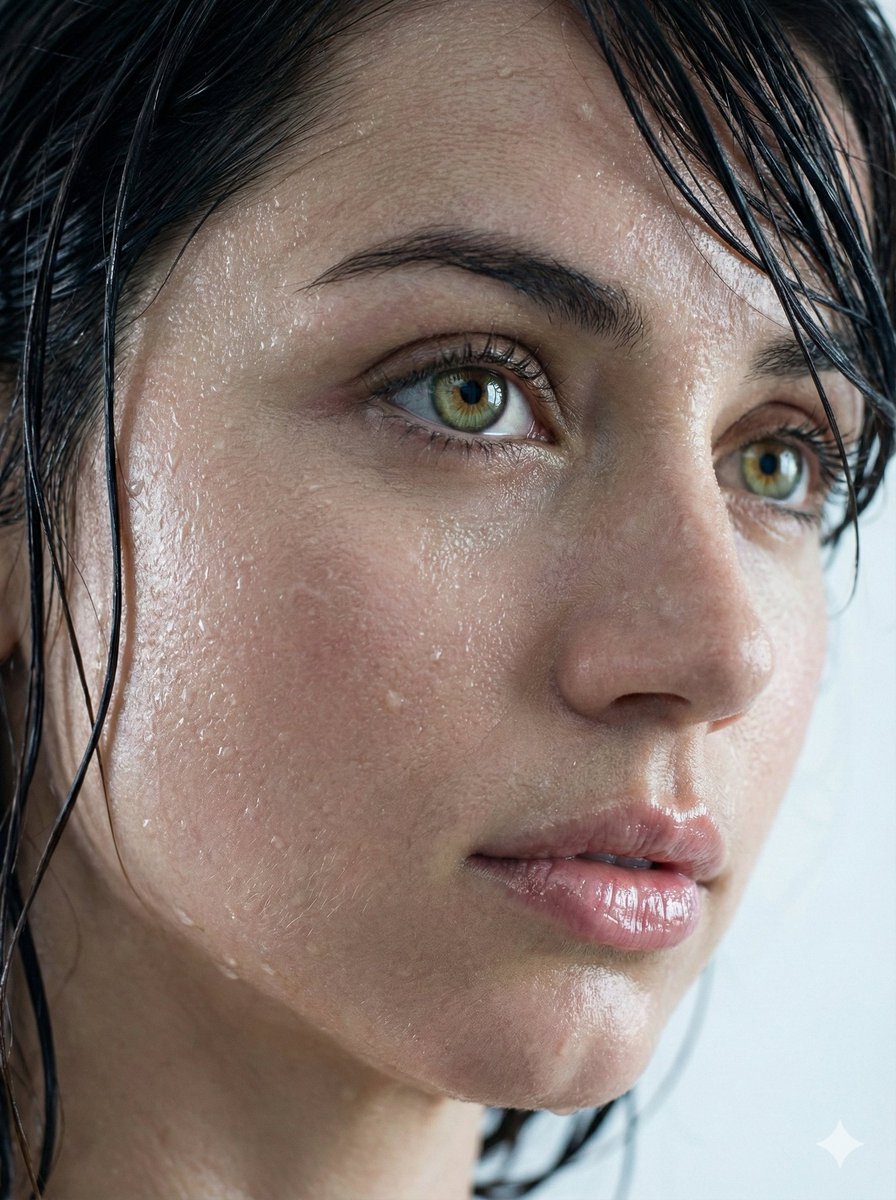
Camera Control
{ "request_metadata": { "version": "2.0", "priority_focus": "Hyper-realistic skin textures and identity fidelity", "aspect_ratio": "3:4" }, "subject_configuration": { "identity": { "name": "Ana de Armas", "reference_mode": "strict_identity_matching", "source_reference": "uploaded_files", "preservation_weight": 1.0, "angle": "Extreme profile view" }, "facial_attributes": { "eyes": { "primary_color": "Natural Green", "secondary_color": "Hazel", "reflection_type": "Realistic catchlights", "aesthetic_constraint": "Avoid synthetic gloss or excessive shine" }, "lips": { "state": "Parted / Moist", "surface_texture": "Soft natural ridges", "finish": "Glossy sheen without distortion" }, "hair": { "color": "Dark Brunette", "state": "Saturated / Wet", "styling": "Clumping in natural strands, adhered to temples and neck" } } }, "environmental_rendering": { "moisture_fx": { "sweat_layer": "Fine glistening mist across the bridge of nose and forehead", "water_droplets": "Micro-droplets scattered on cheekbones and jawline", "surface_tension": "Realistic liquid adhesion to skin" }, "lighting_and_color": { "lighting_style": "Soft-box diffusion", "temperature": "Cool tones", "color_palette": ["Steel Blue", "Soft Cyan", "Natural Skin Tones"], "background": { "description": "Minimalist bokeh", "colors": ["Light Grey", "Pure White"], "depth_of_field": "Shallow" } } }, "technical_execution": { "rendering_engine": "CGI Photorealistic", "focal_length": "85mm macro", "texture_detail": "Pore-level resolution", "post_processing": "Raw photography style, no airbrushing" } }
This is a free AI prompt from the Orelon library. Thousands more image prompts here are free to copy and adapt.
Explore more image prompts





Ready to create
Start with this curated direction in Orelon, then shape it into your next visual.