Camera Control
Moody Japanese Railway Crossing Portrait
Likes
41
Views
911
 Orelon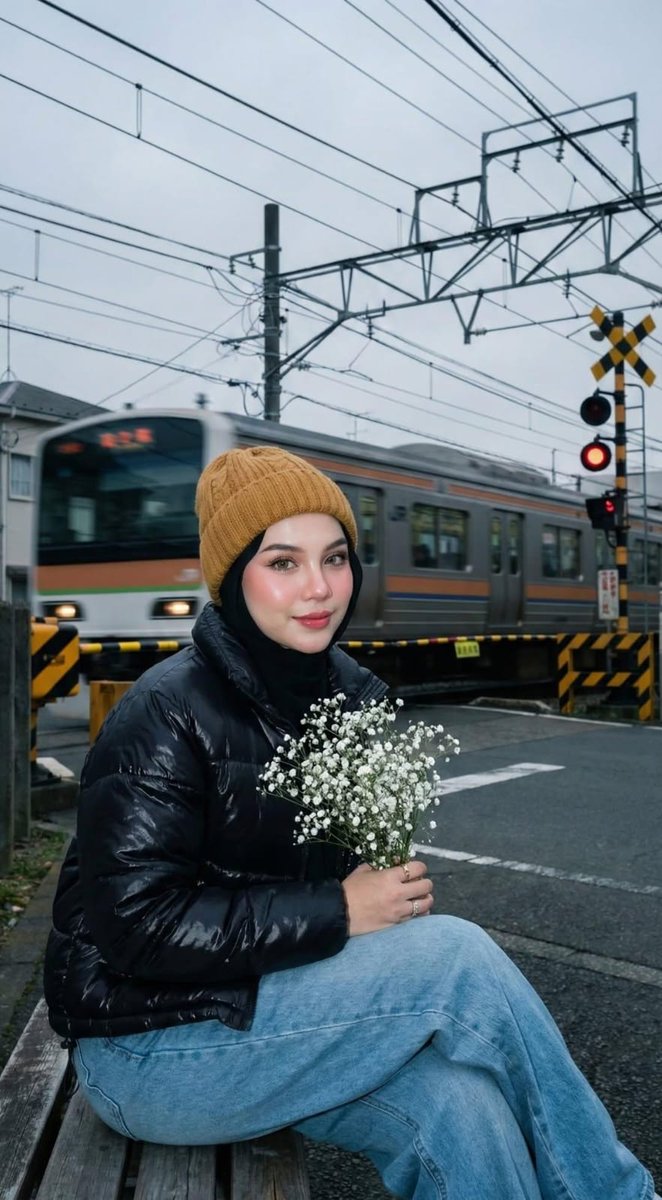
Camera Control
{ "image_generation_request": { "subject": { "description": "Young woman with fair glass-skin, pink blush, dewy glowing skin, softly red-toned lips, and long curled eyelashes.", "expression": "Cute, innocent, playful, subtle charm, soft smile looking at camera.", "pose": "Frontal view, head-to-waist shot, holding an iPhone 16 Pro Max.", "ethnicity_reference": "Use provided face photo for likeness." }, "attire": { "headwear": "Mustard-toned knitted Carhartt-style beanie over a neatly styled black hijab.", "outerwear": "Black glossy quilted puffer jacket, high collar, oversized structured silhouette.", "bottoms": "Light blue wide-leg loose-fit denim jeans.", "accessories": "Small minimal silver earrings." }, "environment": { "location": "Quiet Japanese suburban railway crossing, residential area.", "background_elements": [ "Lowered yellow-and-black striped crossing barriers", "Red glowing railway signal lights", "Speeding local commuter train with strong motion blur", "Tangled overhead electrical wires and utility poles", "Dense green trees and misty cloudy skies", "Tactile paving dots and worn asphalt" ], "lighting_atmosphere": "Overcast day, cool blue tones, moody and nostalgic. Mix of natural ambient twilight and hard paparazzi-style direct camera flash." }, "technical_specs": { "camera": "Fujifilm X-T4 mirrorless", "lens": "XF 23mm f/1.4", "settings": "f/1.8 aperture for shallow depth of field", "lighting_technique": "Strong on-camera direct flash, sharp shadow edges, bright white light-bulb effect on face.", "composition": "Eye-level front shot, cinematic realism." }, "negative_prompt": [ "blur", "low quality", "animation", "distortion", "cartoon", "unreal background", "CGI", "warm tone", "yellow tint", "golden hour", "foggy light", "dreamy haze", "dark", "underexposed", "out of frame", "crop error", "body at side view" ] } }
This is a free AI prompt from the Orelon library. Thousands more image prompts here are free to copy and adapt.
Explore more image prompts





Ready to create
Start with this curated direction in Orelon, then shape it into your next visual.