Effects by Tags
Anime Tactical Soldier Outfit Design
Likes
27
Views
1.3K
 Orelon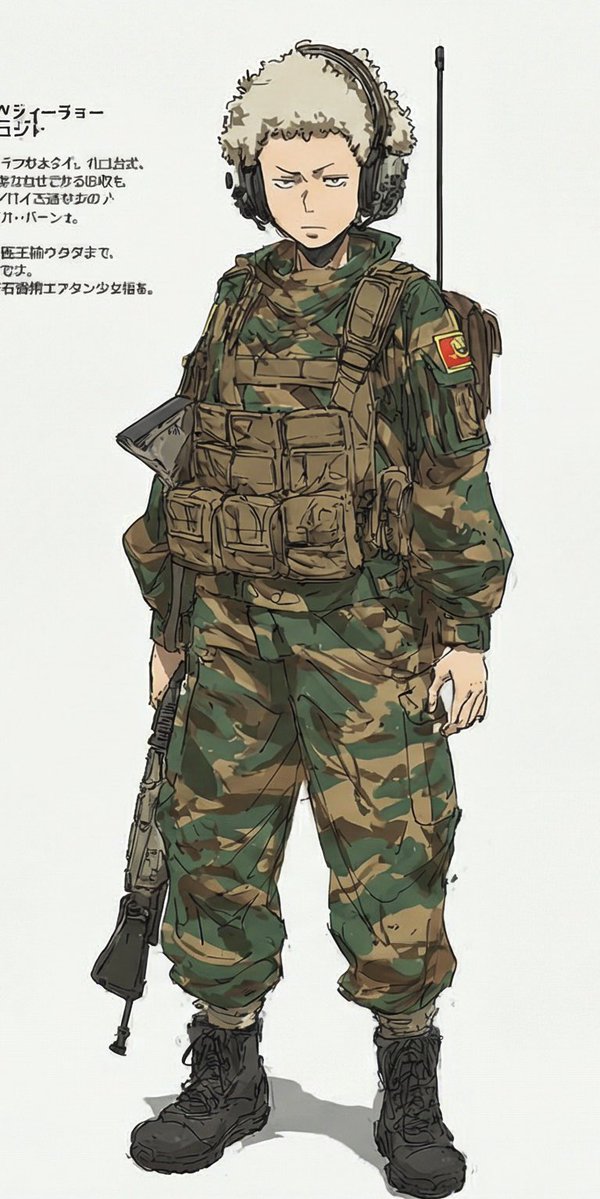
Effects by Tags
Create a vertical full-body anime concept-art illustration of exactly one young male character, {argument name="character name" default="a stern teenage soldier"}, standing front-facing with a slight relaxed slouch on an off-white blank studio background. Preserve a serious, unimpressed expression, short light-blond curly hair mostly covered by a fluffy beige ushanka-style winter hat, pale skin, slim youthful proportions, and large black over-ear tactical headphones. Redesign only the outfit as a modern military field uniform: green-and-brown woodland camouflage jacket and loose cargo pants tucked into black lace-up combat boots, a tan tactical plate carrier with many pouches across the chest and abdomen, tan shoulder straps, a side satchel or backpack visible behind the right arm, a green scarf or neck wrap, and a red-and-yellow sleeve patch on the upper right arm. Add one long black radio antenna rising vertically behind the shoulder and one black assault rifle hanging downward at the character’s left side, held loosely by a strap; do not show the weapon aimed or in use. Include exactly one outfit and exactly one character, no lineup, no collage, no alternate versions. On the left side of the image, add a small block of Japanese-style annotation text with a bold heading and four short lines beneath it, partially cropped and slightly nonsensical, like a character design sheet note. Use expressive sketchy ink outlines, muted watercolor/marker coloring, visible rough construction strokes, subtle shadows under the boots, and a clean manga character-design-sheet aesthetic. The outfit color theme is {argument name="camouflage palette" default="olive green, dark forest green, tan, and brown"}; the sleeve patch should feature {argument name="patch colors" default="red and yellow"}.
This is a free AI prompt from the Orelon library. Thousands more image prompts here are free to copy and adapt.
Explore more image prompts





Ready to create
Start with this curated direction in Orelon, then shape it into your next visual.