UGC / Ad Templates
Realistic Pet and Owner Wide-Angle Selfie
Likes
19
Views
1.9K
 Orelon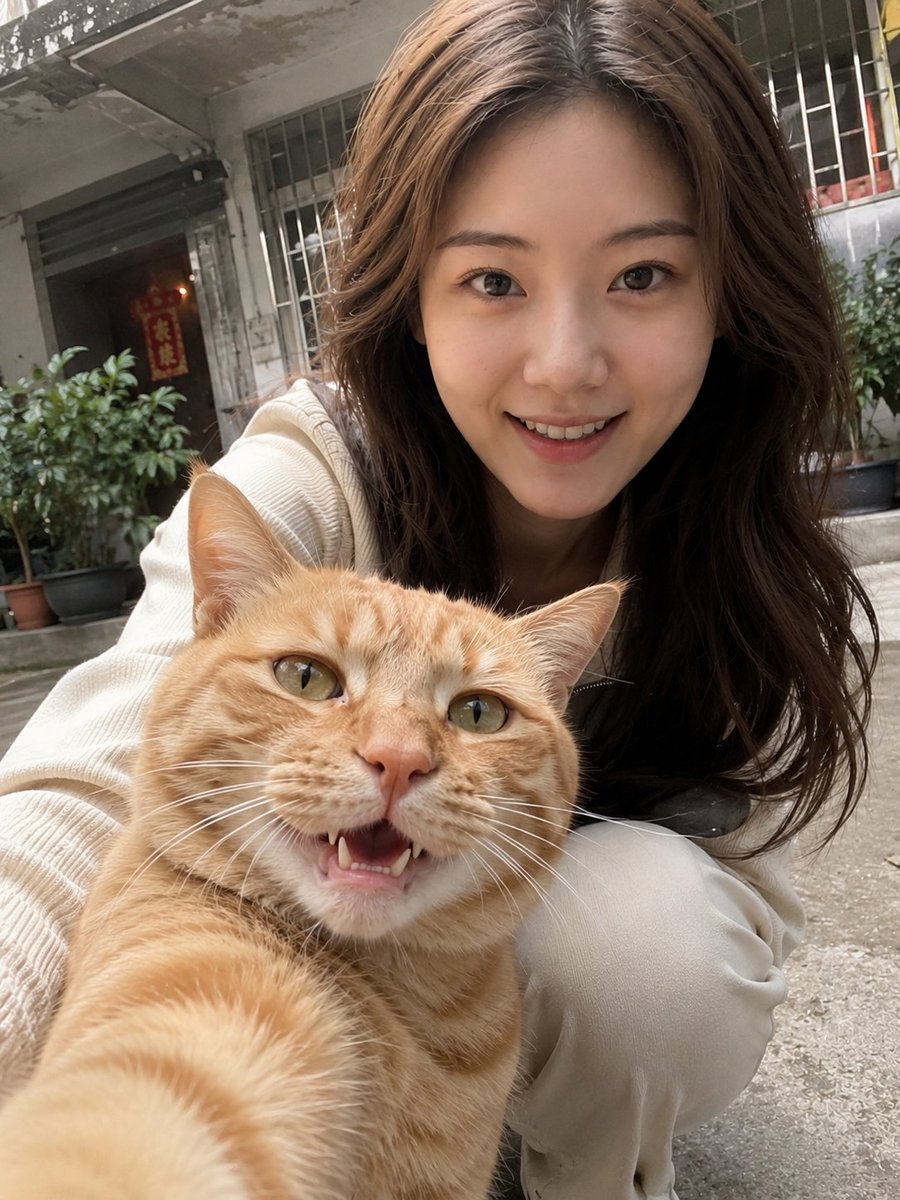
UGC / Ad Templates
Please generate a photo of a person and a pet with a realistic mobile phone selfie feel based on the uploaded photos. Only use the uploaded person photo for identity reference and the uploaded pet photo for pet identity reference. Strictly preserve the real identifying features of both, including face shape, facial proportions, skin tone, hairstyle, and temperament for the person, and species, breed, fur color, patterns, and expression for the pet. Do not beautify, change faces, or turn the person into an AI model. The pet must be the specific one from the photo. Set the scene to look as if the pet is holding the phone for a casual selfie. Use a close-up wide-angle mobile phone selfie perspective with the pet in the extreme foreground. The person should be behind or to the side of the pet, crouching or leaning into the frame. The person is wearing {argument name="clothing" default="light-colored, simple, daily clothes"}. The background is set in a {argument name="background environment" default="typical Chinese residential area or daily community environment"}, featuring realistic elements like railings, windows, and common community corners. The overall style must be high-realism photography with a handheld feel, including slight motion blur or noise to look like a raw mobile photo rather than a professional shoot. Avoid AI-looking faces, excessive skin smoothing, or studio-style lighting.
This is a free AI prompt from the Orelon library. Thousands more image prompts here are free to copy and adapt.
Explore more image prompts





Ready to create
Start with this curated direction in Orelon, then shape it into your next visual.