Camera Control
Macro Oil Paint Brush on Canvas
Views
102
 Orelon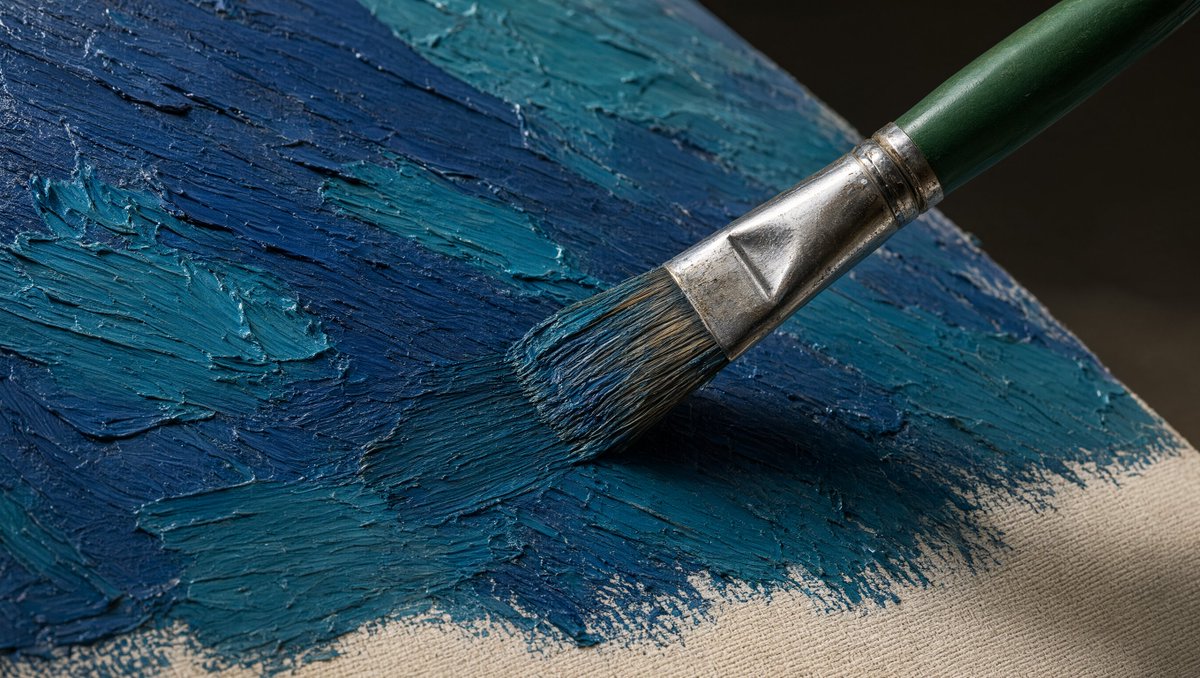
Camera Control
Create an ultra-realistic macro photograph of a single artist paintbrush applying thick oil paint onto a stretched canvas. The brush enters diagonally from the upper right toward the center, with a {argument name="brush handle color" default="dark green"} wooden handle, a worn shiny silver metal ferrule, and natural bristles loaded with {argument name="paint color palette" default="deep navy blue and teal blue"} paint. Show exactly one paintbrush and one canvas surface. The canvas is angled in perspective, filling the frame, with visible beige raw fabric along the lower right edge and heavy impasto paint across the rest of the surface. Emphasize raised ridges, palette-knife-like texture, bristle grooves, wet glossy highlights, and small scraped edges in the paint. Use dramatic realistic lighting from the upper left, creating a dark soft shadow under the brush and crisp specular reflections on the metal ferrule and wet paint. Background should be dark and out of focus, with shallow depth of field, high-detail texture, natural color grading, and a cinematic close-up composition in a {argument name="aspect ratio" default="16:9 horizontal"} frame. No text, no hands, no extra tools, no watermark.
This is a free AI prompt from the Orelon library. Thousands more image prompts here are free to copy and adapt.
Explore more image prompts





Ready to create
Start with this curated direction in Orelon, then shape it into your next visual.