Effects by Tags
Fiery Japanese Promotional Poster
PublishedApr 20, 2026
Original languageZH
Categories
Likes
1
Views
412
 Orelon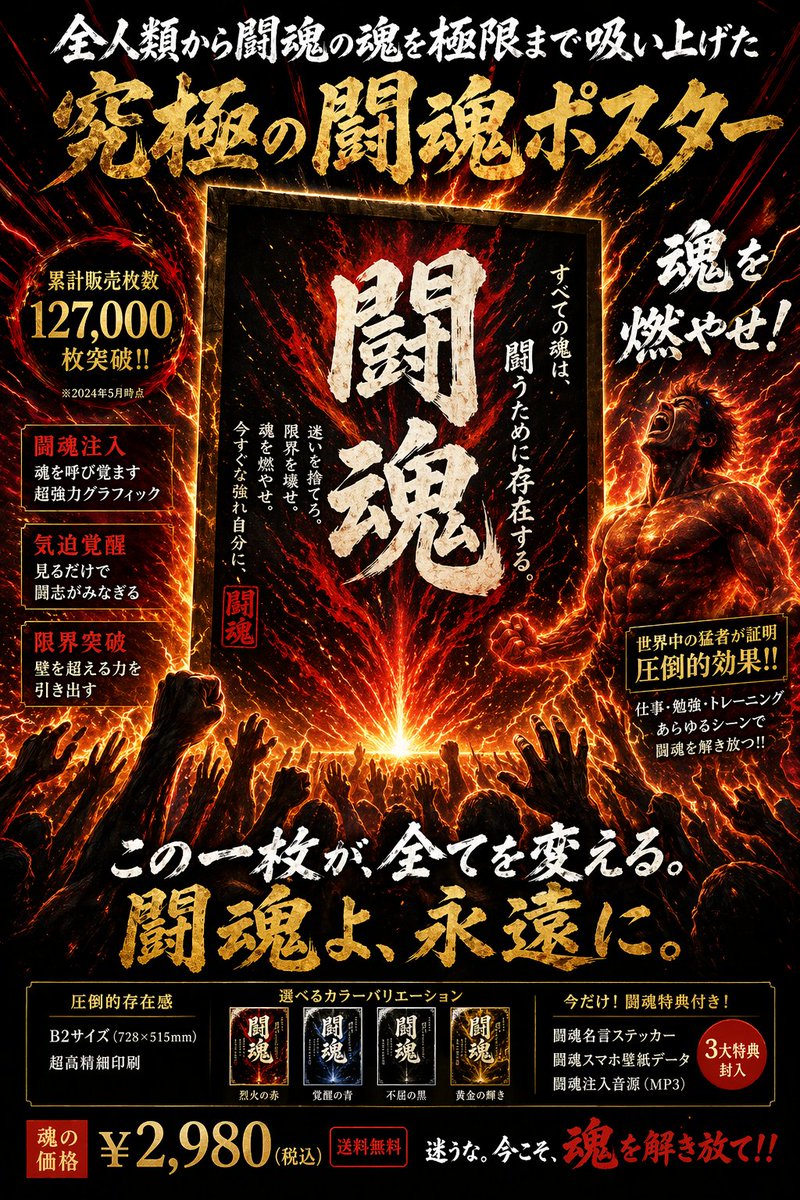
Effects by Tags
{ "type": "Japanese promotional poster", "theme": "intense fiery energy, fighting spirit, muscular, glowing auras", "color_palette": ["black", "fiery orange", "red", "gold"], "layout": { "header": { "subtitle": "全人類から闘魂の魂を極限まで吸い上げた", "main_title": "{argument name=\"main title\" default=\"究極の闘魂ポスター\"}" }, "center": { "graphic": "framed glowing poster radiating fire", "large_text": "{argument name=\"center kanji\" default=\"闘魂\"}", "side_text": ["すべての魂は、闘うために存在する。", "迷いを捨てろ。限界を壊せ。魂を燃やせ。今すぐな強れ自分に、"] }, "left_column": { "sales_badge": { "text": "累計販売枚数 {argument name=\"sales figure\" default=\"127,000\"} 枚突破!!", "subtext": "※2024年5月時点" }, "feature_boxes": { "count": 3, "labels": ["闘魂注入", "気迫覚醒", "限界突破"] } }, "right_column": { "character": "muscular man screaming upwards, engulfed in fiery aura", "shout_text": "魂を燃やせ!", "testimonial_badge": { "title": "世界中の猛者が証明", "main": "圧倒的効果!!", "subtext": "仕事・勉強・トレーニング あらゆるシーンで闘魂を解き放つ!!" } }, "lower_middle": { "graphic": "silhouettes of a large crowd reaching hands up towards the central glowing poster", "catchphrase": "{argument name=\"catchphrase\" default=\"この一枚が、全てを変える。闘魂よ、永遠に。\"}" }, "footer": { "specs": { "title": "圧倒的存在感", "details": ["B2サイズ (728×515mm)", "超高精細印刷"] }, "color_variations": { "count": 4, "labels": ["烈火の赤", "覚醒の青", "不屈の黒", "黄金の輝き"] }, "bonuses": { "count": 3, "title": "今だけ! 闘魂特典付き!", "items": ["闘魂名言ステッカー", "闘魂スマホ壁紙データ", "闘魂注入音源(MP3)"] }, "price_bar": { "label": "魂の価格", "price": "{argument name=\"price\" default=\"¥2,980\"}", "tax_shipping": "(税込) 送料無料", "cta": "迷うな。今こそ、魂を解き放て!!" } } } }
This is a free AI prompt from the Orelon library. Thousands more image prompts here are free to copy and adapt.
Explore more image prompts





Ready to create
Start with this curated direction in Orelon, then shape it into your next visual.