Viral Trends
Kyoto Anime Travel Meme Panel
Likes
2
Views
46
 Orelon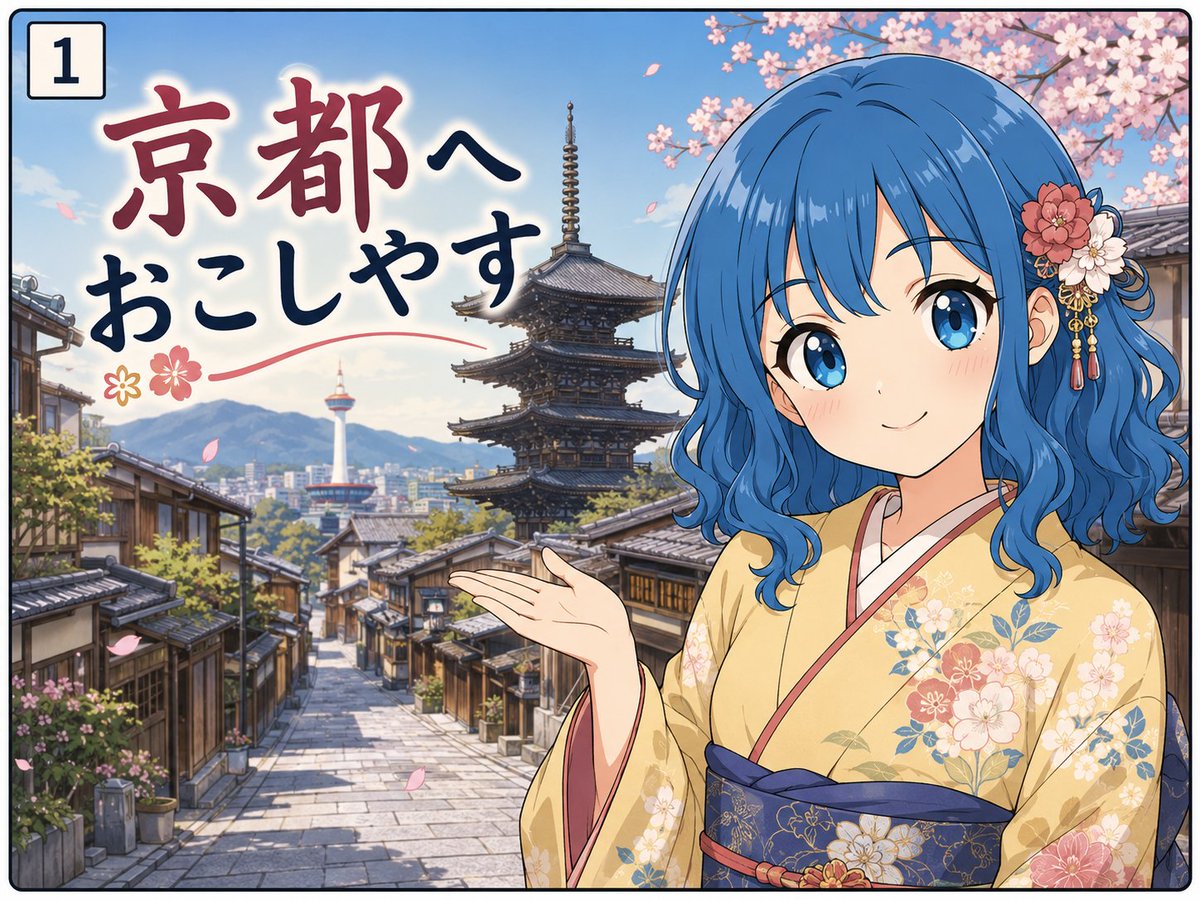
Viral Trends
Create a colorful single-panel anime travel meme postcard set in Kyoto. Canvas: landscape 4:3 composition with a thin black rounded border, like the first panel of a four-panel comic. In the top-left corner, place a small white rounded square label containing the black number “1”. Background: a bright spring Kyoto street scene with traditional wooden machiya houses, stone-paved road receding into the distance, a large multi-tiered pagoda near the center-right, Kyoto Tower visible far in the distance, blue sky, mountains, and pink cherry blossoms overhead with petals drifting through the air. Foreground: on the right half, draw an elegant anime-style young woman wearing a pale yellow floral kimono with a dark navy obi, posed like a welcoming guide with one hand extended toward the city. She has vivid {argument name="hair color" default="blue"} shoulder-length wavy hair and a decorative flower hair ornament with dangling gold tassels. Her face is intentionally covered by a large opaque square censor block with a vertical blue-gray to beige gradient, centered over the face and obscuring all facial features. Text: on the upper-left and center-left, add large hand-brushed Japanese calligraphy reading {argument name="headline text" default="京都へ おこしやす"}, with “京都へ” in dark red and “おこしやす” in dark navy, plus a red swoosh underline and two small flower icons. Style: polished GPT-image anime illustration, clean line art, saturated spring colors, soft sunlight, high detail in architecture and kimono pattern, cheerful tourism-poster mood. Constraints: include exactly one numbered panel label, exactly one foreground character, exactly one face-covering square, and do not add extra captions, watermarks, speech bubbles, or additional characters.
This is a free AI prompt from the Orelon library. Thousands more image prompts here are free to copy and adapt.
Explore more image prompts





Ready to create
Start with this curated direction in Orelon, then shape it into your next visual.