Camera Control
Japanese Children's Day Photo Card
Likes
1
Views
103
 Orelon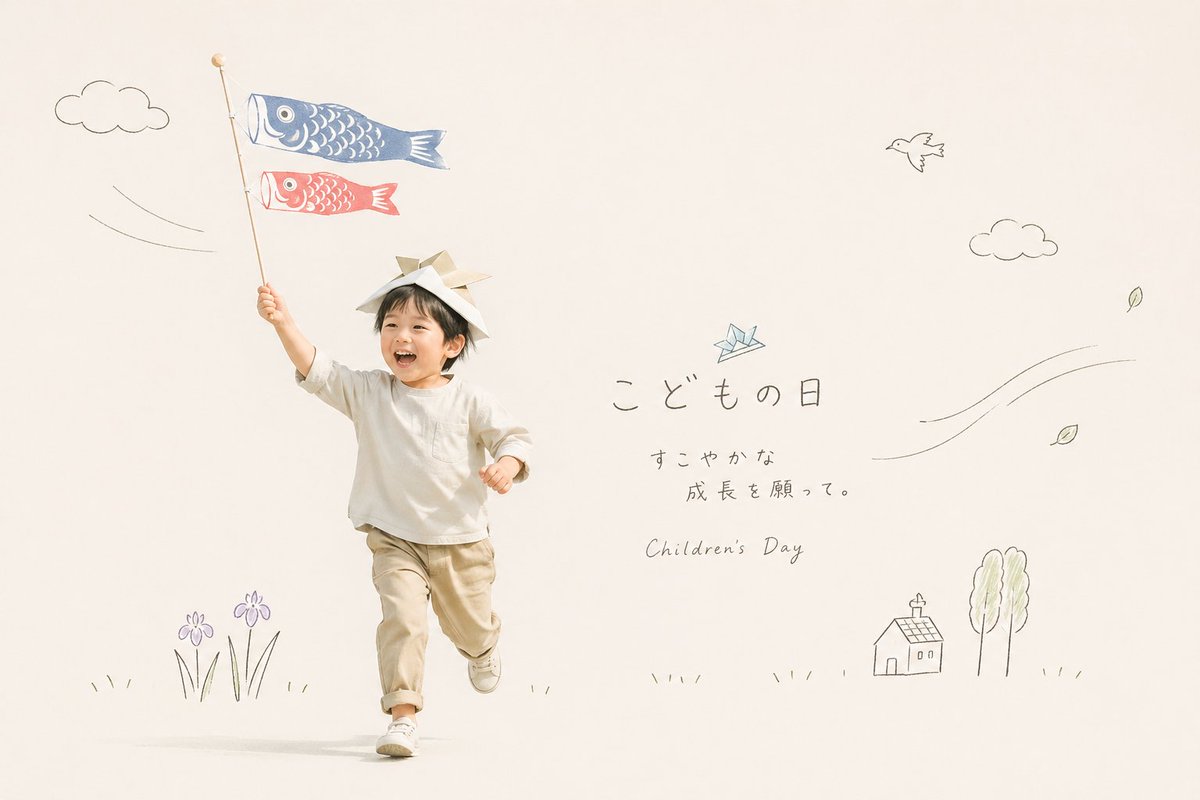
Camera Control
A soft, airy studio photograph on a warm off-white background with a minimalist Japanese greeting-card aesthetic. Show a small child, about toddler to preschool age, running joyfully toward the camera from left-center, with one arm raised high holding a tall pole with 2 carp streamers attached: 1 large blue koinobori on top and 1 smaller red koinobori below. The child wears a simple handmade samurai helmet folded from paper, a loose long-sleeve ivory shirt, light beige pants with rolled cuffs, and white sneakers. Keep the face unobtrusive and generic, with the focus on motion, innocence, and seasonal atmosphere. Surround the child with delicate hand-drawn doodle illustrations in thin gray pencil-like lines and faint pastel accents: 2 puffy clouds, 1 flying bird, 1 small origami crane near the text, 4 drifting leaves, 2 curved wind-line clusters, 1 small house, 2 tall trees, 2 purple iris flowers with grass at the bottom left, and sparse grass marks along the ground. On the right side, add elegant Japanese handwritten text reading {argument name="headline text" default="こどもの日"}, beneath it smaller Japanese text {argument name="subtext" default="すこやかな\n成長を願って。"}, and below that the English subtitle {argument name="english subtitle" default="Children's Day"} in a light handwritten script. Use a clean editorial layout with abundant negative space, natural soft lighting, muted cream and beige tones, subtle pastel blue and red accents, gentle shadows, and a calm premium lifestyle-photography look suitable for a seasonal holiday card or social media post.
This is a free AI prompt from the Orelon library. Thousands more image prompts here are free to copy and adapt.
Explore more image prompts





Ready to create
Start with this curated direction in Orelon, then shape it into your next visual.