Effects by Tags
Spanish UPS outlet wiring infographic
Likes
3
Views
127
 Orelon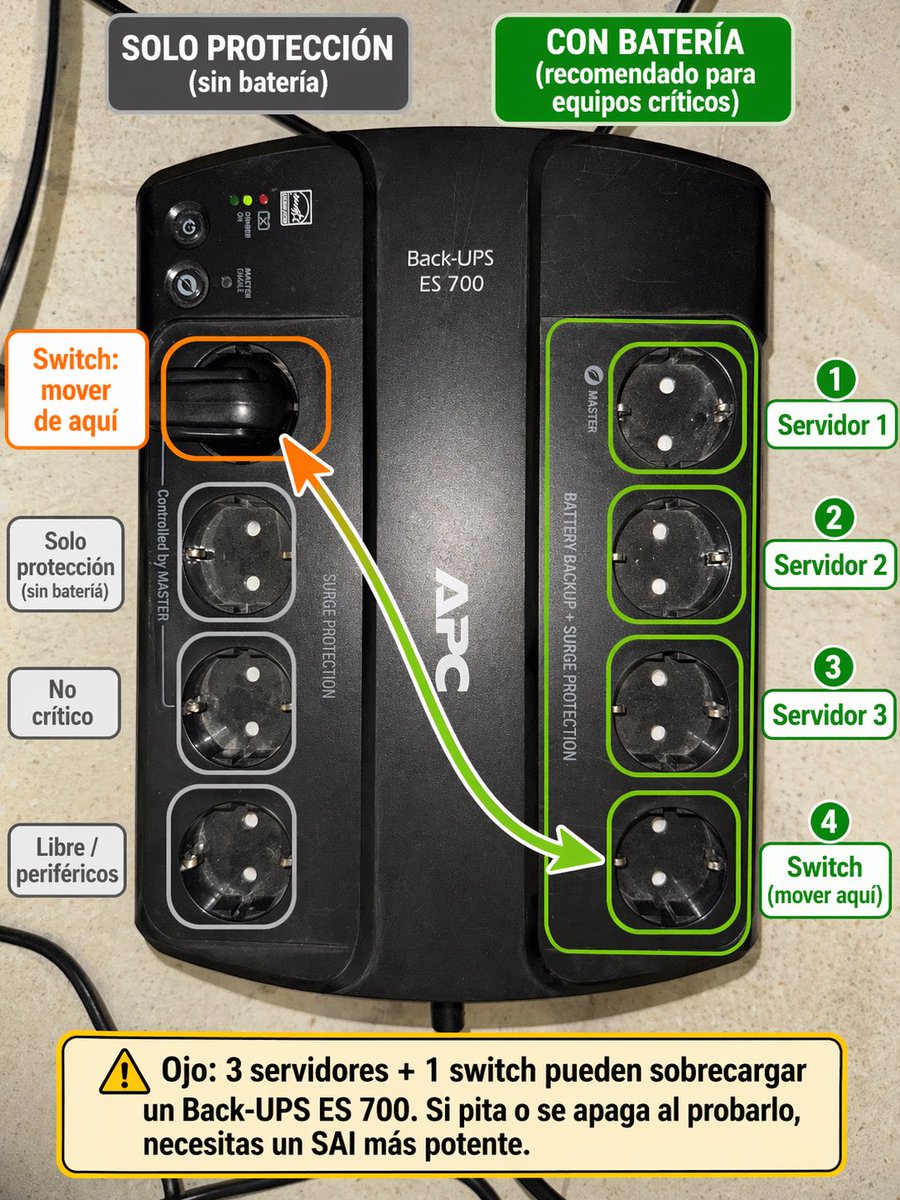
Effects by Tags
Using the provided reference image of the APC Back-UPS, turn it into a clear Spanish annotated setup guide overlaid directly on the photo. Keep the UPS photo realistic and unchanged as the base, but add color-coded callouts showing which outlets are battery-backed versus surge-only. At the top, add 2 header boxes: on the left a dark gray box reading "SOLO PROTECCIÓN (sin batería)", and on the right a green box reading "CON BATERÍA (recomendado para equipos críticos)". Highlight the 4 right-side outlets with a green outline group and individual green outlines, and place 4 numbered green labels on the right: "1 Servidor 1", "2 Servidor 2", "3 Servidor 3", "4 Switch (mover aquí)". On the left, highlight the currently used upper-left outlet with an orange outline and add an orange callout box reading "Switch: mover de aquí", plus a curved arrow from that outlet to the bottom outlet of the right-side green group. Also outline the 3 lower-left outlets in light gray and add 3 gray labels on the left aligned to them: "Solo protección (sin batería)", "No crítico", and "Libre / periféricos". At the bottom, add a large yellow warning box with a caution icon and this text: "Ojo: 3 servidores + 1 switch pueden sobrecargar un Back-UPS ES 700. Si pita o se apaga al probarlo, necesitas un SAI más potente." Clean infographic style, readable bold typography, neat rounded rectangles, high contrast, and practical IT-diagram presentation.
This is a free AI prompt from the Orelon library. Thousands more image prompts here are free to copy and adapt.
Explore more image prompts





Ready to create
Start with this curated direction in Orelon, then shape it into your next visual.