Visual Effects
Minecraft Speedrun Screenshot
Likes
3
Views
191
 Orelon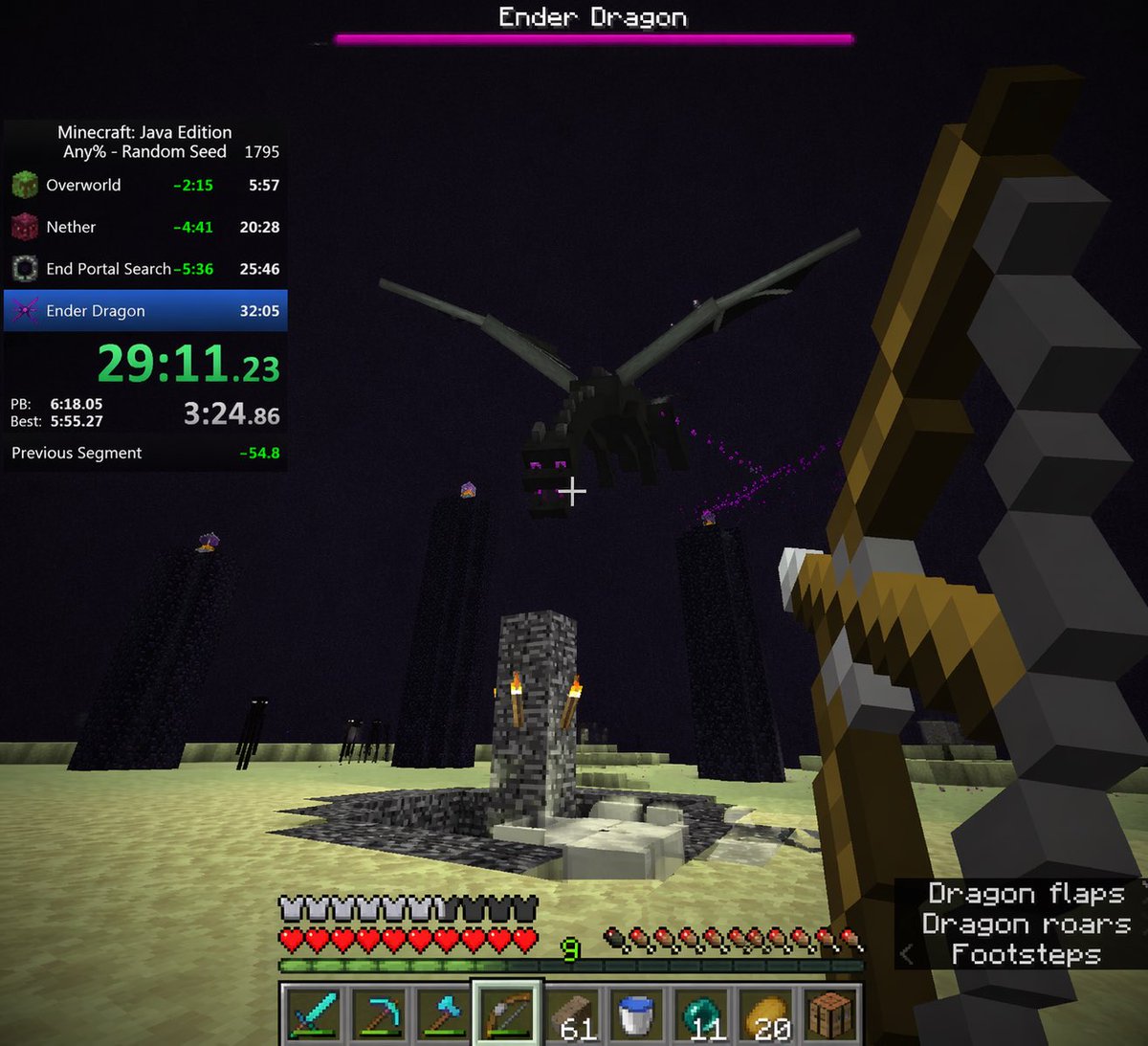
Visual Effects
{ "type": "first-person video game screenshot", "setting": "The End dimension in Minecraft", "scene": { "environment": "pale yellow end stone ground, dark purple sky, tall obsidian pillars with end crystals on top, central bedrock exit portal structure with torches, dark endermen figures in the background", "subject": "a large black dragon flying overhead", "player_view": "first-person perspective, holding a {argument name=\"held weapon\" default=\"drawn bow\"} in the right hand, white crosshair in the center" }, "ui_overlay": { "top": { "boss_bar": "pink health bar with text '{argument name=\"boss name\" default=\"Ender Dragon\"}'" }, "left": { "speedrun_timer": { "header": "Minecraft: Java Edition, {argument name=\"speedrun category\" default=\"Any% - Random Seed\"} 1795", "splits_count": 4, "splits_labels": ["Overworld", "Nether", "End Portal Search", "Ender Dragon"], "main_time": "{argument name=\"current time\" default=\"29:11.23\"} in bright green", "stats": "PB, Best, and Previous Segment times" } }, "bottom": { "status_bars": "full armor bar, full heart health bar, green experience bar at level {argument name=\"experience level\" default=\"9\"}, full hunger bar", "hotbar": { "slots_count": 9, "items": ["diamond sword", "diamond pickaxe", "diamond axe", "bow (highlighted)", "61 wood planks", "water bucket", "11 ender pearls", "20 golden apples", "crafting table"] } }, "bottom_right": { "subtitles": { "lines_count": 3, "text": ["Dragon flaps", "Dragon roars", "< Footsteps"] } } } }
This is a free AI prompt from the Orelon library. Thousands more image prompts here are free to copy and adapt.
Explore more image prompts





Ready to create
Start with this curated direction in Orelon, then shape it into your next visual.