Camera Control
Childhood Photo Recolorization and Restoration Prompt
Likes
4
Views
155
 Orelon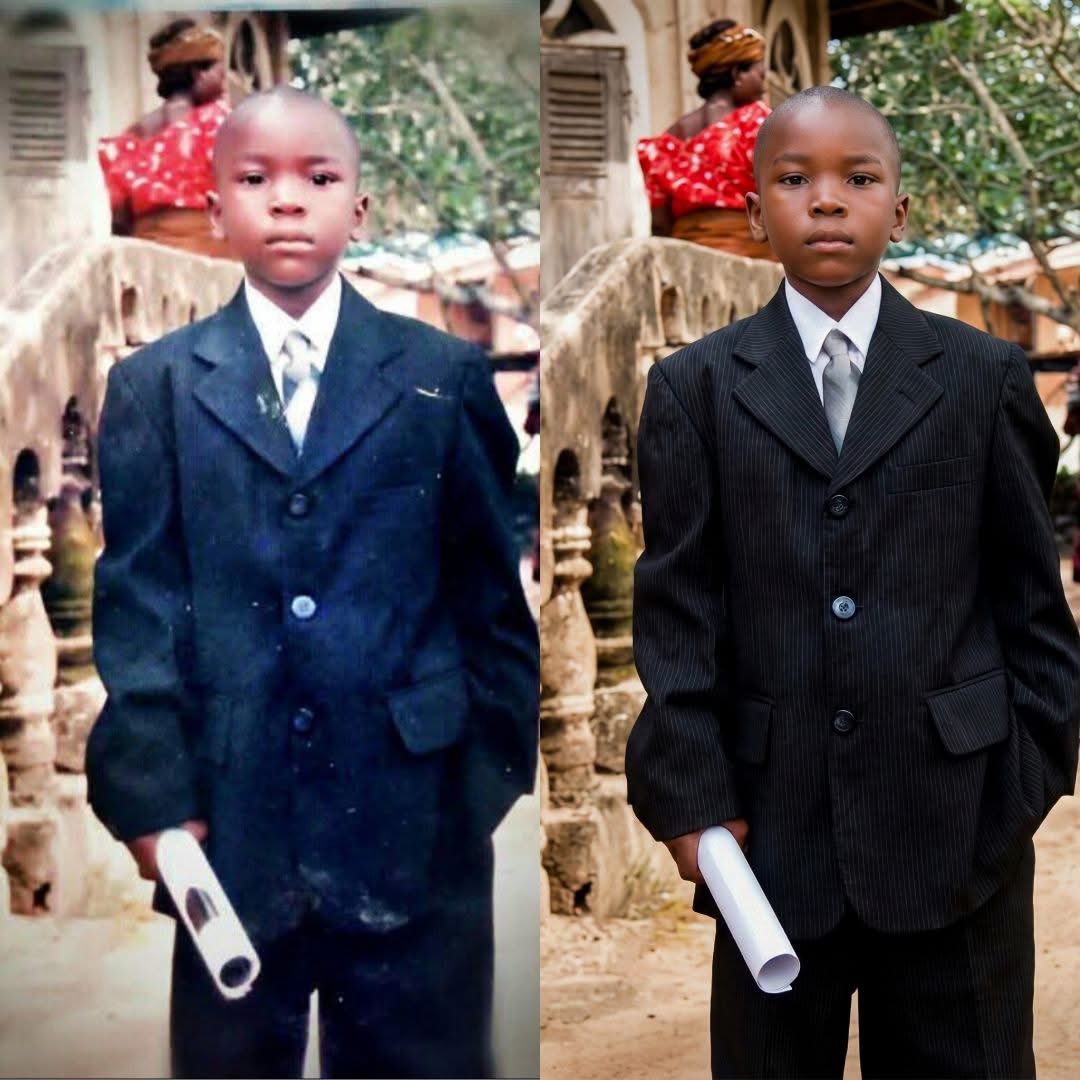
Camera Control
Recolonize this image into a modern digital photography. Do not change the facial structure and features of the subject. Keep the background the same. The composition should be photorealistic, with sharp details in their clothes, skin textures, The lighting should highlight her expressions. The image should have a 9:16 aspect ratio.","size": "16k". Negative_prompt: "low resolution, CGI, cartoon style, plastic skin, over-smoothed face, distorted anatomy, extra fingers, bad hands, harsh lighting, flat lighting, blown highlights, motion blur, noise, grain, watermark, logo, text, oversharpening", "style": "photorealistic, cinematic realism, documentary-style", "resolution": "15360x8640", "aspect_ratio": "16:9", "camera": { "lens": "50mm prime", "aperture": "f/1.8", "iso": 100, "shutter_speed": "1/125" }, "lighting": { "type": "soft natural daylight", "direction": "side-lit from windows", "contrast": "balanced" }, "composition": { "framing": "medium shot", "angle": "eye-level", "depth_of_field": "shallow" }, "quality_tags": [ "16K", "ultra-realistic", "hyper-detailed", "cinematic", "education portrait", "full-frame look", "16:9 composition" ]
This is a free AI prompt from the Orelon library. Thousands more image prompts here are free to copy and adapt.
Explore more image prompts





Ready to create
Start with this curated direction in Orelon, then shape it into your next visual.