UGC / Ad Templates
Nighttime Rainy Street Selfie Photo Edit Prompt
PublishedJan 18, 2026
Original languageEN
Categories
Likes
1
Views
114
 Orelon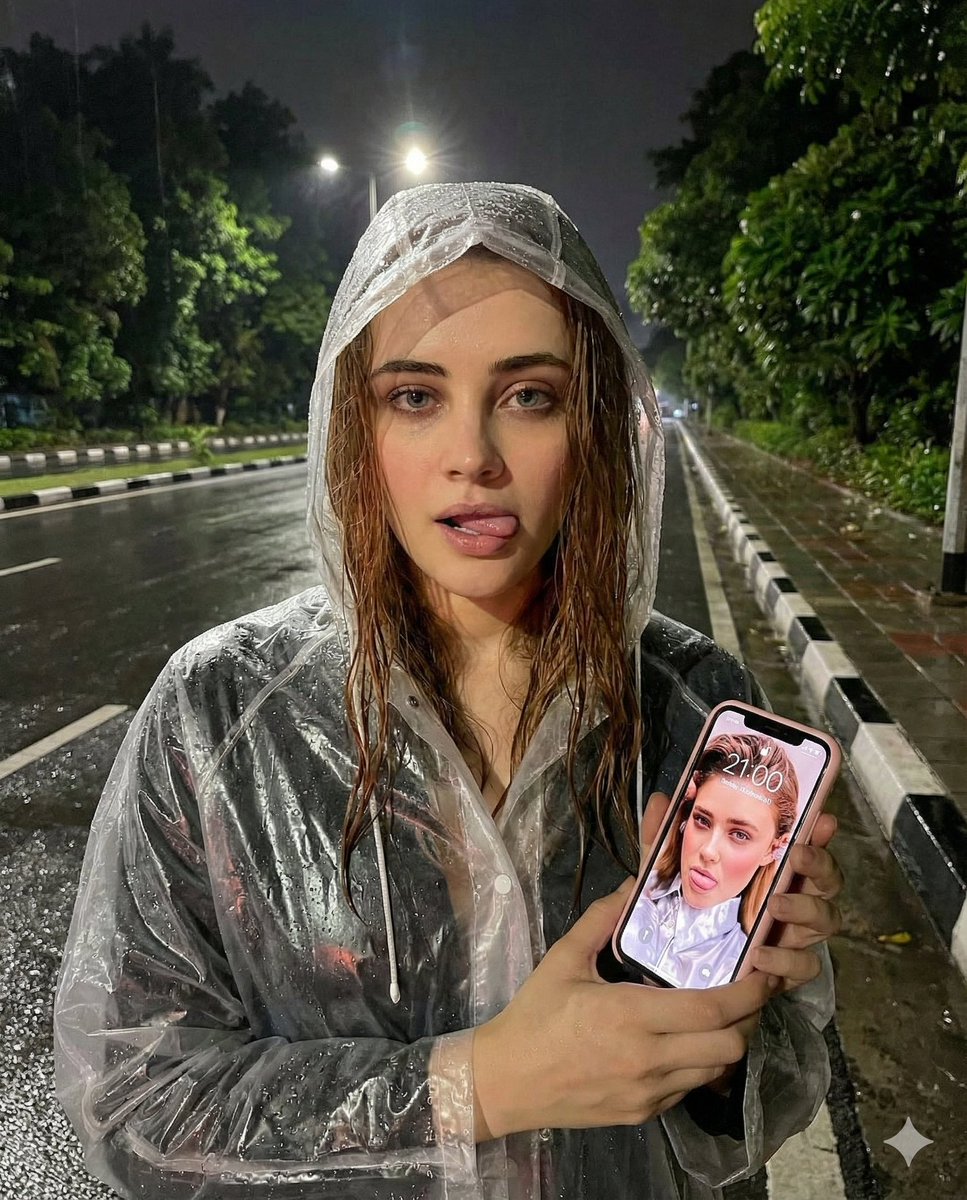
UGC / Ad Templates
{ "task": "photo_edit", "rules": { "face_change": false, "keep_identity": true }, "subject": { "gender": "female", "expression": "looking straight into the camera with tongue slightly sticking out to the side of lips", "hair": { "condition": "wet", "style": "slightly falling out from raincoat" }, "outfit": { "type": "transparent clear white plastic raincoat", "details": "rain droplets visible, glossy texture" }, "pose": { "hands": "both hands holding an iPhone", "camera_angle": "upper front" } }, "phone": { "brand": "iPhone", "case_color": "pink", "screen": { "status": "on", "time_displayed": "21:00", "wallpaper": "same uploaded photo of the woman" } }, "environment": { "time": "night", "weather": "after rain", "location": "street roadside", "road": { "condition": "wet", "surface": "shiny due to rain" }, "sidewalk": { "material": "concrete", "curbs": "black and white painted" }, "background": { "trees": "lush dark green leaves", "coverage": "partially covering background" }, "lighting": { "street_lights": true, "focus": "bright lighting on face", "mood": "humid, calm nighttime atmosphere" } }, "visual_style": { "realism": "high", "details": "clear reflections, sharp facial details, transparent raincoat highlights" } }
This is a free AI prompt from the Orelon library. Thousands more image prompts here are free to copy and adapt.
Explore more image prompts





Ready to create
Start with this curated direction in Orelon, then shape it into your next visual.