Visual Effects
Dragon Queen in Black and Gold
Likes
2
Views
56
 Orelon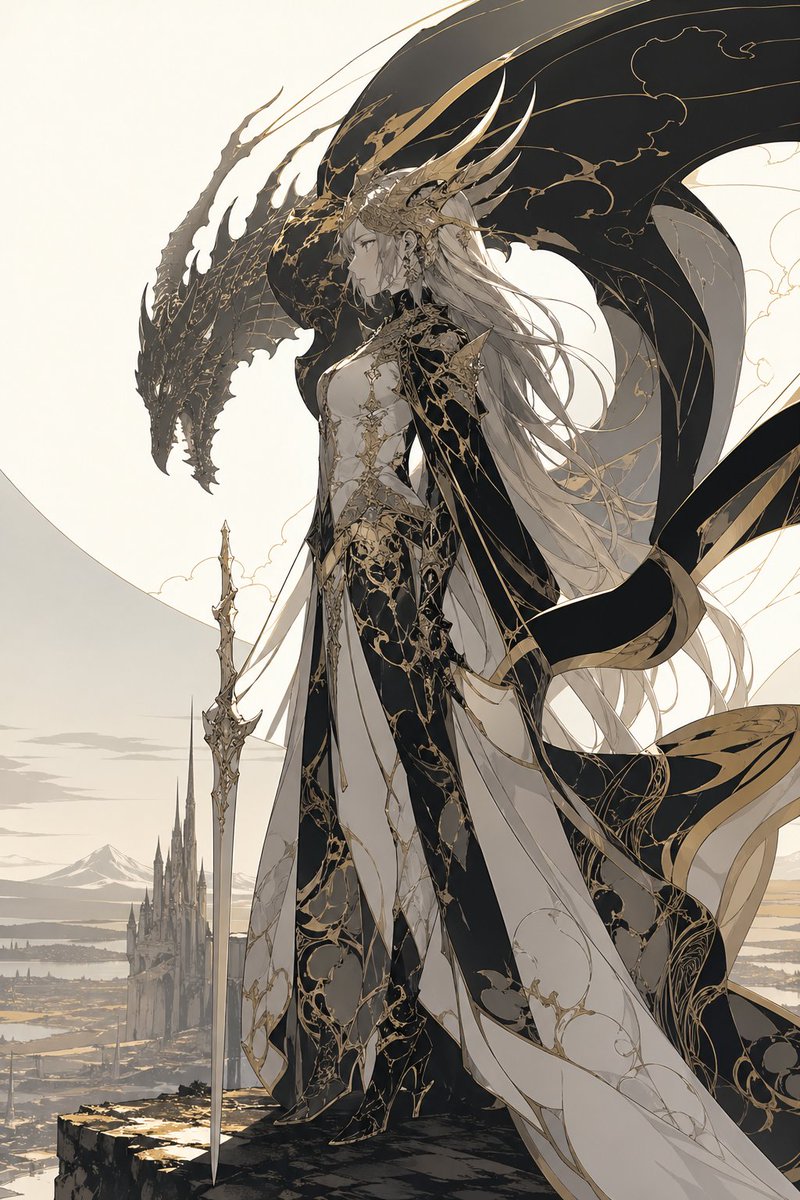
Visual Effects
A majestic high-fantasy illustration of a regal dragon queen standing on the edge of a cliff, shown in full body and side profile facing left. She has {argument name="hair color" default="silver-white"} hair flowing in long layered strands far past her waist, a calm stern expression, and an elaborate crown-like headdress with multiple long horn-shaped golden spines sweeping backward. Her outfit is an ornate fusion of royal gown and armored bodysuit in {argument name="primary palette" default="black, ivory, and antique gold"}, covered with intricate filigree, vine-like gilded tracery, and elegant cracked-marble style patterns. The costume has 4 major visible garment elements: a fitted black-and-ivory armored torso, a long layered split skirt with flowing panels, a dark sweeping cape with gold trim, and thigh-high fitted leg armor or boots. She holds 1 long ceremonial sword planted vertically at her side, slim and highly decorative. Behind and around her rises the silhouette of 1 enormous black dragon with a long snarling head and vast arcing wings, its body framing her like a guardian shadow; the wings are detailed with subtle gold vein patterns. The background shows a pale, minimalist fantasy landscape with 1 distant gothic castle spire complex below, open plains, faint water or marshland, and far mountains under a soft cream sky. Composition is vertical, elegant, and cinematic, with the character centered slightly right, the dragon head to the upper left, and long ribbons and fabric streaming in the wind. Style is refined anime-inspired fantasy concept art with ultra-detailed linework, restrained colors, luminous ivory negative space, luxurious black-and-gold ornamentation, ethereal atmosphere, sharp silhouette design, and a noble sacred-draconic mood.
This is a free AI prompt from the Orelon library. Thousands more image prompts here are free to copy and adapt.
Explore more image prompts





Ready to create
Start with this curated direction in Orelon, then shape it into your next visual.