Camera Control
Nano Banana Pro Composition Techniques Prompts (3 Examples)
Likes
2
Views
135
 Orelon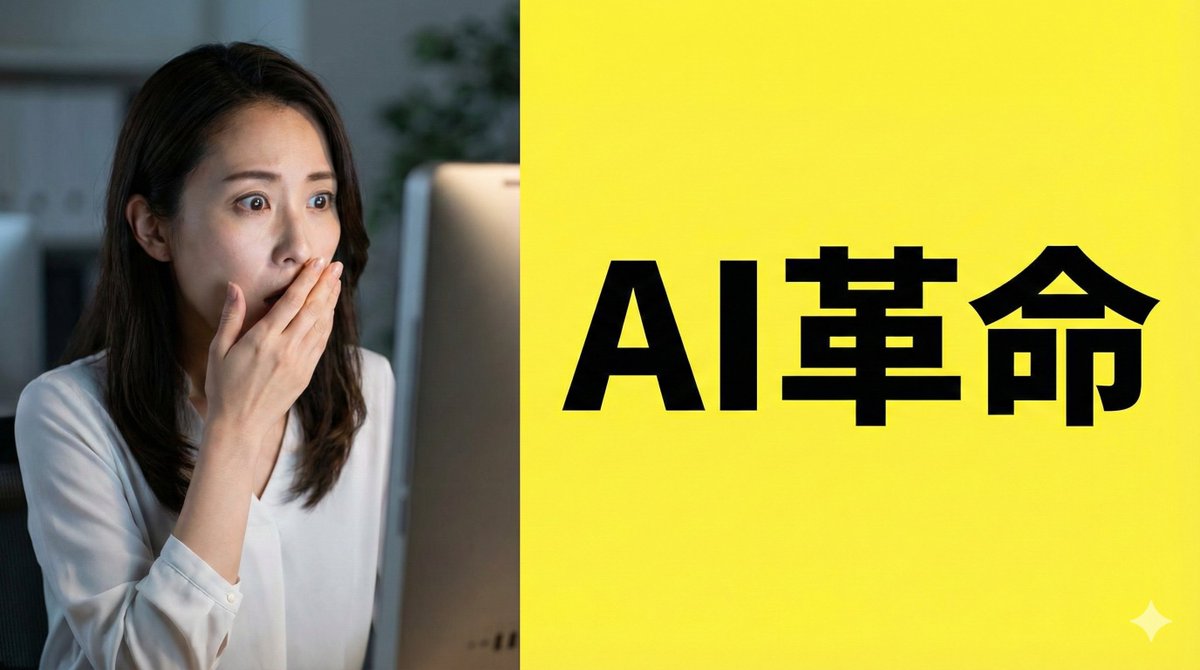
Camera Control
[Role] You are a professional graphic designer. Create a YouTube thumbnail. [Composition Instructions] - Split-screen composition, dividing the screen into left and right halves. - Left side: A Japanese woman with a surprised expression (photorealistic style). Background is a dark office. - Right side: A vibrant yellow background. Place the text “{argument name="text" default="AI Revolution"}” in bold Gothic font in the center. - Ensure sufficient negative space around the text to maximize visibility. [Style] A scene from an animated movie, cyberpunk [Camera and Composition Settings] - Lens: Use a wide-angle lens (24mm equivalent) to emphasize perspective. - Angle: Extreme low angle (worm's-eye view). The character is viewed looking up from just above the ground. - Placement: Place the character's left hand directly in front of the camera to exaggerate the sense of distance. - Background: High-rise buildings sharply converge toward a vanishing point. [Role] You are a manual creator. Create {argument name="subject" default="how to make Okonomiyaki"}. [Format] Flat design infographic, 16:9 [Layout Instructions] - A “3-step” process diagram flowing from left to right. - Step 1 (Left): Magnifying glass icon (Investigation). - Step 2 (Center): Gear icon (Processing). - Step 3 (Right): Light bulb icon (Solution). - Connect each element with arrows and align them at equal intervals. - Background is white, icons are unified in blue and orange key colors.
This is a free AI prompt from the Orelon library. Thousands more image prompts here are free to copy and adapt.
Explore more image prompts





Ready to create
Start with this curated direction in Orelon, then shape it into your next visual.