Camera Control
Face and Hairstyle Swap for Studio Portrait
Likes
68
Views
1.2K
 Orelon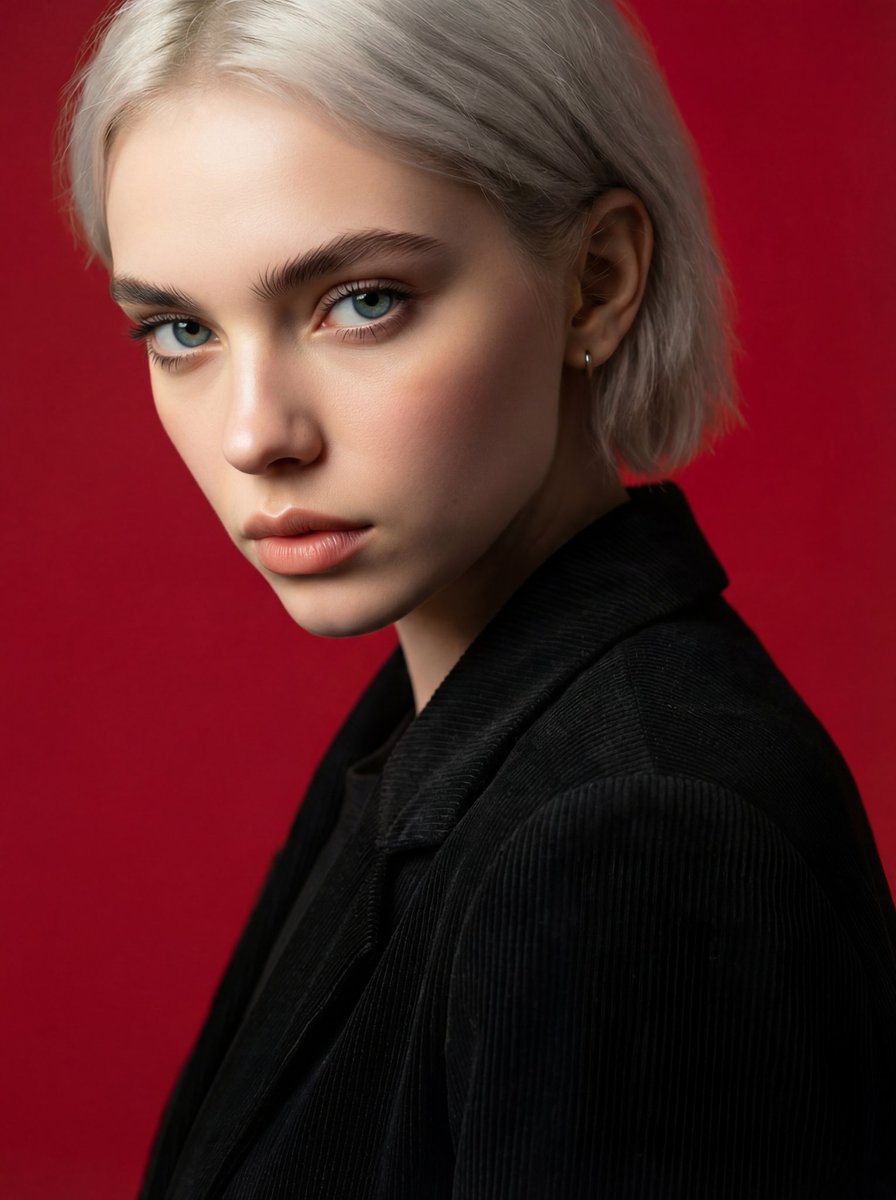
Camera Control
{ "Ultra-realistic studio portrait of a young woman in a three-quarter profile pose, head slightly turned toward the camera. She is wearing a black textured blazer over a dark top with minimal accessories, including a small hoop earring. Background is a solid deep red studio backdrop with a smooth gradient. Lighting is soft, diffused studio lighting with gentle shadows and even skin tones. Replace ONLY the face and hairstyle using the reference image. Keep body, pose, clothing, background, lighting, camera angle, framing, and image quality exactly the same. Ensure the new face matches the original head size, angle, and expression with seamless skin blending and natural hair integration. Photorealistic, cinematic quality, sharp focus on eyes, shallow depth of field.", "negative_prompt": "face distortion, wrong head size, mismatched skin tone, altered pose, changed clothing, different background, lighting mismatch, blurry face, artifacts, unrealistic hair, over-smoothing", "style": "photorealistic", "camera": { "shot": "close-up portrait", "angle": "three-quarter view", "depth_of_field": "shallow" }, "lighting": "soft studio lighting", "background": "solid deep red", "quality": "high resolution", "face_swap": { "enabled": true, "change_only": ["face", "hairstyle"], "preserve": ["pose", "body", "clothing", "background", "lighting", "camera_angle"] } }
This is a free AI prompt from the Orelon library. Thousands more image prompts here are free to copy and adapt.
Explore more image prompts





Ready to create
Start with this curated direction in Orelon, then shape it into your next visual.