Visual Effects
Photorealistic Fantasy Scene: Fairy and Muscular Bear in Cavern
Likes
59
Views
952
 Orelon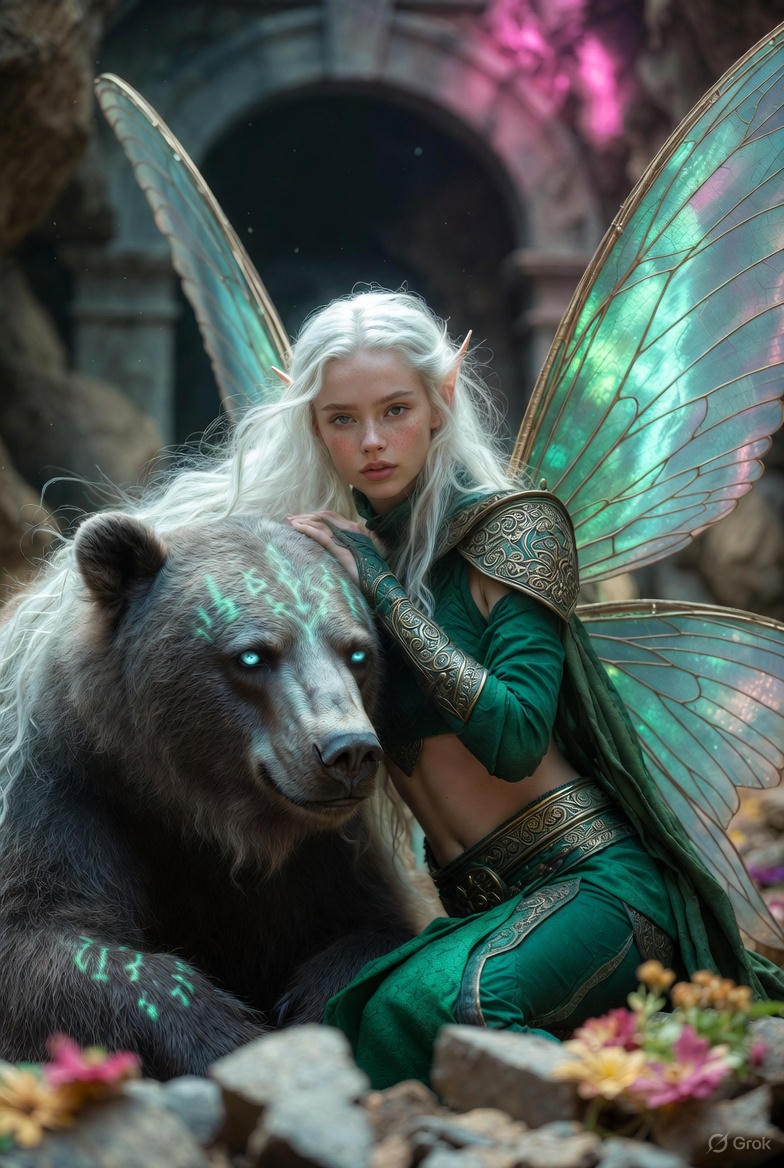
Visual Effects
{ "scene_type": "photorealistic fantasy", "setting": { "location": "vast ancient cavern", "floor": "rugged stone floor", "lighting": { "primary": "dim", "ambient": "soft pink light", "source": "distant stone archway", "additional": "natural shadows, lifelike lighting, soft light refraction" }, "atmosphere": [ "scattered flowers", "broken stone", "drifting dust particles", "cinematic depth of field" ] }, "main_character": { "type": "fairy woman", "skin_tone": "fair-skinned", "hair": { "color": "white", "style": "long, flowing" }, "facial_features": { "freckles": "subtle", "ears": "pointed" }, "wings": { "type": "large butterfly wings", "properties": [ "translucent", "iridescent", "shimmering blue-green hues", "visible veins", "soft light refraction" ] }, "clothing": { "style": "emerald medieval-inspired", "pieces": [ { "type": "cropped top", "material": "richly textured fabric" }, { "type": "high-waisted bottoms", "material": "richly textured fabric" } ], "details": [ "realistic gold filigree", "engraved ornaments", "worn metallic highlights" ] }, "pose": "seated on the stone floor", "expression": "calm" }, "companion": { "type": "massive muscular bear", "fur": { "description": "dense, coarse", "detail_level": "ultra-sharp" }, "eyes": "striking icy blue", "armor": { "type": "{argument name=\"bear armor type\" default=\"faint green rune-like markings\"}", "location": ["head", "shoulders"], "effect": "glowing softly" }, "pose": "leaning calmly beside the fairy", "relationship": "conveying trust and companionship" }, "interaction": { "description": "Her arm rests gently over the bear’s head" }, "technical": [ "ultra-realistic textures", "photorealistic rendering", "cinematic depth of field", "natural shadows", "lifelike lighting" ] }
This is a free AI prompt from the Orelon library. Thousands more image prompts here are free to copy and adapt.
Explore more image prompts


Ready to create
Start with this curated direction in Orelon, then shape it into your next visual.