Camera Control
Structured Prompt for Hyperrealistic Caricature Portrait
Likes
52
Views
974
 Orelon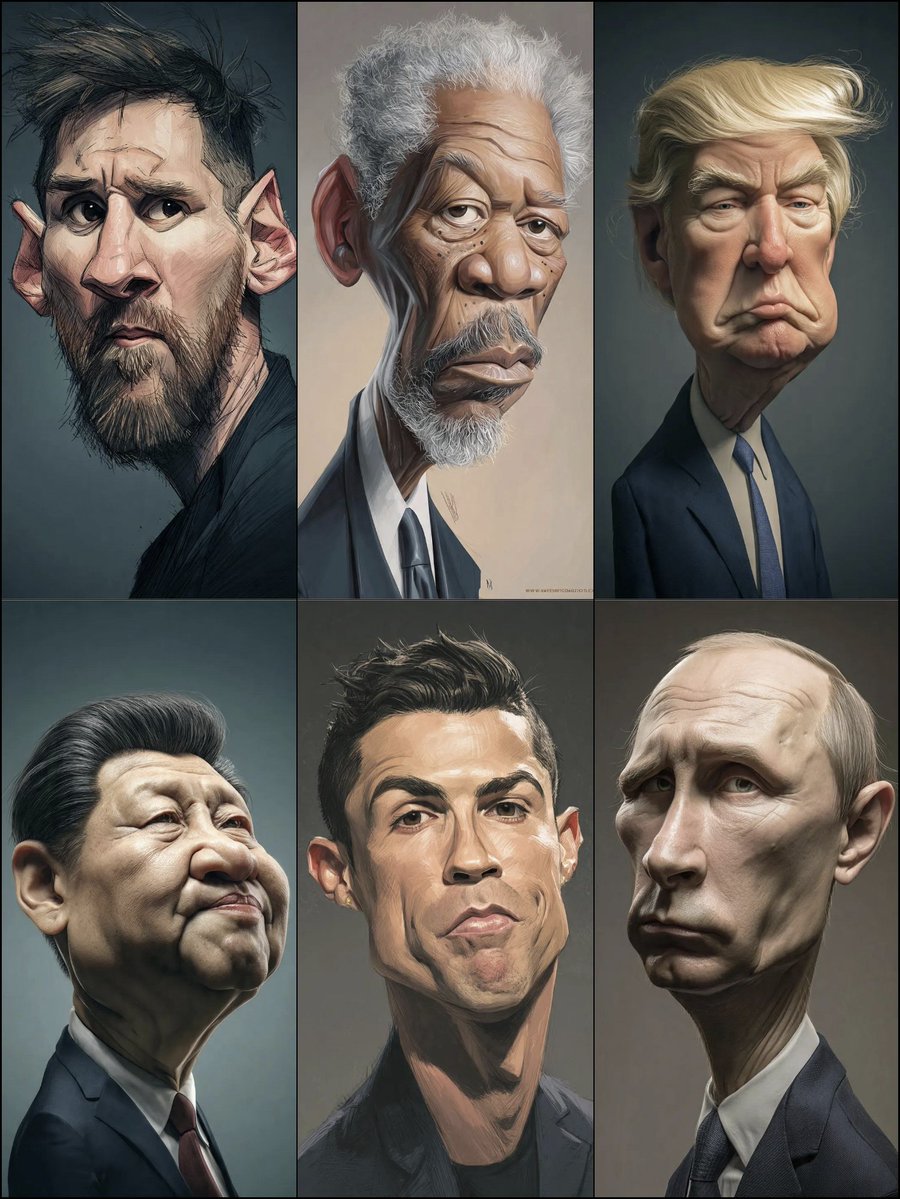
Camera Control
{ "style": { "type": "hyperrealistic caricature", "lighting": "soft studio lighting", "mood": "serious, dramatic", "details": "exaggerated facial proportions, smooth skin texture, painterly realism" }, "subject": { "type": "older man", "features": { "hair": "{argument name=\"hair style\" default=\"light blond, voluminous, swept to the side with dramatic flow\"}", "face": "{argument name=\"face features\" default=\"large exaggerated cheeks and chin, deep frown lines, pronounced brows, slightly drooping eyelids\"}", "expression": "{argument name=\"expression\" default=\"stern, pouting, serious\"}" }, "clothing": { "outfit": "dark formal suit", "shirt": "light-colored dress shirt", "tie": "{argument name=\"tie color\" default=\"light blue textured tie\"}" }, "pose": "straight posture, facing forward" }, "background": { "type": "plain dark gradient", "atmosphere": "studio portrait, minimalistic" }, "camera": { "angle": "straight-on", "depth_of_field": "shallow, soft background", "focus": "sharp on
This is a free AI prompt from the Orelon library. Thousands more image prompts here are free to copy and adapt.
Explore more image prompts





Ready to create
Start with this curated direction in Orelon, then shape it into your next visual.