Effects by Tags
Dramatic Digital Painting Portrait of Two Subjects
Likes
48
Views
1.6K
 Orelon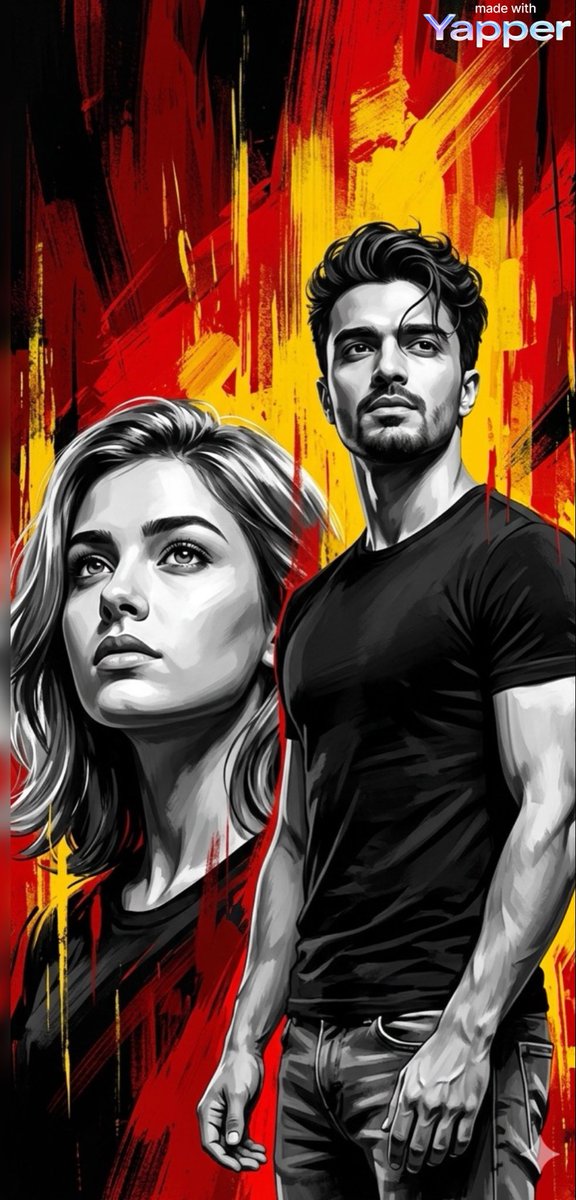
Effects by Tags
A dramatic digital painting portrait composition featuring two powerful subjects in a bold graphic art style. The scene uses a high-contrast palette dominated by black, white, deep red, and vibrant yellow paint strokes forming an expressive abstract background. On the left, a young woman is shown from the shoulders up, looking slightly upward with a strong, determined expression. Her face is rendered in monochrome grayscale with smooth yet painterly shading, emphasizing sharp cheekbones, defined lips, and reflective eyes gazing toward the sky. Her medium-length hair flows naturally around her face with soft strands catching subtle highlights. The lighting is cinematic and directional from above, creating dramatic shadows under the jawline and nose, giving the portrait a heroic and inspirational mood. On the right side, a young athletic man stands in a three-quarter body view wearing a fitted dark t-shirt and jeans. His physique is muscular and natural, with visible arm definition. He also looks upward with a calm but resolute expression, symbolizing ambition and determination. His face and body are rendered in grayscale realism with bold brush textures, while the background explodes with dynamic vertical paint streaks and abstract strokes of red, yellow, and black. The brushwork appears energetic and expressive, resembling modern poster art or street-style digital illustration. The composition balances realism and painterly abstraction, with sharp facial detail contrasted against rough expressive background strokes. Ultra-high detail, cinematic lighting, dramatic contrast, textured brush strokes, modern digital painting, heroic portrait style, inspirational mood, high resolution, 8k quality, sharp focus, studio-quality rendering.
This is a free AI prompt from the Orelon library. Thousands more image prompts here are free to copy and adapt.
Explore more image prompts





Ready to create
Start with this curated direction in Orelon, then shape it into your next visual.