Camera Control
Scientific Macro Documentary Photography Prompt for Water Droplet on Leaf
Views
126
 Orelon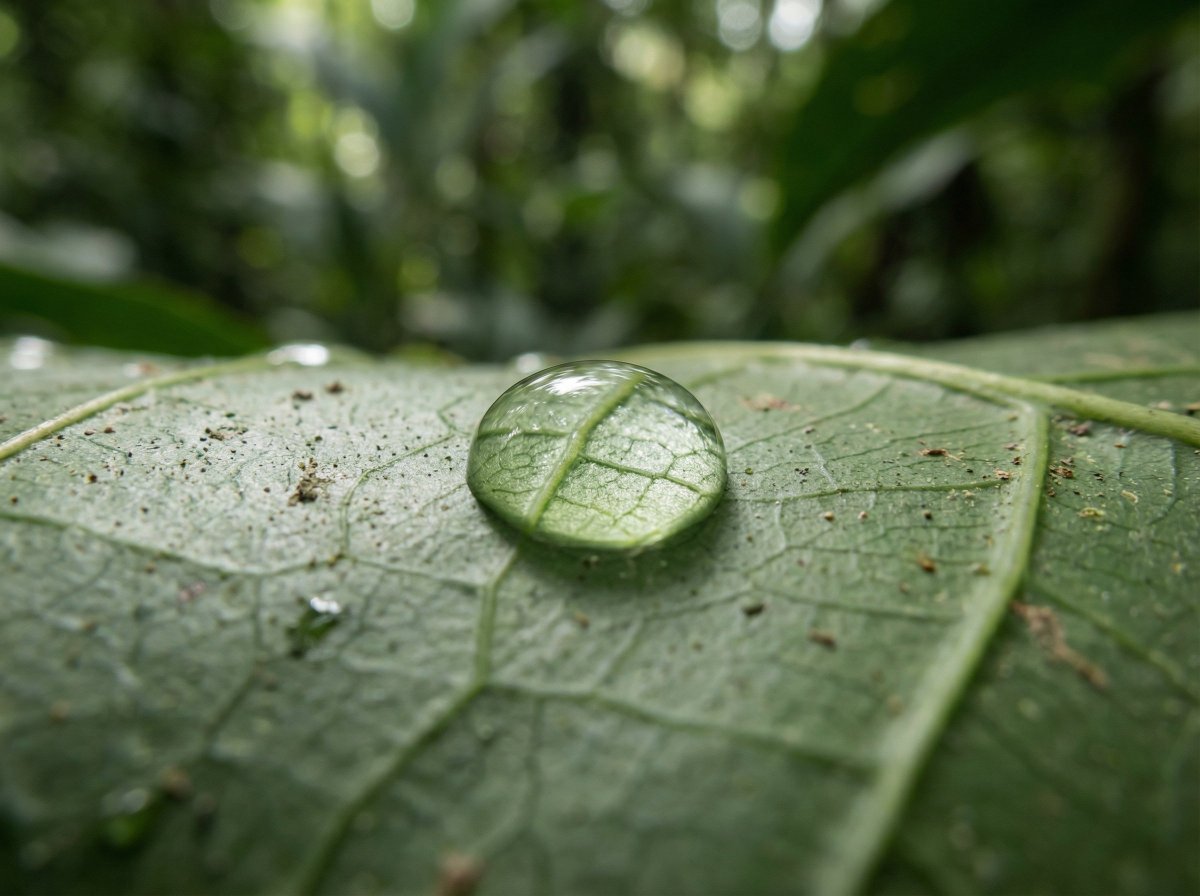
Camera Control
{ "meta": { "aspect_ratio": "3:2", "quality": "ultra_photorealistic", "resolution": "8k", "style": "scientific macro documentary photography", "realism_level": "extreme realism, natural optics", "ai_artifacts": "none" }, "subject": { "description": "a single water droplet resting on a rainforest leaf", "droplet": { "shape": "natural spherical tension", "clarity": "crystal clear", "refraction": "subtle optical refraction of leaf veins inside the droplet" }, "leaf": { "type": "{argument name="leaf type" default="broad tropical rainforest leaf"}", "surface": "slightly waxy, natural micro texture", "veins": "highly detailed visible leaf veins branching naturally", "imperfections": [ "tiny surface pores", "microscopic dust", "organic irregularities" ] } }, "environment": { "location": "dense tropical rainforest", "atmosphere": "humid, quiet, post-rain stillness", "background": [ "soft green bokeh", "out-of-focus jungle foliage", "natural depth layers" ], "air": "moist, slightly misty" }, "lighting": { "type": "natural diffused rainforest light", "source": "filtered sunlight through canopy", "quality": "soft, scattered, non-directional", "highlights": "gentle specular highlight on water droplet", "shadows": "extremely soft micro-shadows along leaf veins" }, "camera": { "camera_type": "professional macro photography setup", "lens": "100mm macro lens", "aperture": "f/8", "focus": "razor-sharp focus on leaf veins and water droplet edge", "depth_of_field": "very shallow, true macro depth", "magnification": "1:1 macro ratio", "perspective": "parallel to leaf surface" }, "color_grading": { "palette": "deep natural greens, subtle yellow highlights", "saturation": "realistic, not boosted", "contrast": "low to medium, natural tonal range", "clarity": "optical clarity, not digital sharpening", "grain": "none or extremely subtle" }, "constraints": [ "no insects", "no fantasy glow", "no artificial lighting", "no cinematic color grading", "no exaggerated sharpness", "must look like a real scientific macro photograph" ] }
This is a free AI prompt from the Orelon library. Thousands more image prompts here are free to copy and adapt.
Explore more image prompts





Ready to create
Start with this curated direction in Orelon, then shape it into your next visual.