Effects by Tags
Photorealistic Amber-Eyed Cat Portrait
Likes
21
Views
140
 Orelon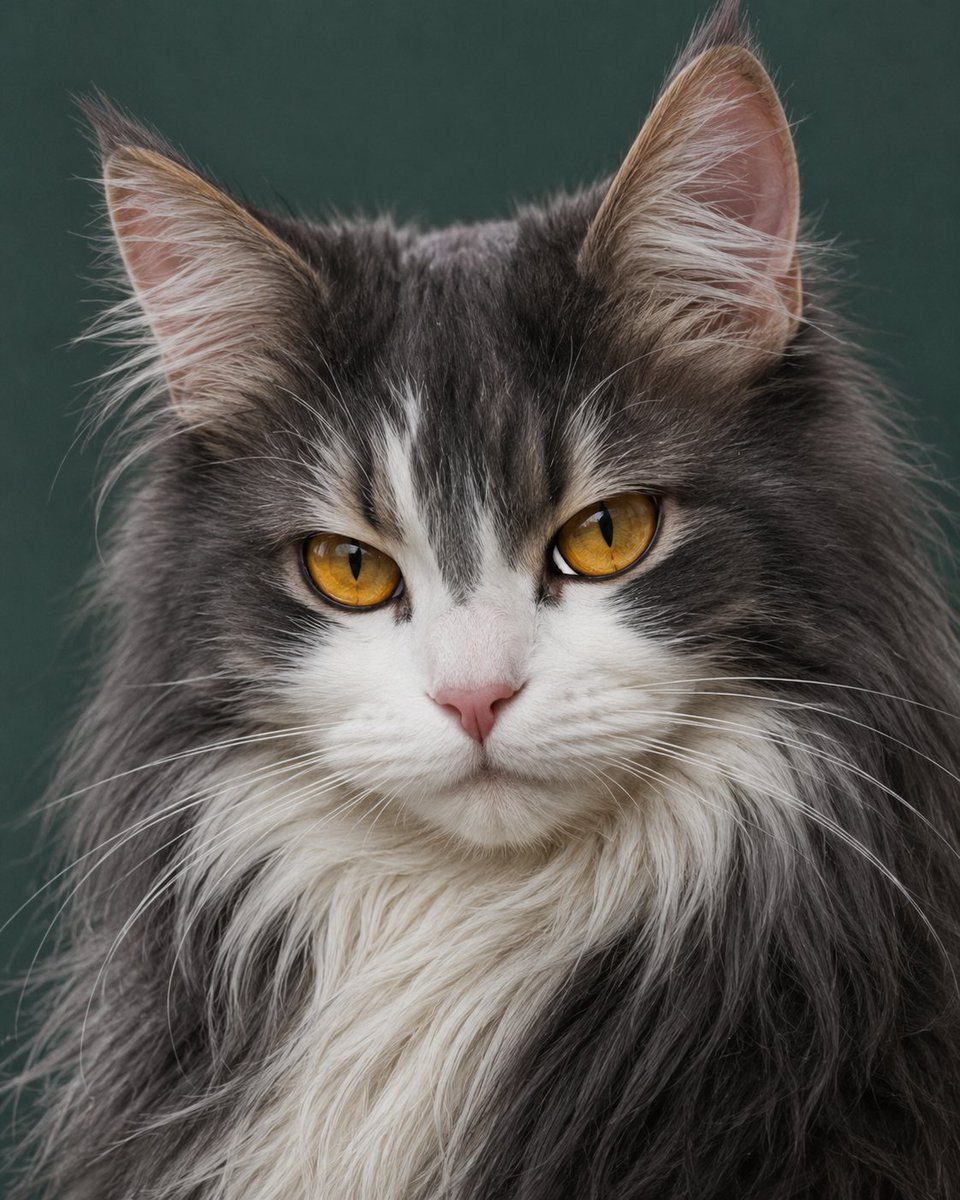
Effects by Tags
Create a highly realistic studio portrait of a long-haired {argument name="cat breed" default="Maine Coon-like domestic cat"} facing forward, centered in a tight head-and-chest composition. The cat has dense fluffy fur in {argument name="fur colors" default="dark charcoal gray and white"}, with a white muzzle, white chest ruff, a narrow white blaze running up the nose and forehead, darker gray tabby shading over the crown and cheeks, and long fine whiskers spreading horizontally. Show exactly two large upright triangular ears with pale pink inner skin and wispy ear tufts, exactly two vivid {argument name="eye color" default="golden amber"} almond-shaped eyes with vertical slit pupils, and a small soft pink nose. The expression is calm, intelligent, slightly serious, with symmetrical frontal eye contact. Use photorealistic detail: individual fur strands, soft natural texture, subtle depth of field, and crisp focus on the eyes and face. Background is a plain smooth {argument name="background color" default="deep muted green"} studio backdrop, softly blurred, with no props, no text, no collar, no watermark. Lighting is gentle diffused studio lighting from the front-left, creating soft highlights on the fur and natural shadows under the chin. Vertical square-ish portrait framing, close crop with the ears near the top edge and the fluffy chest filling the lower frame.
This is a free AI prompt from the Orelon library. Thousands more image prompts here are free to copy and adapt.
Explore more image prompts





Ready to create
Start with this curated direction in Orelon, then shape it into your next visual.