Effects by Tags
Personalized Mural Studio Portrait
Likes
2
Views
187
 Orelon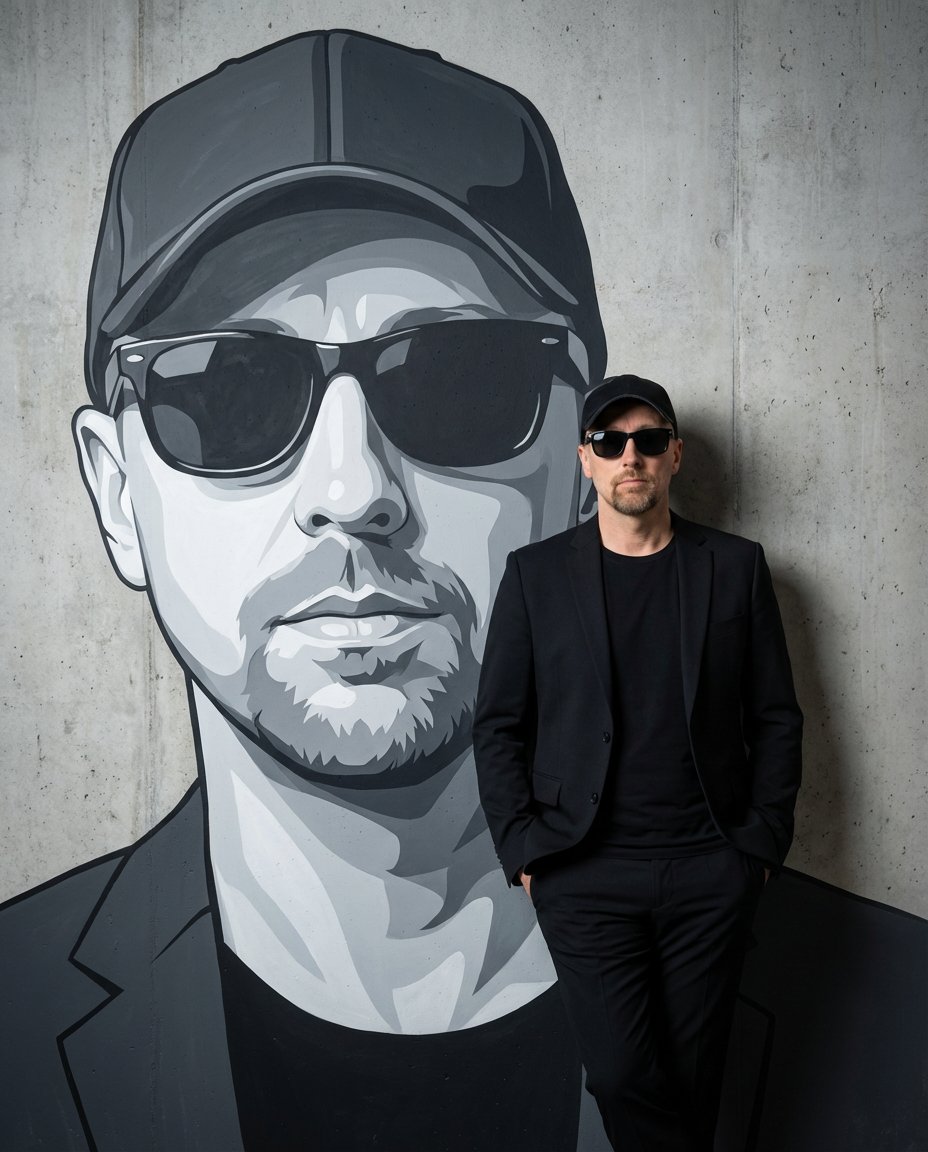
Effects by Tags
Create a high-resolution studio photograph featuring THE_SUBJECT, using the uploaded photo as a strict visual reference for identity. THE_SUBJECT’s facial features, skin tone, body proportions, hairstyle, facial hair, and overall appearance must match the reference image exactly, with no reinterpretation or stylization of THE_SUBJECT. THE_SUBJECT is standing naturally and casually, leaning against a plain concrete or plaster studio wall. THE_SUBJECT is photographed as a real person in a real studio environment — this is a photographic image, not an illustration. Painted directly onto the wall behind THE_SUBJECT is a large-scale mural depicting THE_SUBJECT’s face and upper body. The mural is a stylized vector-art portrait of THE_SUBJECT, clearly recognizable as the same person, rendered in bold graphic shapes, clean edges, and modern illustrative color blocking. The mural is significantly larger than life-size and occupies most of the wall surface. THE_SUBJECT’s real body partially overlaps and obscures the mural, reinforcing depth and scale, while still making it immediately clear that the mural represents THE_SUBJECT. The mural must remain visibly painted on the wall, not floating, not projected, and not a digital overlay. Lighting is controlled studio lighting with a cinematic feel: soft but directional, illuminating both THE_SUBJECT and the mural evenly, with subtle contrast and color separation that allows the real subject and the painted mural to coexist clearly in the same physical space. The final image should feel like a professional studio portrait photographed in front of a custom mural wall — realistic, grounded, and visually cohesive — with a clear distinction between the real human subject and the stylized painted portrait behind them.
This is a free AI prompt from the Orelon library. Thousands more image prompts here are free to copy and adapt.
Explore more image prompts





Ready to create
Start with this curated direction in Orelon, then shape it into your next visual.