Camera Control
Liberte Circus Anime Portrait
PublishedAug 31, 2026
Original languageEN
Views
27
 Orelon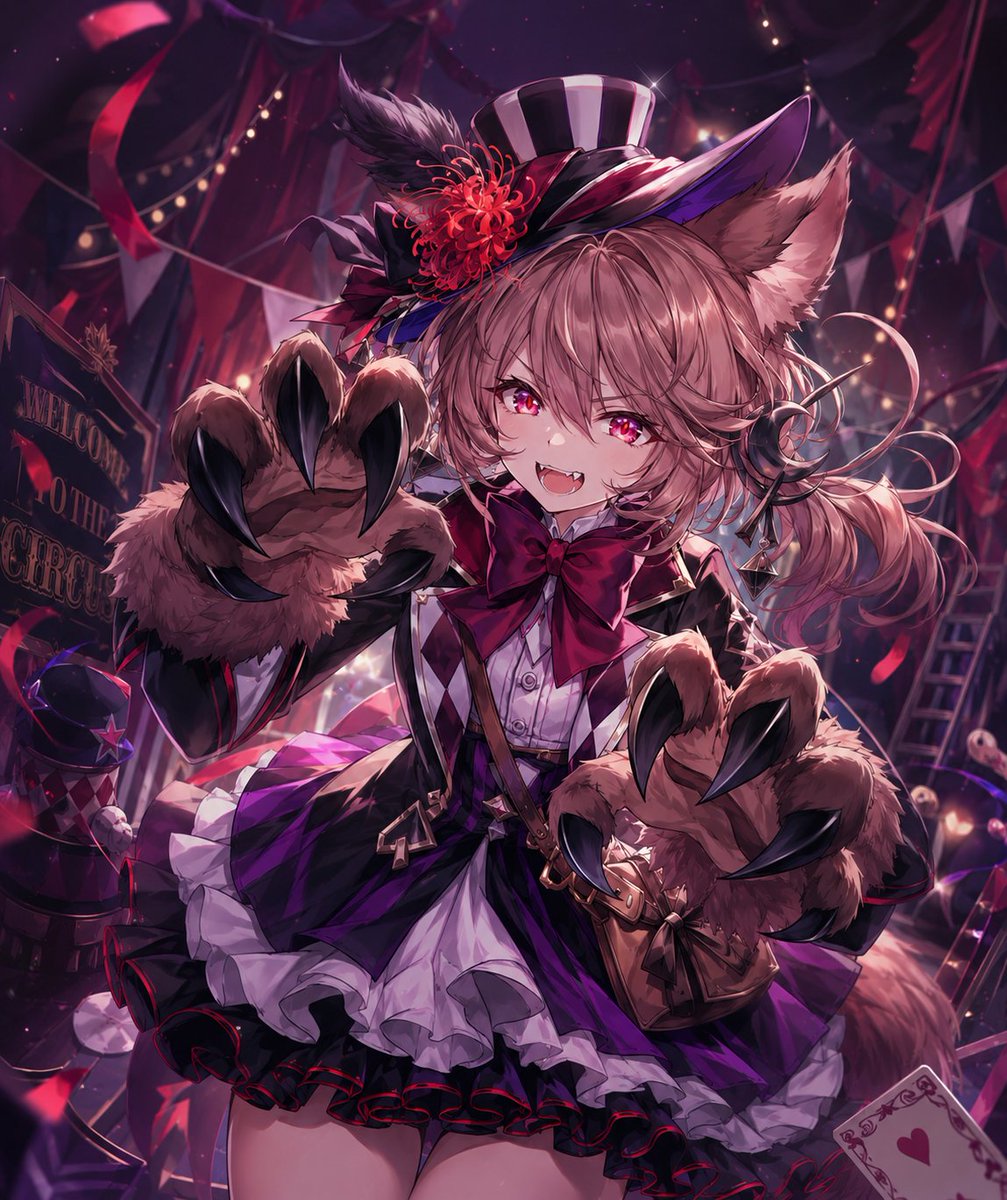
Camera Control
Create a highly detailed anime-style fantasy carnival portrait of {argument name="character name" default="Liberté from Rage of Bahamut"}, shown from thighs up in a dynamic close perspective, leaning toward the viewer with a mischievous open-mouth smile and tiny fangs. She is a petite beast-girl with fluffy fox/wolf ears, a large fluffy tail, wavy {argument name="hair color" default="dusty pink"} hair in a side ponytail, bright magenta eyes, and a playful predatory expression. She wears an elaborate gothic circus ringmaster outfit: a black-and-purple striped mini top hat tilted on her head, decorated with a large red chrysanthemum-like flower, black feather plume, ribbons, and glossy trim; a white frilled blouse; oversized crimson bow tie; black fitted jacket with purple accents; leather straps and small buckles; layered purple-and-black skirt with white petticoat ruffles and red edging. Her two hands are raised toward the camera as enormous fluffy animal paw gloves, each with exactly five long glossy black curved claws, exaggerated by foreshortening. The setting is a dark magical circus tent at night with rich burgundy, violet, and magenta lighting, red ribbons and streamers, triangular bunting, glowing string lights, a tilted sign partly reading “WELCOME TO THE CIRCUS,” a ladder in the background, scattered circus props, playing-card motifs including a visible heart card in the lower right, and sparkling dust in the air. Use dramatic rim light, glossy highlights, shallow depth of field, intricate fabric rendering, high contrast, cinematic composition, and polished Japanese gacha-card illustration quality. Color palette should be {argument name="color palette" default="deep purple, crimson, black, and pink"}. Keep the image vertical square-crop friendly, energetic, richly detailed, and centered on the character’s face and clawed paws; avoid extra characters, modern objects, watermarks, or readable text beyond the partial circus sign.
This is a free AI prompt from the Orelon library. Thousands more image prompts here are free to copy and adapt.
Explore more image prompts





Ready to create
Start with this curated direction in Orelon, then shape it into your next visual.