Camera Control
Live-Streaming App Interface Mockup
Likes
1
Views
345
 Orelon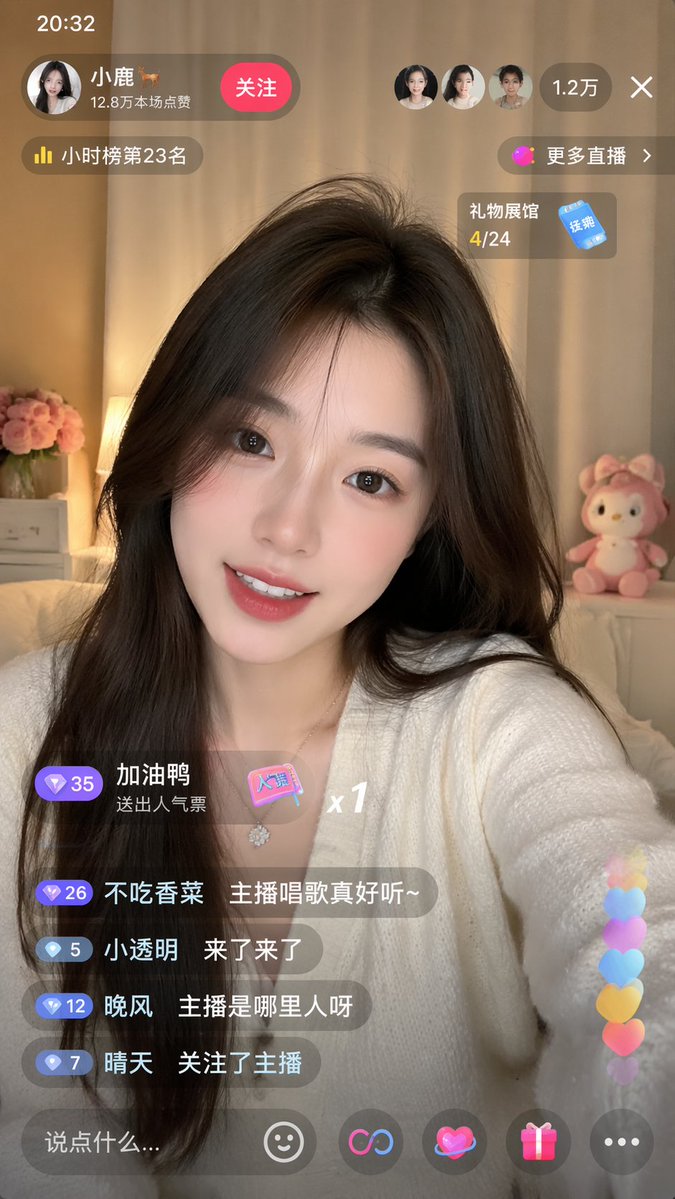
Camera Control
{ "type": "mobile live-streaming app interface mockup", "subject": { "description": "young Asian woman, long dark hair, smiling at camera", "outfit": "{argument name=\"broadcaster outfit\" default=\"white V-neck cardigan\"}", "background": "cozy room, warm lighting, pink flowers, pink plush toy" }, "layout": { "top_bar": { "time": "20:32", "broadcaster": { "name": "{argument name=\"broadcaster name\" default=\"小鹿 🦌\"}", "stats": "12.8万本场点赞" }, "action_button": "关注", "viewers": { "avatar_count": 3, "total": "{argument name=\"viewer count\" default=\"1.2万\"}" }, "close_button": "X" }, "floating_widgets": [ "小时榜第23名", "更多直播 >", "礼物展馆 4/24" ], "chat_area": { "message_count": 4, "gift_alert": "加油鸭 送出人气票 x1", "messages": [ "不吃香菜: {argument name=\"chat message 1\" default=\"主播唱歌真好听~\"}", "小透明: 来了来了", "晚风: 主播是哪里人呀", "晴天: 关注了主播" ] }, "bottom_bar": { "input_placeholder": "{argument name=\"input placeholder\" default=\"说点什么...\"}", "icon_count": 5, "icons": ["smiley face", "link symbol", "heart with halo", "gift box", "three dots"] }, "overlay_effects": "vertical stream of 6 colorful floating hearts on the bottom right" } }
This is a free AI prompt from the Orelon library. Thousands more image prompts here are free to copy and adapt.
Explore more image prompts





Ready to create
Start with this curated direction in Orelon, then shape it into your next visual.