Camera Control
K-pop Aesthetic Rehearsal Portrait
Views
82
 Orelon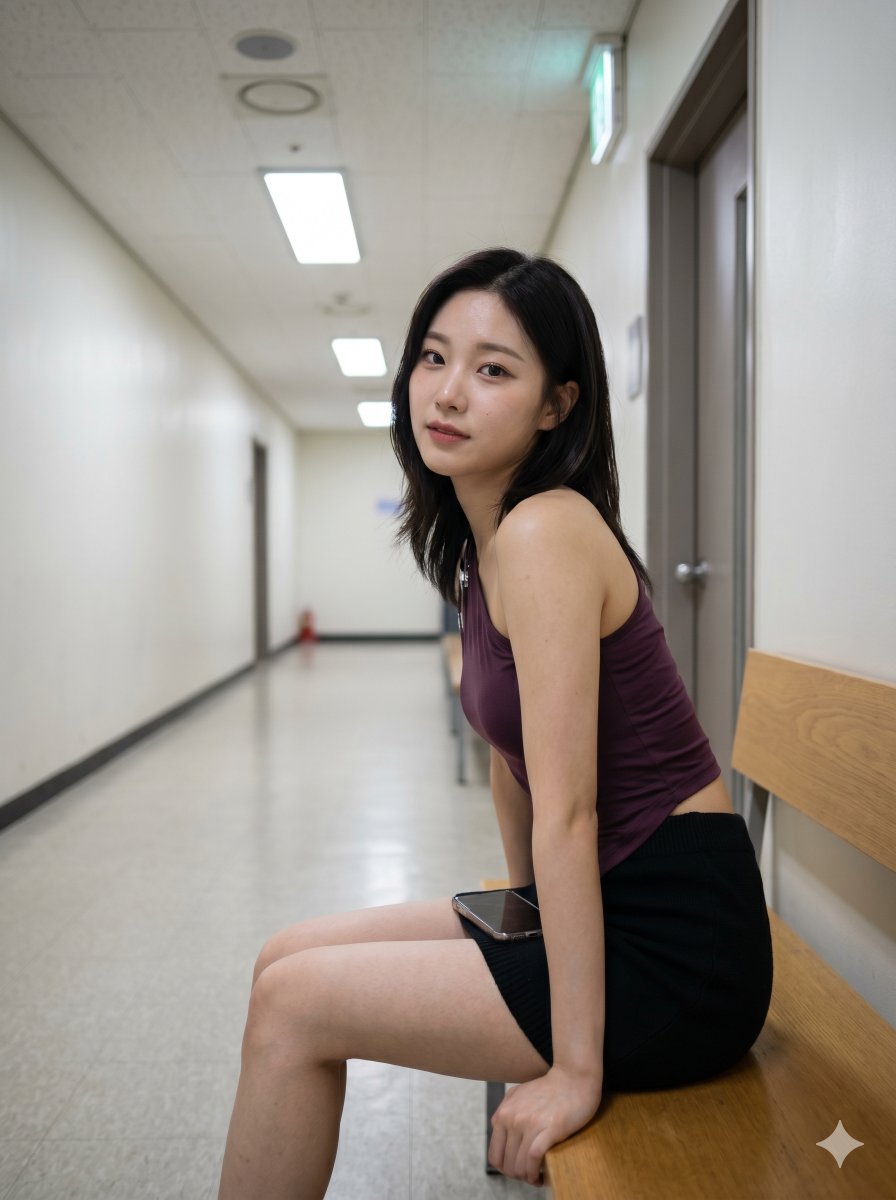
Camera Control
{ "prompt": "High-resolution 4K portrait 3:4 candid of an East Asian girl with a K-pop idol aesthetic in a rehearsal hallway just outside the practice room door, taking a five-minute reset on a bench while the corridor stays empty behind her. Shoot from a slightly low seat-level angle so the hallway vanishing lines, practical lights, and the bench edge frame her naturally without turning it into a glossy ad. She has a shy-but-aware expression, a clean face, readable eyes, and a clear waist-first body read. She wears an asymmetric one-shoulder top and a short knit skirt in a plum, black, and chrome lane, with believable fabric weight, natural posture, subtle skin texture, and socially native phone-candid realism. Keep it hot, direct, and legible, with the body and face equally present and the background kept simple enough that the scene reads instantly.", "subjects": [ { "name": "East Asian Girl", "group": "Kpop Idol Aesthetic", "outfit": { "clothing": [ "asymmetric one-shoulder top", "short knit skirt" ], "texture": [ "slinky viscose", "soft knit" ], "accessories": [ "phone" ] }, "pose": "sitting on a bench in a rehearsal hallway, leaning slightly forward while looking back toward camera" } ], "environment": { "setting": "rehearsal hallway outside the practice room", "elements": [ "hallway vanishing lines", "practical lights", "bench edge", "simple corridor background" ] }, "lighting_and_color_grading": { "style": "hallway practical light with clean white balance", "color_palette": { "dominant": "plum", "secondary": "black", "accent": "chrome" }, "grading": "socially native phone-candid realism with restrained contrast and realistic skin texture" }, "technical_specifications": { "camera": "slightly low seat-level crop, phone-candid realism", "quality": "high-resolution 4K", "aspect_ratio": "3:4 portrait" } }
This is a free AI prompt from the Orelon library. Thousands more image prompts here are free to copy and adapt.
Explore more image prompts





Ready to create
Start with this curated direction in Orelon, then shape it into your next visual.