Effects by Tags
Japanese Fireworks Festival Poster
Views
55
 Orelon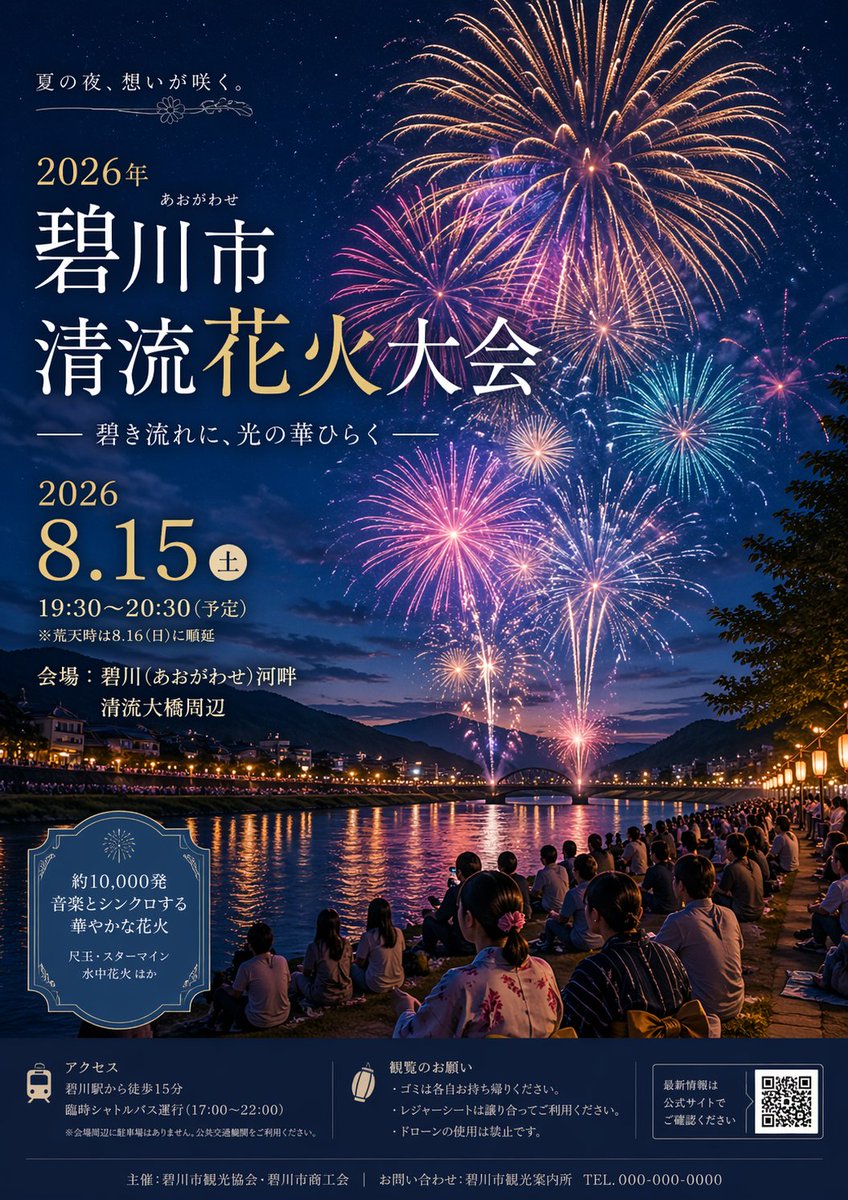
Effects by Tags
{ "type": "event poster", "theme": "Japanese summer fireworks festival", "visuals": { "background": "night sky filled with massive, colorful fireworks in gold, pink, blue, and purple", "midground": "river reflecting the fireworks, distant mountains, an arched bridge, and glowing city lights along the banks", "foreground": "crowd of spectators sitting on the grassy riverbank, some wearing traditional yukata, illuminated by warm lanterns on the right" }, "typography_and_layout": { "top_left": { "catchphrase": "{argument name=\"catchphrase\" default=\"夏の夜、想いが咲く。\"}", "title": "{argument name=\"festival name\" default=\"碧川市 清流花火大会\"}", "subtitle": "—— 碧き流れに、光の華ひらく ——" }, "mid_left": { "date_time": "{argument name=\"event date\" default=\"2026 8.15\"} (土) 19:30〜20:30 (予定)", "venue": "会場:{argument name=\"venue\" default=\"碧川(あおがわせ)河畔 清流大橋周辺\"}" }, "bottom_left_box": { "style": "decorative vintage border", "content": "{argument name=\"highlights\" default=\"約10,000発 音楽とシンクロする 華やかな花火\"} 尺玉・スターマイン 水中花火 ほか" }, "footer": { "style": "dark blue banner at the bottom", "section_count": 3, "sections": [ { "icon": "train", "title": "アクセス", "details": "walking distance and shuttle bus info" }, { "icon": "paper lantern", "title": "観覧のお願い", "details": "3 bullet points about trash, seating, and no drones" }, { "element": "QR code", "text": "最新情報は公式サイトでご確認ください" } ], "bottom_edge": "organizer and contact info with dummy phone number" } } }
This is a free AI prompt from the Orelon library. Thousands more image prompts here are free to copy and adapt.
Explore more image prompts





Ready to create
Start with this curated direction in Orelon, then shape it into your next visual.