Commercial
Purple Gown Fashion Contact Sheet
Likes
2
Views
82
 Orelon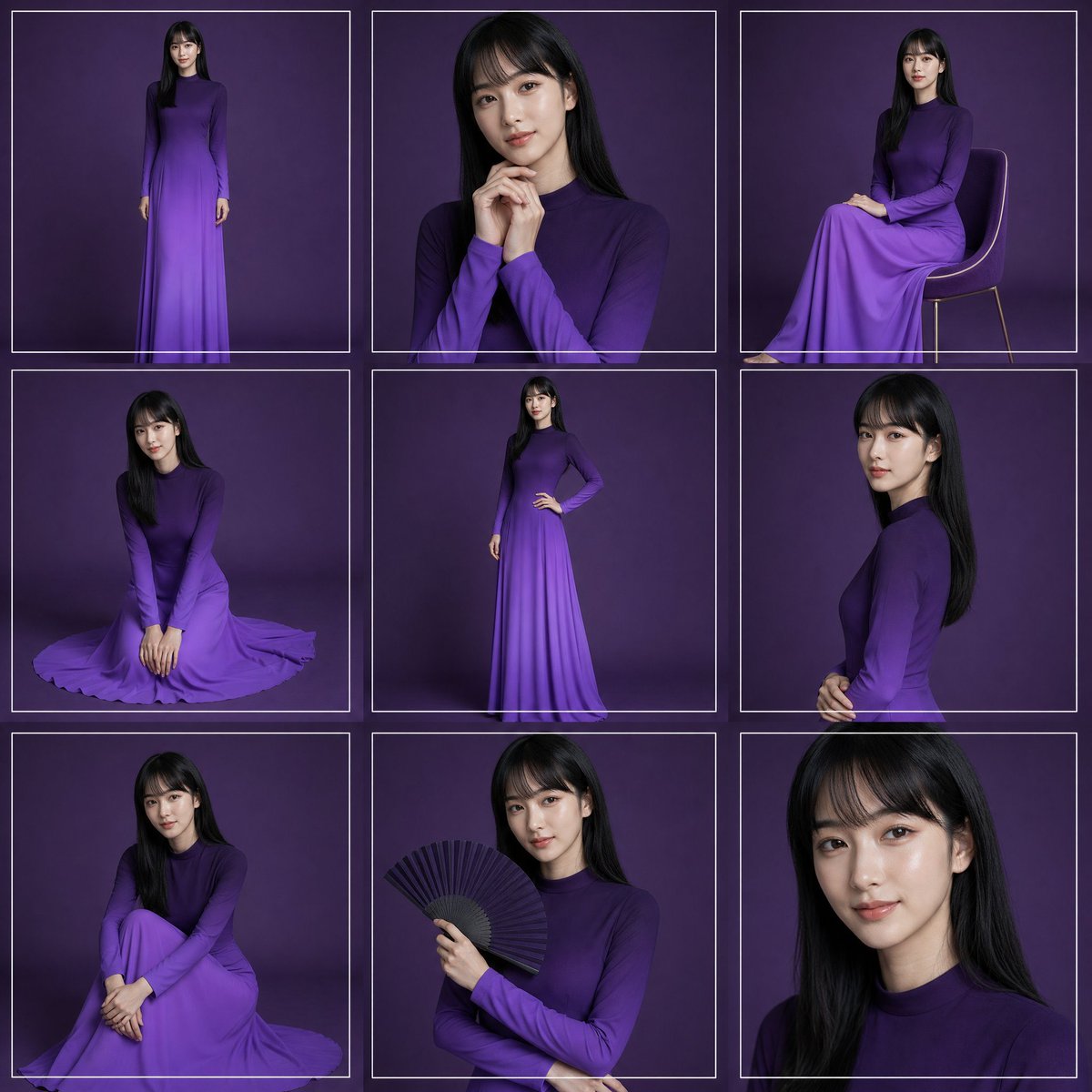
Commercial
Create a high-fashion studio portrait contact sheet featuring {argument name="model description" default="a young woman with long straight black hair"} wearing {argument name="dress color and style" default="a long-sleeved, high-neck, floor-length ombré purple gown"}. Canvas: square 1:1 image, arranged as an exact 3 by 3 grid of 9 separate portrait frames, each frame outlined with thin white rectangular borders and narrow gutters. Background: seamless dark plum-purple studio backdrop with soft vignette lighting and subtle floor shadows. Visual style: elegant editorial fashion photography, realistic lighting, 4K detail, softbox illumination, refined posing, no visible logos or text. Grid contents, exactly 9 panels: 1. Top-left: full-body standing pose facing forward, arms relaxed, full gown visible. 2. Top-center: medium close-up portrait, hands clasped near chin, long hair over shoulders. 3. Top-right: seated side pose on a simple modern chair with thin legs, gown draped over knees. 4. Middle-left: kneeling floor pose, hands together in front, skirt spread in a circular pool around her. 5. Middle-center: full-body standing pose with one hand on hip, showing the slim silhouette and gradient skirt. 6. Middle-right: side-profile upper-body portrait, hands gently clasped at waist, hair falling down the back. 7. Bottom-left: seated floor pose with knees drawn up and arms folded around legs, skirt pooled around her. 8. Bottom-center: half-body portrait holding an open black folding fan in one hand across the chest. 9. Bottom-right: tight close-up portrait of face and hair, cropped at shoulders. Constraints: maintain the same model, hairstyle, dress, and purple background across all panels; use thin white borders around every panel; keep the composition clean and symmetrical; make the face softly anonymized/blurred rather than sharply identifiable; avoid extra props except the chair in panel 3 and the fan in panel 8.
This is a free AI prompt from the Orelon library. Thousands more image prompts here are free to copy and adapt.
Explore more image prompts




Ready to create
Start with this curated direction in Orelon, then shape it into your next visual.