Effects by Tags
Cinematic Anime Frame Brush-Up
Likes
4
Views
289
 Orelon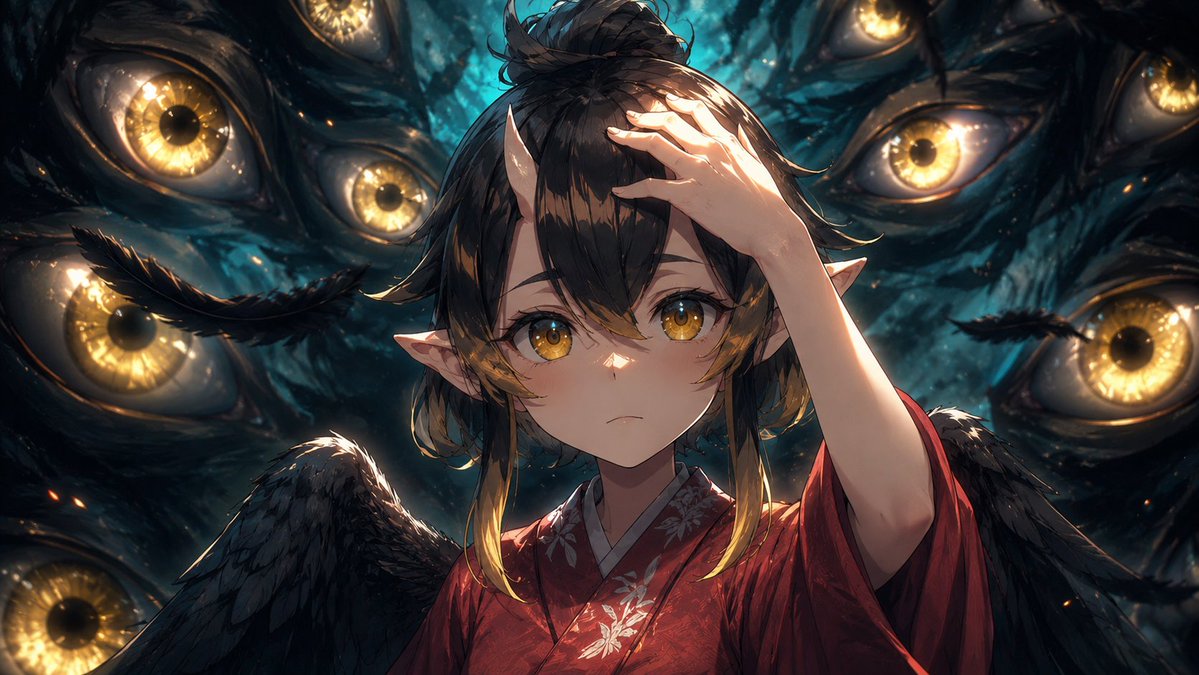
Effects by Tags
Using the provided reference image as the base frame, brush it up into a high-end cinematic anime key visual while preserving the original composition, character pose, outfit, wings, pointed ears, hand placement, and the central rectangular privacy mask over the face. Keep the same dark supernatural scene with exactly 8 visible surrounding golden eyes, but greatly increase the drawing density, shadow detail, rim lighting, depth, texture, and contrast. Make the background eyes sharper and more luminous, with wet organic texture, teal-black darkness, glowing amber irises, subtle sparks, and layered depth of field. Refine the hair strands, feathers, kimono fabric, floral embroidery, skin shading, and highlights so the frame feels like a polished production still rather than a rough anime cut. Maintain the same widescreen crop and overall framing. Style target: {argument name="visual style" default="premium cinematic anime illustration"}. Enhancement strength: {argument name="enhancement strength" default="strong brush-up with more detail, shadows, and depth"}. Lighting mood: {argument name="lighting mood" default="dramatic teal-and-gold supernatural lighting"}. Privacy mask: {argument name="privacy mask" default="keep the opaque rectangular block covering the face"}.
This is a free AI prompt from the Orelon library. Thousands more image prompts here are free to copy and adapt.
Explore more image prompts





Ready to create
Start with this curated direction in Orelon, then shape it into your next visual.