Effects by Tags
Synthwave Noir Vector Style Transfer Prompt
Likes
30
Views
2.6K
 Orelon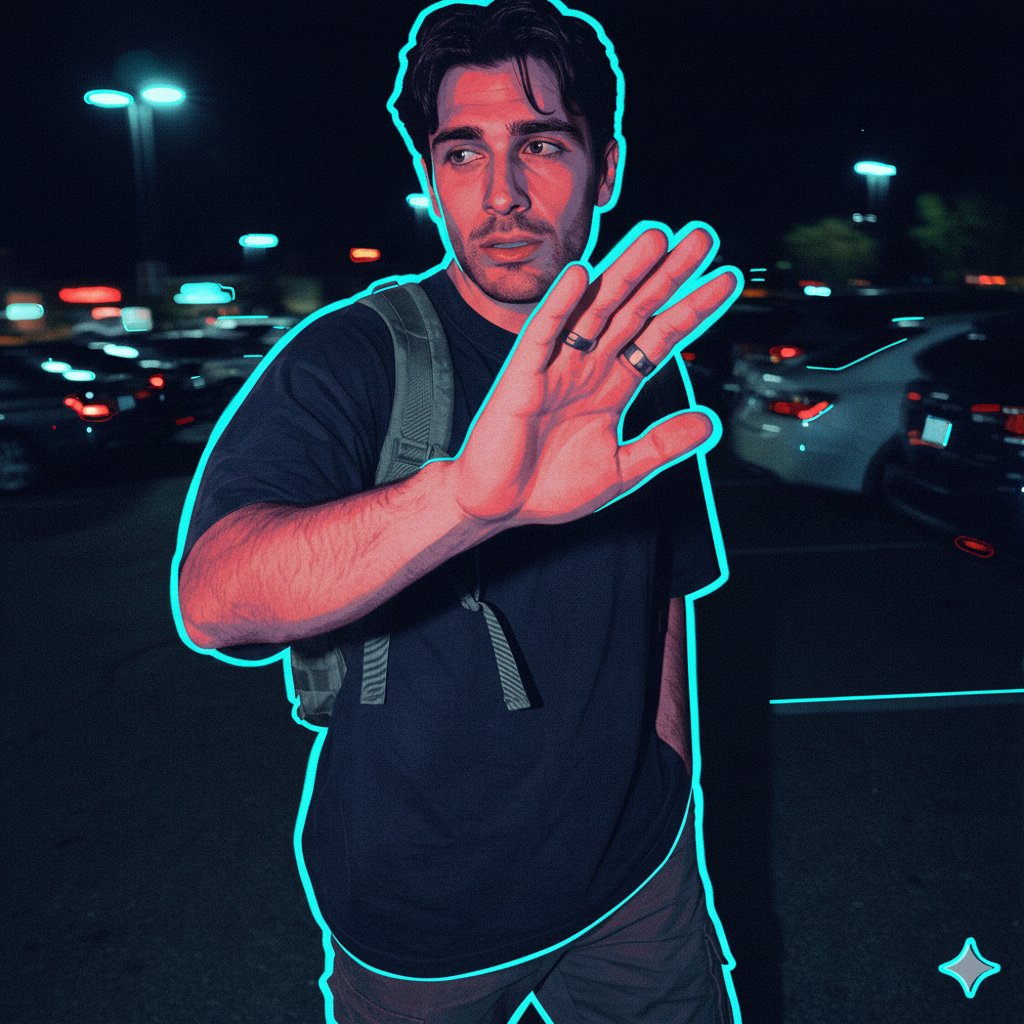
Effects by Tags
{ "action": "generate", "aspect_ratio": "1:1", "prompt_details": { "style": "Vector illustration with a synthwave noir aesthetic, digital flat art with grainy texture", "subject": "A person whose facial identity and features are preserved exactly as in the reference image", "lighting": "High-contrast dual-tone lighting, cyan rim lighting combined with deep red ambient highlights, cinematic chiaroscuro effect", "color_palette": "Deep navy blue, electric cyan, vibrant crimson, and charcoal black", "composition": "Minimalist portrait, centered or profile view, clean sharp edges with subtle film grain overlay", "environment": "Void-like dark background to emphasize the glow and silhouette", "technical_specs": "Clean vector lines, duotone shading, graphic novel influence, sharp focus on facial contours" } }
This is a free AI prompt from the Orelon library. Thousands more image prompts here are free to copy and adapt.
Explore more image prompts





Ready to create
Start with this curated direction in Orelon, then shape it into your next visual.