Commercial
Glossy AI Logo Redesign Row
Likes
1
Views
20
 Orelon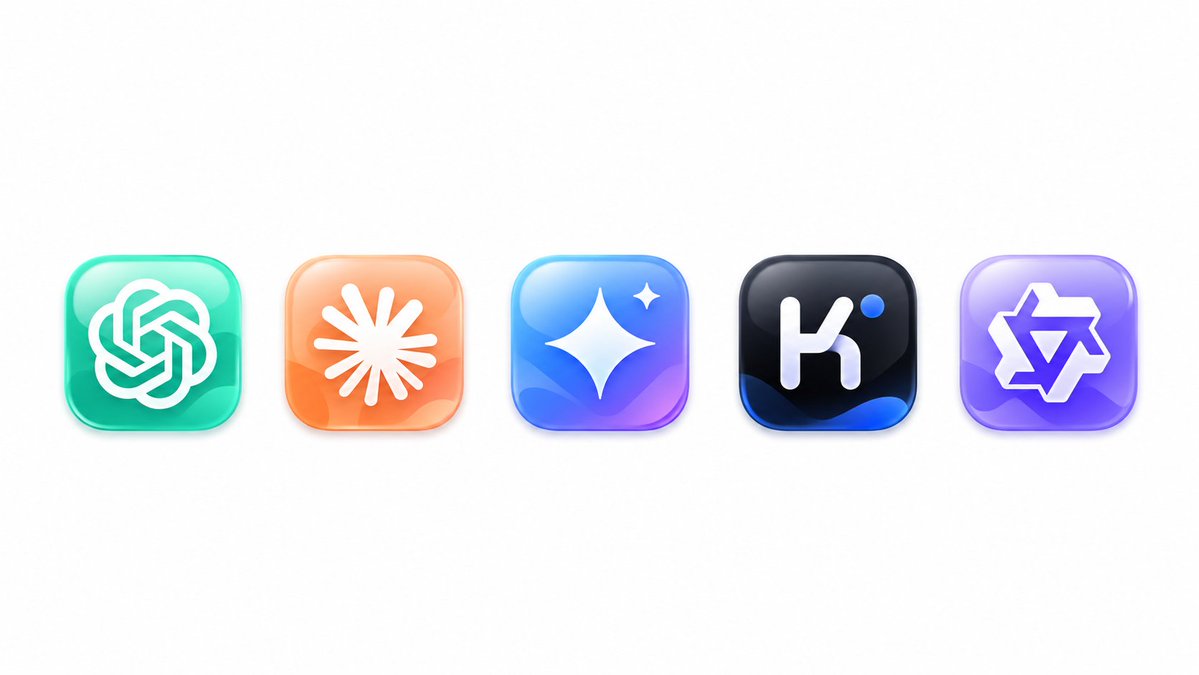
Commercial
Create a clean logo redesign showcase on a wide white canvas, featuring exactly 5 glossy rounded-square app icons evenly spaced in a single horizontal row, centered vertically with generous empty margins. Use a modern 3D glassmorphism style with soft shadows, subtle reflections, beveled edges, high saturation, and smooth gradient lighting. The five icons from left to right are: 1) a teal-to-mint rounded square containing a white interwoven knot emblem resembling the OpenAI logo, 2) a peach-to-orange rounded square containing a white radial sunburst or asterisk emblem with many tapered rays, 3) a cyan-blue-to-purple rounded square containing a large white four-point sparkle star plus one small sparkle near the upper right, 4) a black rounded square with deep blue highlights at the bottom containing a white lowercase-like geometric “k” mark and one small bright blue dot near the upper right, and 5) a lavender-to-purple rounded square containing a white outlined angular six-point star or badge emblem. Keep the composition minimal, polished, and product-design focused, with no text labels, no watermark, and no extra icons. The overall subject is {argument name="logo redesign theme" default="AI app logo redesigns"}, with {argument name="icon style" default="glossy 3D glassmorphism rounded-square app icons"}, on a {argument name="background color" default="pure white"} background.
This is a free AI prompt from the Orelon library. Thousands more image prompts here are free to copy and adapt.
Explore more image prompts




Ready to create
Start with this curated direction in Orelon, then shape it into your next visual.