Camera Control
Golden Hour Empty Airport Runway
Views
29
 Orelon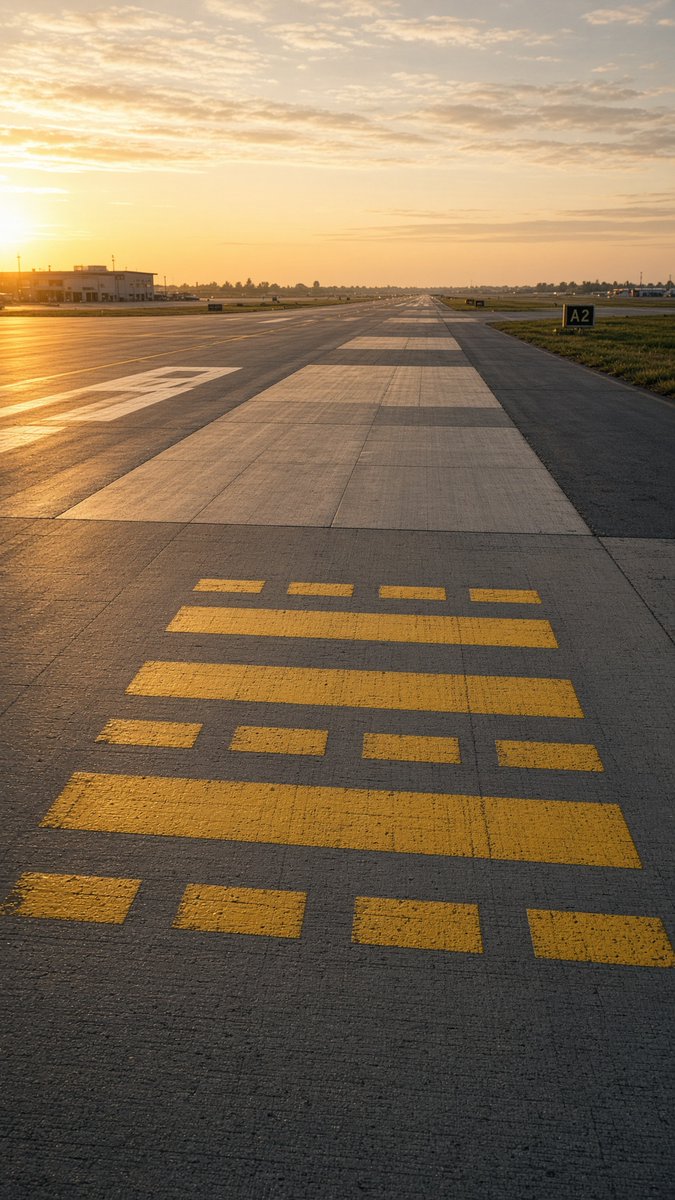
Camera Control
Create a photorealistic vertical aviation photograph of an empty airport runway/taxiway at golden hour, shot from a very low standing viewpoint centered on the concrete pavement and looking straight down the runway toward a distant vanishing point. The sun is low on the far left horizon, casting warm orange light, long shadows, and a glowing reflection across the tarmac. The sky is pale gold with scattered thin clouds. In the foreground, place exactly 15 yellow runway/taxiway paint rectangles on the concrete: 4 small separated rectangles along the bottom edge, 1 long horizontal bar above them, 4 small separated rectangles above that, 2 long horizontal bars in the middle, and 4 small separated rectangles near the top of the marking group. The runway surface should show realistic expansion joints, subtle cracks, rough texture, and alternating pale concrete slabs extending into the distance. Add a low airport building and utility poles on the left, flat grassy fields on both sides, distant tree line and airport lights near the horizon, and a black runway/taxiway sign on the right reading {argument name="taxiway sign text" default="A2"}. Use a calm, empty, realistic avgeek aesthetic with no aircraft, no people, no vehicles in the foreground, no watermark, and no extra text.
This is a free AI prompt from the Orelon library. Thousands more image prompts here are free to copy and adapt.
Explore more image prompts



Ready to create
Start with this curated direction in Orelon, then shape it into your next visual.