Camera Control
Miniature City Weather Poster
Views
63
 Orelon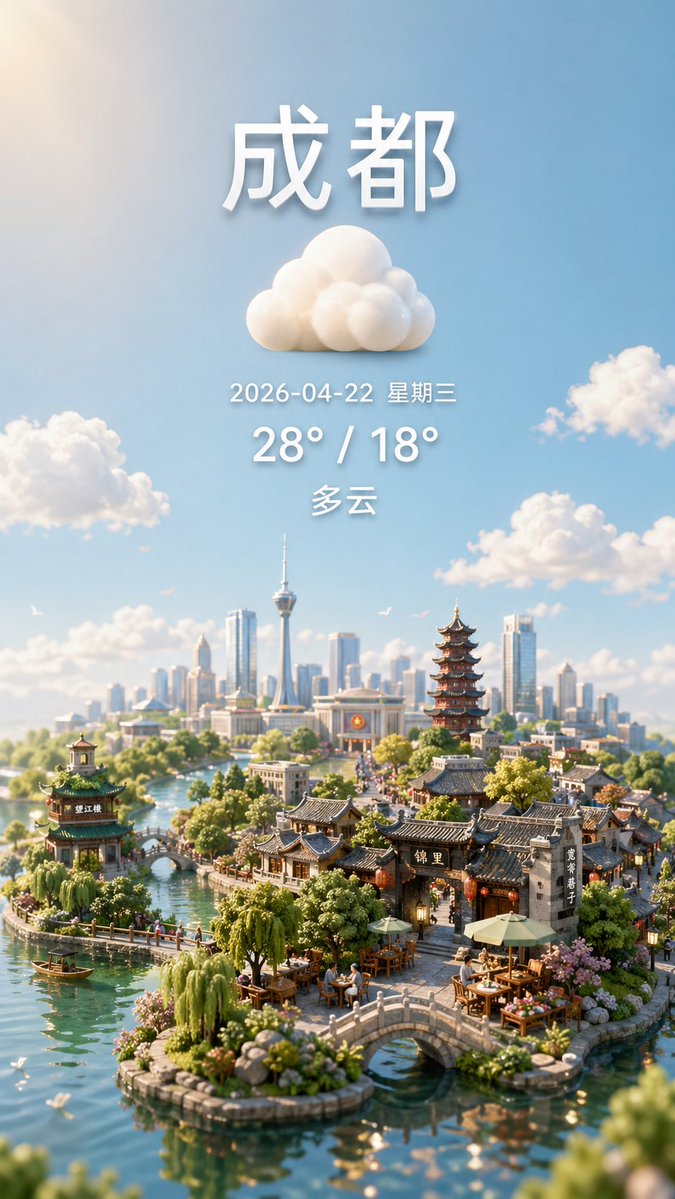
Camera Control
A vertical smartphone-style weather poster for {argument name="city name" default="成都"}, designed as a dreamy ultra-detailed miniature diorama cityscape under a bright blue sky. At the top center, place large bold white Chinese characters for the city name with soft 3D depth and a gentle drop shadow. Directly below it, center a fluffy white cloud icon made of rounded sculpted forms. Under the icon, add one line of smaller white text showing {argument name="date text" default="2026-04-22 星期三"}, then a larger bold white temperature line reading {argument name="temperature text" default="28° / 18°"}, then one more centered weather-condition line in white reading {argument name="condition text" default="多云"}. Keep all text vertically stacked, evenly spaced, and cleanly centered in the upper half of the image. In the lower half, create an enchanting hybrid city of traditional Chinese water-town architecture and a modern skyline: calm turquoise canals winding around tiny islands, 2 small arched stone bridges in the foreground, 1 pavilion on the left island, 1 tall multi-tier pagoda near the right-center, clusters of grey-tiled traditional houses and shopfronts, outdoor tea tables with umbrellas, lush willows, shrubs, flowers, and a few tiny boats on the water. In the distant background, show a contemporary skyline with many glass skyscrapers and 1 prominent needle-like observation tower. Scatter exactly 5 soft cumulus clouds across the sky including the central weather icon area, and add a few tiny birds for life. Use warm morning sunlight, cinematic atmospheric perspective, shallow depth of field, tilt-shift miniature photography aesthetics, highly realistic materials, delicate reflections in the water, and a polished whimsical travel-poster mood. Preserve a clean composition with generous sky above and the miniature city concentrated at the bottom, like a premium weather app hero image.
This is a free AI prompt from the Orelon library. Thousands more image prompts here are free to copy and adapt.
Explore more image prompts





Ready to create
Start with this curated direction in Orelon, then shape it into your next visual.