Camera Control
Consistent Child Portrait Photo Grid
Likes
1
Views
192
 Orelon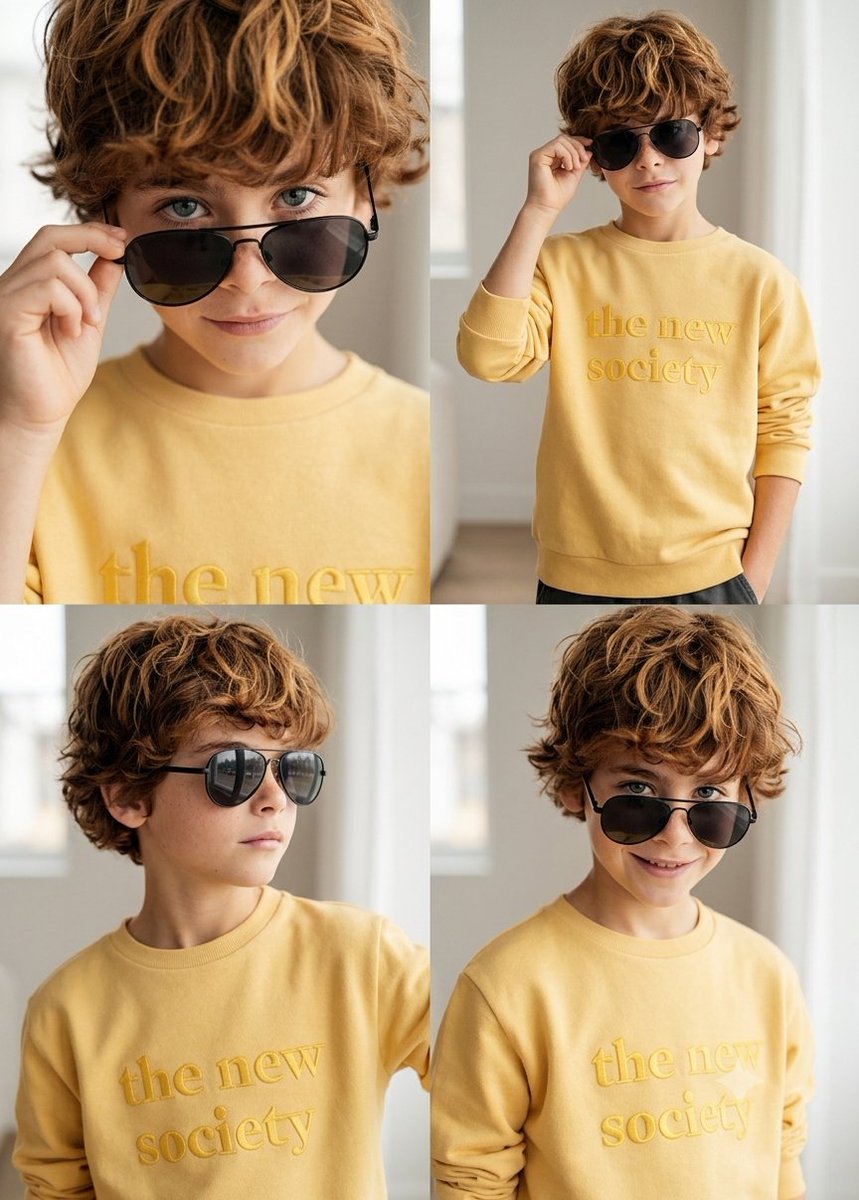
Camera Control
create a {argument name="layout" default="2x2 photo grid"} (four photos) showing a cohesive photoshoot of the same {argument name="subject" default="child"}, using the boy's face from the attached reference photo as the identity source, so the system must take the child's appearance directly from the attached reference image and preserve the same facial features, face geometry, hairstyle, and overall look. remove all scratches or marks from the boy's face, keeping the skin clean and natural while maintaining realistic skin texture, the clothing and appearance must remain exactly the same as in the attached reference photo, with no changes to outfit, colors, or styling, the boy should have a confident, playful expression with a stylish slightly cheeky "cool kid" vibe. the photoshoot style should be {argument name="style" default="bright natural light, lifestyle portrait photography"}, shallow depth of field, soft neutral background, realistic skin tones, and a candid modern family photoshoot look, all four images must show the same boy, the same outfit from the reference photo, and the same visual style, but with different camera angles and compositions. the four shots should include a close-up portrait where the boy slightly lowers the sunglasses while looking at the camera, a medium shot with the boy standing casually and adjusting the sunglasses with one hand, a side-angle portrait where the boy looks slightly to the side with sunglasses on in a relaxed pose, and a three-quarter portrait where the boy smiles confidently toward the camera with a playful attitude. the result should be photorealistic photography with natural lighting and consistent color grading across all four images so they look like one professional photoshoot, and the output must be a single image composed as a clean 2x2 grid of four photos, with no text, no logos, and no watermarks.
This is a free AI prompt from the Orelon library. Thousands more image prompts here are free to copy and adapt.
Explore more image prompts





Ready to create
Start with this curated direction in Orelon, then shape it into your next visual.