UGC / Ad Templates
Simulated iPhone 14 Pro Selfie in Harsh Lighting
Likes
1
Views
129
 Orelon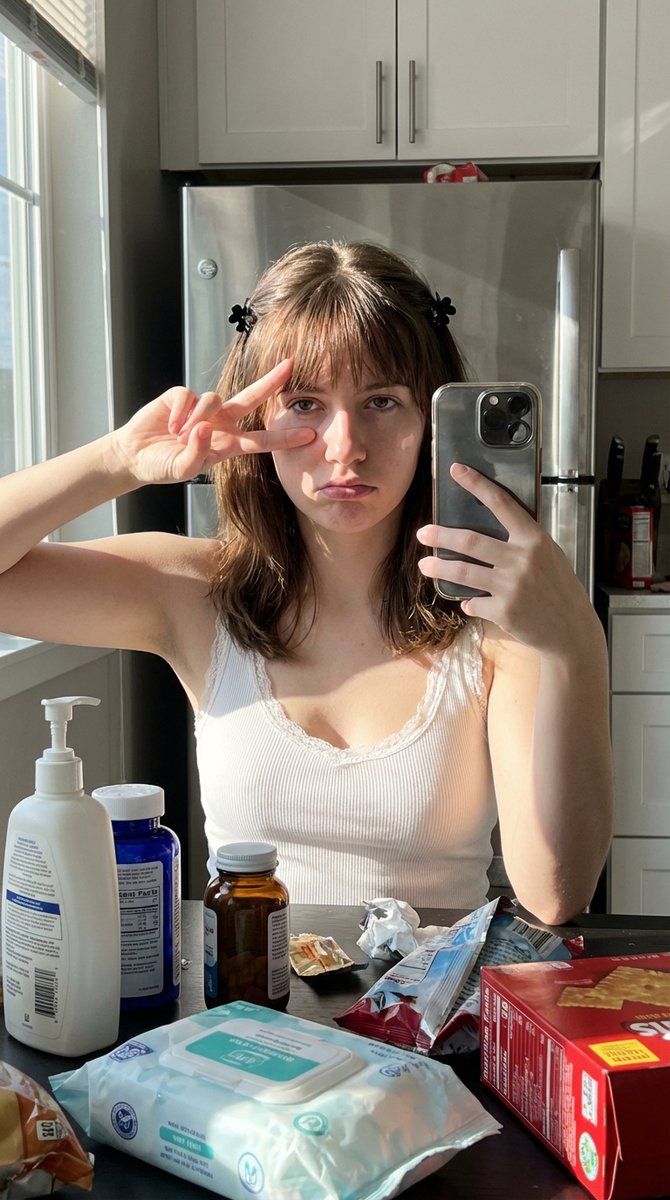
UGC / Ad Templates
{ "intent": { "image_type": "selfie", "era_preset": "modern_standard", "notes": "Simulating iPhone 14 Pro raw capture in harsh lighting" }, "subjects": { "count": 1, "primary": { "type": "person", "age_range": "young_adult", "gender_presentation": "female", "region_target": "unspecified", "expression": "deadpan_pout", "pose": "peace_sign_over_left_eye", "gaze": "looking_into_lens" }, "additional": [] }, "framing_and_perspective": { "framing": "tight_head_and_shoulders", "subject_fill_ratio": 0.8, "camera_angle": "slightly_high", "distance": "arm_length", "camera_class": "smartphone_front", "lens_equiv_mm": 23, "distortion": { "type": "mild_barrel", "strength_1to5": 2 }, "perspective_effects": { "foreground_scale_emphasis_1to5": 4, "nose_emphasis_1to5": 3, "ear_recession_1to5": 3 }, "depth_of_field": { "mode": "minimal", "strength_1to5": 1, "focus_target": "eyes" } }, "lighting_and_exposure": { "key_light": { "type": "sunlight_window", "direction": "camera_left", "hardness_1to5": 5, "halo_bloom_1to5": 3 }, "exposure_behavior": { "auto_exposure": true, "hdr_tone_mapping_1to5": 3, "overall_brightness_1to5": 5, "contrast_1to5": 5, "shadow_depth_1to5": 4, "highlight_overflow_1to5": 5 }, "failure_modes_active": { "highlight_clipping": true, "shadow_chroma_noise": true, "denoise_smear": false, "sharpen_halos": true, "motion_blur": false, "jpeg_ringing_banding": false, "banding_in_gradients": false, "focus_falloff_edge_softness": false } }, "computational_pipeline": { "skin_smoothing": { "method": "edge_aware", "strength_1to5": 3, "specular_preservation": "required" }, "sharpening": { "strength_1to5": 4, "halo_risk_1to5": 3 }, "noise_and_denoise": { "shadow_chroma_noise_1to5": 3, "denoise_smear_1to5": 2, "grain_strength_1to5": 2 }, "compression": { "jpeg_artifacts_1to5": 2, "banding_risk_1to5": 1 }, "white_balance": { "mode": "auto", "highlight_temp_bias": "neutral", "shadow_temp_bias": "cool" } }, "region_and_face_feature_sliders": { "non_stereotype_policy": "sliders_over_labels", "beauty_mark_under_right_eye": false, "sliders_1to5": { "face_oval_vline_1to5": 3, "cheekbone_prominence_1to5": 3, "brow_definition_1to5": 3, "eye_emphasis_1to5": 3, "eyelid_crease_definition_1to5": 3, "nose_bridge_definition_1to5": 3, "lip_fullness_1to5": 4, "makeup_intensity_1to5": 3, "skin_undertone": "neutral" } }, "environment_and_materials": { "setting": "indoor_home", "clutter_level_1to5": 5, "props": [ "white_pump_b"
This is a free AI prompt from the Orelon library. Thousands more image prompts here are free to copy and adapt.
Explore more image prompts





Ready to create
Start with this curated direction in Orelon, then shape it into your next visual.