Camera Control
Cinematic Frozen Lake Portrait and Video Prompt
Likes
47
Views
1.4K
 Orelon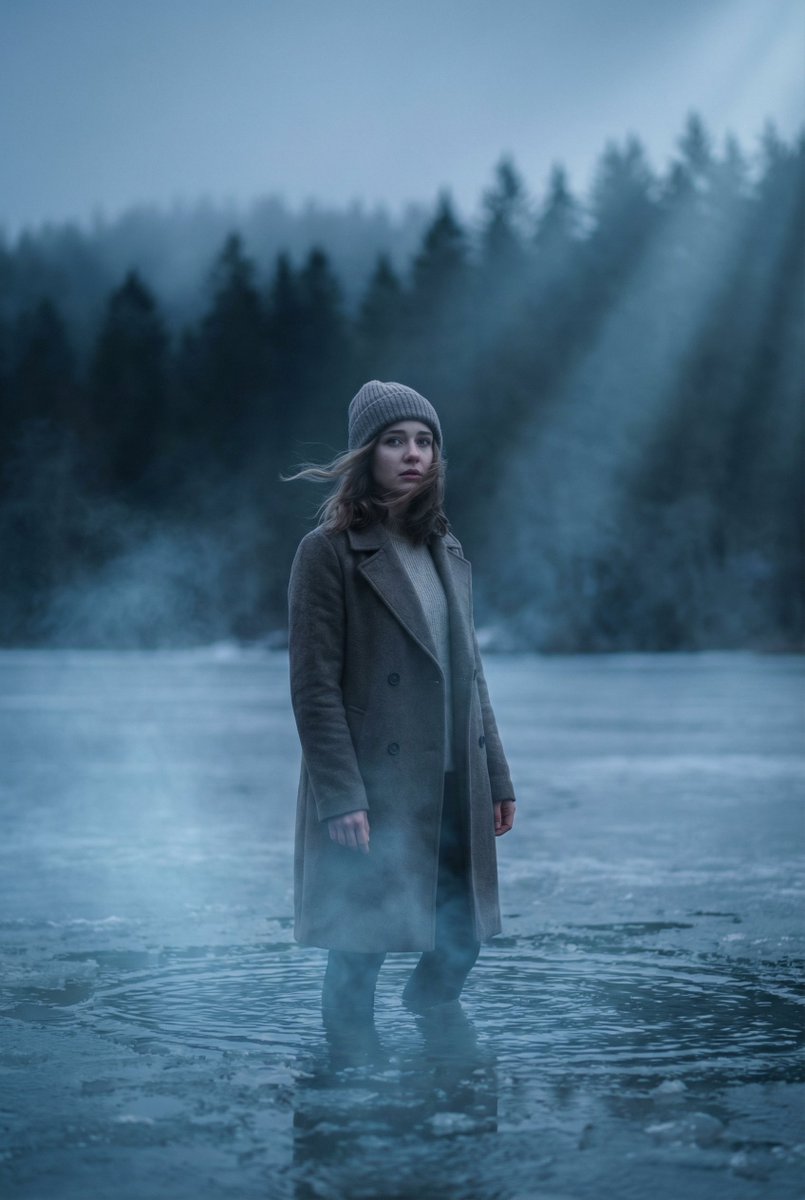
Camera Control
{ "image_generation_prompt": { "subject": { "description": "Lone young woman", "action": "Standing in shallow water", "details": [ "Wind gently moving her hair and coat", "Emotional expression" ] }, "environment": { "location": "Frozen lake", "background": "Dark pine forest fading into fog", "time_of_day": "Dusk", "atmosphere": [ "Soft mist rising around legs", "Fog" ] }, "lighting": { "type": "Volumetric lighting", "style": "Dramatic", "color_temperature": "Cold blue" }, "technical_specs": { "lens": "85mm", "aperture": "f1.8", "focus": "Shallow depth of field", "resolution": "8k" }, "style": { "genre": "Cinematic portrait", "grading": "Cinematic color grading", "realism": [ "Ultra realistic", "Photorealistic" ] } } } Kling Prompt: { "camera": { "movement": "Slow cinematic push-in", "effect": "Film-style motion blur" }, "environment": { "weather": "Light fog", "lighting": "Glowing cold light reflections", "elements": [ "Subtle wind moving hair and clothing", "Soft ripples forming around feet" ] }, "mood": { "atmosphere": "Emotional", "style": "Dramatic" } }
This is a free AI prompt from the Orelon library. Thousands more image prompts here are free to copy and adapt.
Explore more image prompts





Ready to create
Start with this curated direction in Orelon, then shape it into your next visual.