Camera Control
Dreamy Glam Portrait with Soft Focus Vintage Realism
Likes
2
Views
320
 Orelon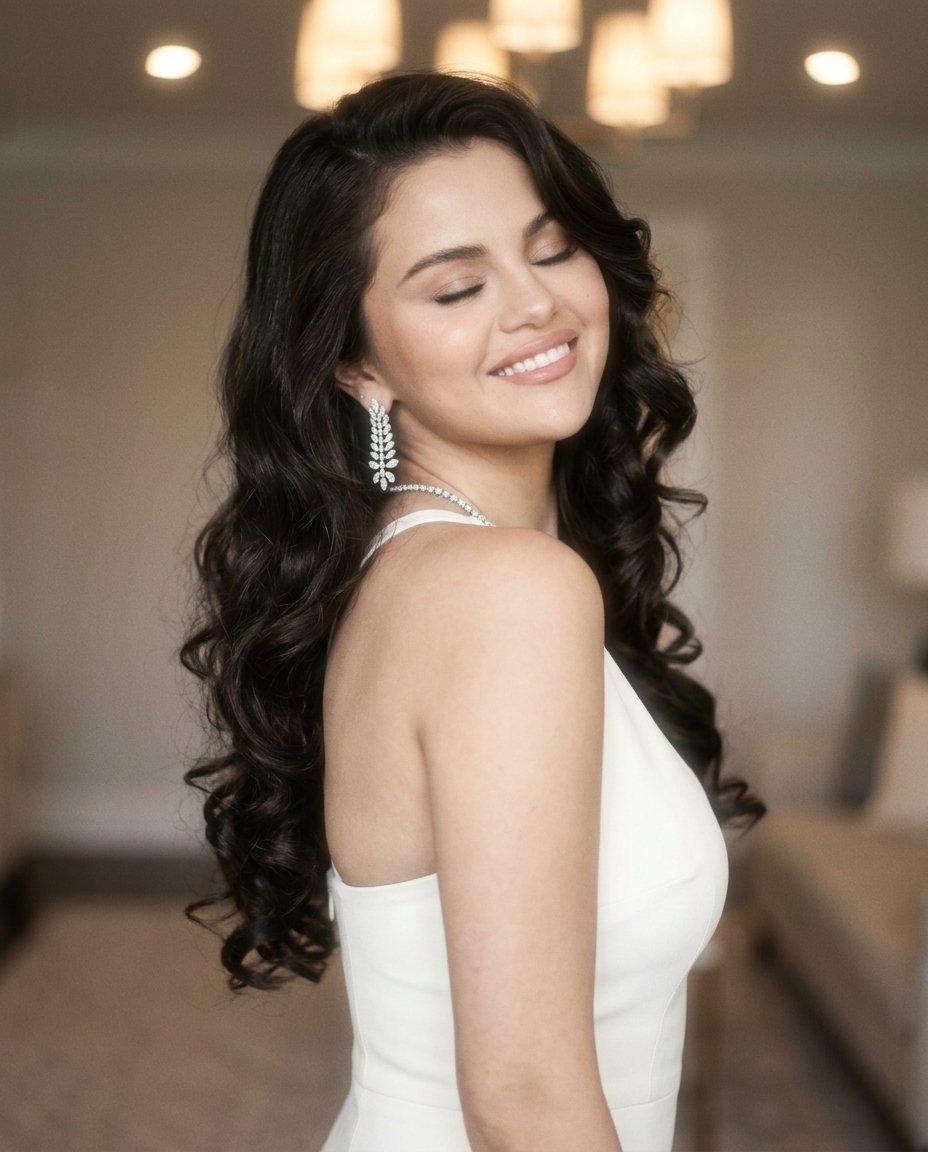
Camera Control
{ "photo_type": "Dreamy glam portrait (soft focus vintage realism)", "subject": { "face": { "description": "Use uploaded reference image, keep identity 100% unchanged" }, "pose_description": "Over-the-shoulder pose, body turned away slightly, head tilted back toward camera", "expression": "Eyes closed, wide soft smile, relaxed joyful emotion", "body_details": [ "shoulder slightly raised", "neck extended", "natural curve in posture" ] }, "clothing": { "type": "white fitted dress", "details": [ "smooth fabric", "soft highlights", "clean minimal look" ] }, "accessories": { "details": [ "sparkling earrings", "thin necklace", "subtle jewelry shine" ] }, "hair": { "details": [ "long styled waves", "defined curls at ends", "smooth glossy texture", "controlled volume" ] }, "lighting": { "type": "soft diffused indoor light", "setup": [ "overhead warm lights", "diffused ambient lighting", "no harsh shadows" ], "effects": [ "soft glow on skin", "light bloom effect", "reduced contrast", "highlight softness" ], "color_temperature": "neutral-warm 3500K" }, "lens_effects": { "details": [ "soft focus filter", "slight haze", "light bloom around highlights", "reduced sharpness intentionally" ] }, "camera": { "type": "vintage digital / soft portrait lens", "lens": "50mm", "settings": { "aperture": "f/1.8", "iso": "ISO 400", "shutter_speed": "1/100s" }, "focus": "soft focus on face", "sensor_behavior": [ "slight grain", "soft dynamic range", "gentle tonal transitions" ] }, "background": { "setting": "indoor room", "details": [ "soft blurred background", "neutral tones", "ceiling lights slightly visible", "no sharp details" ] }, "skin_realism": { "details": [ "natural glow", "softened texture", "light makeup reflection", "not overly sharp" ] }, "color_grading": { "style": "soft vintage glow", "rules": [ "slightly faded contrast", "warm highlights", "muted shadows", "pastel softness" ] }, "imperfections": [ "soft blur", "light haze", "minor grain", "focus falloff" ], "composition": { "camera_angle": "slightly above shoulder level", "framing": "close portrait", "depth": "shallow, background heavily blurred" }, "resolution_and_aspect_ratio": "4K, 4:5", "vibe": "romantic, dreamy, soft glam, elegant", "strict_rules": { "must_have": [ "over shoulder pose", "eyes closed smile", "soft glow effe
This is a free AI prompt from the Orelon library. Thousands more image prompts here are free to copy and adapt.
Explore more image prompts





Ready to create
Start with this curated direction in Orelon, then shape it into your next visual.