Camera Control
Day-to-Night Canal Street Transformation
Views
37
 Orelon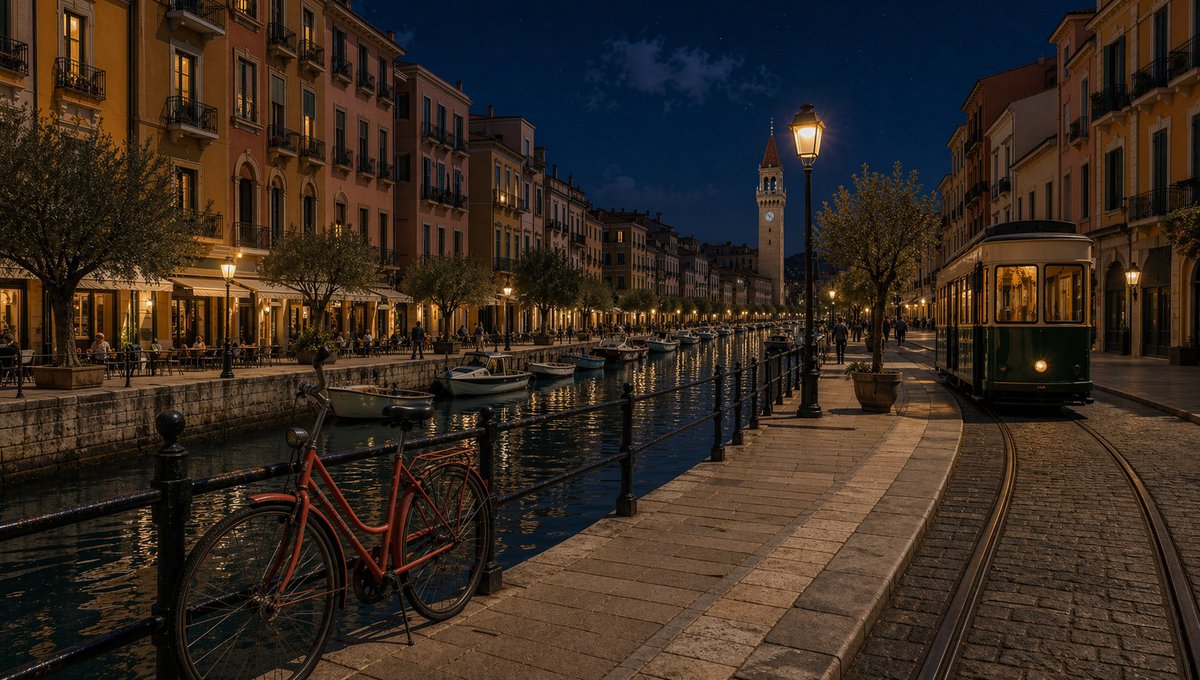
Camera Control
Using REFERENCE_0 as the base image, transform the scene from daytime into {argument name="time of day" default="night"} while preserving the same camera angle, framing, street layout, canal, buildings, bicycle, boats, tram, and overall realistic photographic detail. Replace the bright blue daytime sky with a deep dark blue night sky with faint stars and subtle clouds. Add warm artificial illumination: glowing streetlamps, lit café and apartment windows, the tram interior lights and headlight, and soft golden reflections shimmering across the canal water. Darken the façades, pavement, trees, and canal naturally, keeping enough detail visible, with cinematic high dynamic range lighting and a clean realistic lens look. Do not change the composition or add/remove major objects.
This is a free AI prompt from the Orelon library. Thousands more image prompts here are free to copy and adapt.
Explore more image prompts





Ready to create
Start with this curated direction in Orelon, then shape it into your next visual.